SEO plugin for Shopify.
TheSEOAgent installs into Shopify as an SEO plugin and runs the full content loop for your store. Live keyword research, drafting with every claim checked against its sources, and native publish into your Shopify blog. Set the targets, the agent ships, every day.
FREE TRIAL · CANCEL IN ONE CLICK
What is an SEO plugin for Shopify?
An SEO plugin for Shopify is software that installs into your Shopify admin and improves how your store ranks in Google. Most apps in the category only edit meta tags or alt text. TheSEOAgent is a different shape: it runs the full content loop, from keyword research to drafting to publishing finished articles into your Shopify blog. $99 a month, flat, with native publish to Shopify Online Store and three other CMS platforms included.
Edit meta fields. Then stop.
Most Shopify apps in the SEO category audit your product titles, suggest meta descriptions, and surface a broken-link list. None of them write the content that ranks. The blog stays empty, the long-tail traffic never arrives.
- Meta-tag editors that still leave the article-writing to you
- Image alt-text generators that fix one corner of a much larger problem
- Broken-link scanners with no path to recover the lost rankings
- Per-product schema injectors that do nothing for category-level demand
- Monthly fees that scale with store volume, not output
Owns the Shopify content loop end to end.
TheSEOAgent runs the full pipeline as one program: research, draft, fact-check, publish to your Shopify blog. You set the keyword list, the agent ships the article. Every step is auditable, every published post carries proper schema.
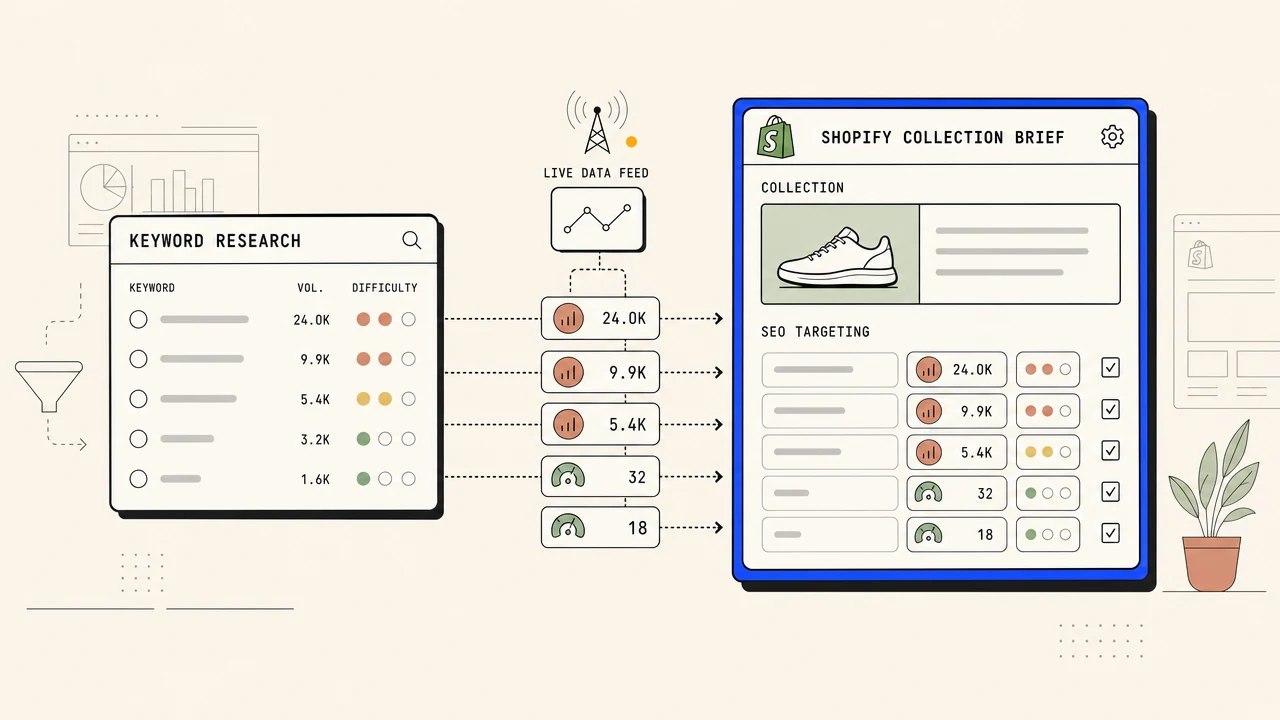
- Live keyword data feeds every brief, not internal estimates
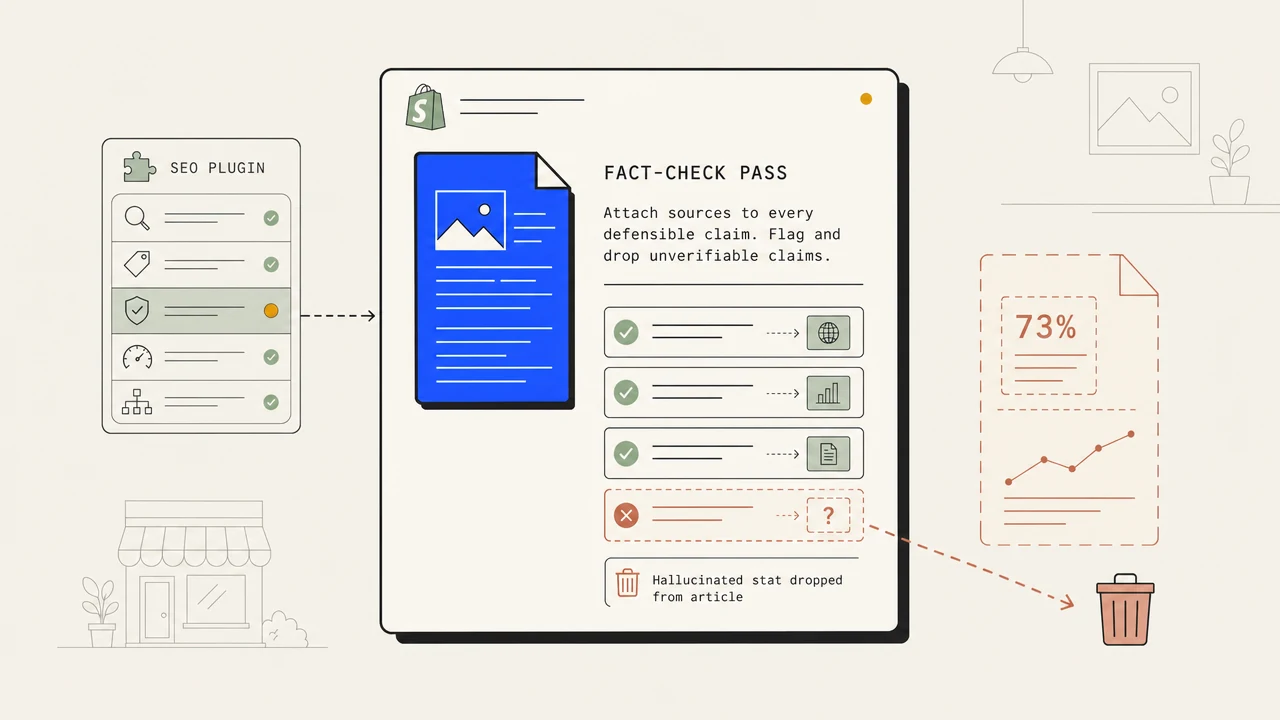
- Fact-check pass on every claim against its sources
- Claims its sources do not back are cut before publish
- Native publish to Shopify Online Store > Blog Posts via the Admin API
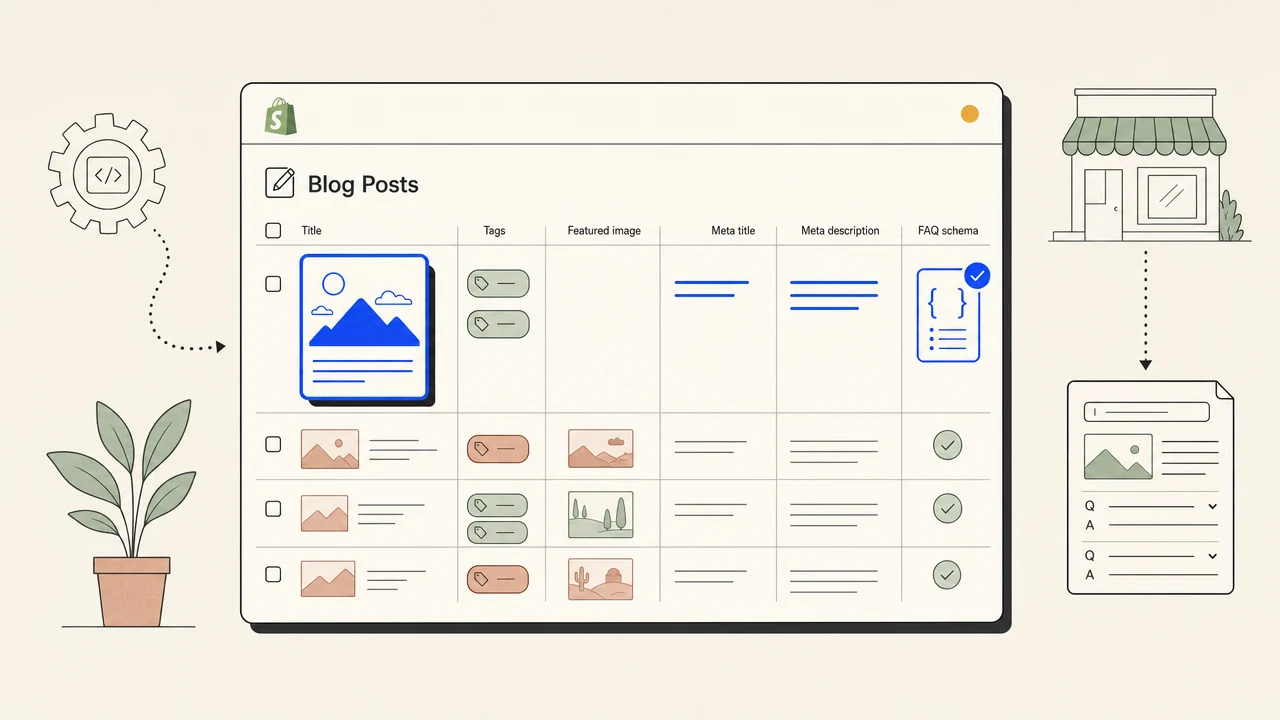
- Featured image, tags, meta title, meta description, FAQ schema all populated automatically
Four differences between a meta-tag editor and a real SEO plugin for Shopify.
Articles land in your Shopify blog, fully formatted.
We publish through the Shopify Admin API directly into Online Store > Blog Posts. Featured image, tags, handle, meta title, meta description, FAQ schema and article schema ship with each post. No copy-paste, no manual reformatting, no clunky markdown import. Shopify is one of four CMS integrations included in the flat $99 a month. That covers one store and 30 articles a month; each additional store is $79/month. The Shopify content publishing page explains this article workflow and how it differs from technical consulting or a store rebuild. For the product category and the full research-to-publish loop, see the dedicated Shopify SEO tool page.
Live keyword feeds every brief, not internal guesses.
Most Shopify SEO apps publish their own "estimated volume" numbers and call it research. We pipe a live keyword data feed into every brief: real monthly volume, real difficulty, real cost-per-click. The same data layer powers our broader SEO automation pipeline and the standalone meta description generator we ship as a free tool for Shopify merchants to try first.
Every claim checked against its sources before publish.
A separate checker model reads every claim in the draft against the sources saved during research before it touches your Shopify blog. Claims the sources do not back get softened or cut. We go deeper on the architecture on the AI fact checker page if you want the longer version.
Unfixed fact problems wait for you, not on your store.
After the repair pass, the article is checked again. If a correctness problem is still there, or a check could not run, the article is held for your review instead of reaching your Shopify blog. Auto-publish starts off, so every post waits for your approval until you switch it on. The same check is the dimension where we earn the #1 slot in our roundup of the best AI SEO tools for 2026, and the dimension founders cite most often in our head-to-head against Outrank.
Four stages, one article a day, published when you approve it.
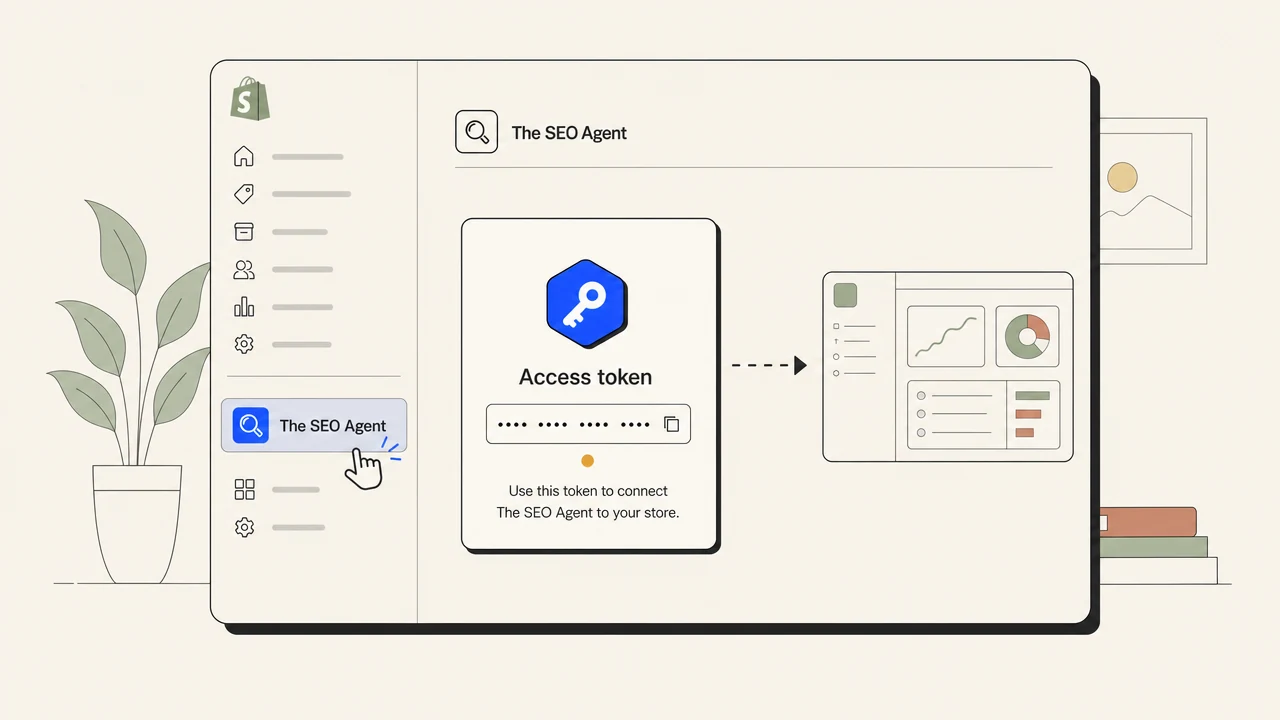
Install The SEO Agent and approve access inside your Shopify admin. No Admin API token to paste. The app lives under Apps in your sidebar.
Open The SEO Agent from Apps in your Shopify admin. It connects your store automatically. Click Connect to The SEO Agent, sign in, choose your blog, done.
Paste a keyword list, upload a CSV, or let the agent mine your store for opportunities from live keyword data. Approve each topic before it is written, or let the plan run.
Every day the agent picks the next keyword, drafts the article with cited sources, checks every claim against them, and publishes to your Shopify blog with the right featured image, tags, and schema once you approve it or switch on auto-publish.
The honest one-screen comparison.
| FEATURE | THE AGENT | EVERYONE ELSE |
|---|---|---|
| Writes the article for you | ||
| Keyword data | Live data feed + SERP scrape | Internal estimates or none |
| Fact-check pass against saved sources | ||
| Hold on articles with an unfixed fact problem | ||
| Native Shopify publish | Admin API into Online Store blog | Meta-edit only |
| FAQ + Article schema on every post | ||
| Pricing | $99 a month flat | Tiered by store volume |
| Cancellation | One click in app, instant | Email-only |
What is an SEO plugin for Shopify?
An SEO plugin for Shopify is software that installs into your Shopify admin and improves how your store ranks in Google. Most apps in the category only edit meta tags, alt text, or schema. TheSEOAgent is a different shape: it runs the full content loop, from keyword research to drafting to publishing finished articles into your Shopify blog. The result is long-tail traffic to your store, not just better meta fields on the pages you already have.
How is this different from Booster SEO, SEO Manager, or Plug In SEO?
Those apps are technical-SEO audit tools. They fix meta titles, image alt text, broken links, and schema on the product and collection pages you already have. TheSEOAgent is a content-SEO tool. It writes the articles that bring new traffic to your store. The two categories complement each other; you can run an audit app alongside us.
Where do the articles get published?
Directly into Shopify Online Store > Blog Posts via the Admin API. Each post lands with a featured image, tags, handle, meta title, meta description, and both FAQ and Article schema. No markdown export, no manual paste, no separate hosted blog. Articles live on your domain and pass authority into your store.
Do I need to paste an Admin API token by hand?
No. Open The SEO Agent from Apps in your Shopify admin and it connects your store automatically. Click "Connect to The SEO Agent", sign in, choose your blog, done. If the new tab does not open, copy the connection code from the app and paste it in The SEO Agent under Integrations, Shopify. Shopify tokens stay on our servers and never reach your browser.
Will the articles read like AI?
No. The pipeline runs an editing pass that smooths the prose so it reads naturally, and the fact-check pass cuts the claims its sources do not back. Both kill the typical AI giveaways. Start the free trial and read your first drafts before anything publishes.
Does it support more than one Shopify store?
Yes. You can connect multiple Shopify stores to a single workspace and publish into each one separately. Pricing is per workspace, not per store, so multi-store setups stay on the same $99 a month plan.
How much does it cost to run 30 articles a month on my Shopify blog?
$99 per month flat. One plan, no per-article meter, no token surcharge, no extra fees for hitting the Shopify Admin API. The first 3 days are a $1 trial so you can see articles ship to your blog before you commit.
Can I keep a human in the loop?
Yes. Auto-publish starts off, so each finished article waits for your approval, and you can also require approval before each article is written. Even with auto-publish on, an article with a fact problem it could not fix is held for your review. Nothing lands on your storefront until you approve it or switch auto-publish on.