Clearscope review: pricing, verdict, and who it fits.
Clearscope has spent years as the expensive, well-made option in content optimization, and the reputation for opaque enterprise pricing came with it. The current page prices two tiers in public and keeps a third behind a call. The more useful question is what those tiers meter, because one of the four counters does not move when you upgrade.
Is Clearscope worth it in 2026?
Clearscope is worth it for an editorial team optimizing pages it already owns, mostly because every tier includes unlimited users and projects. Checked 2026-09-18, Essentials is $129 a month for 50 tracked queries, 50 pages, 20 topic explorations, and 20 drafts, Business is $399 a month for 300 queries and 300 pages but the same 20 drafts, and Enterprise is custom priced. It is the wrong buy if the bottleneck is that pages are not shipping, because the grade advises, it never refuses a weak page and it never publishes a finished one.
A content score still leaves you writing the article. The SEO Agent researches, writes, fact-checks and publishes it for you, one a day. Enter your site to start.
Free trial · Cancel in one click1. What Clearscope is now.
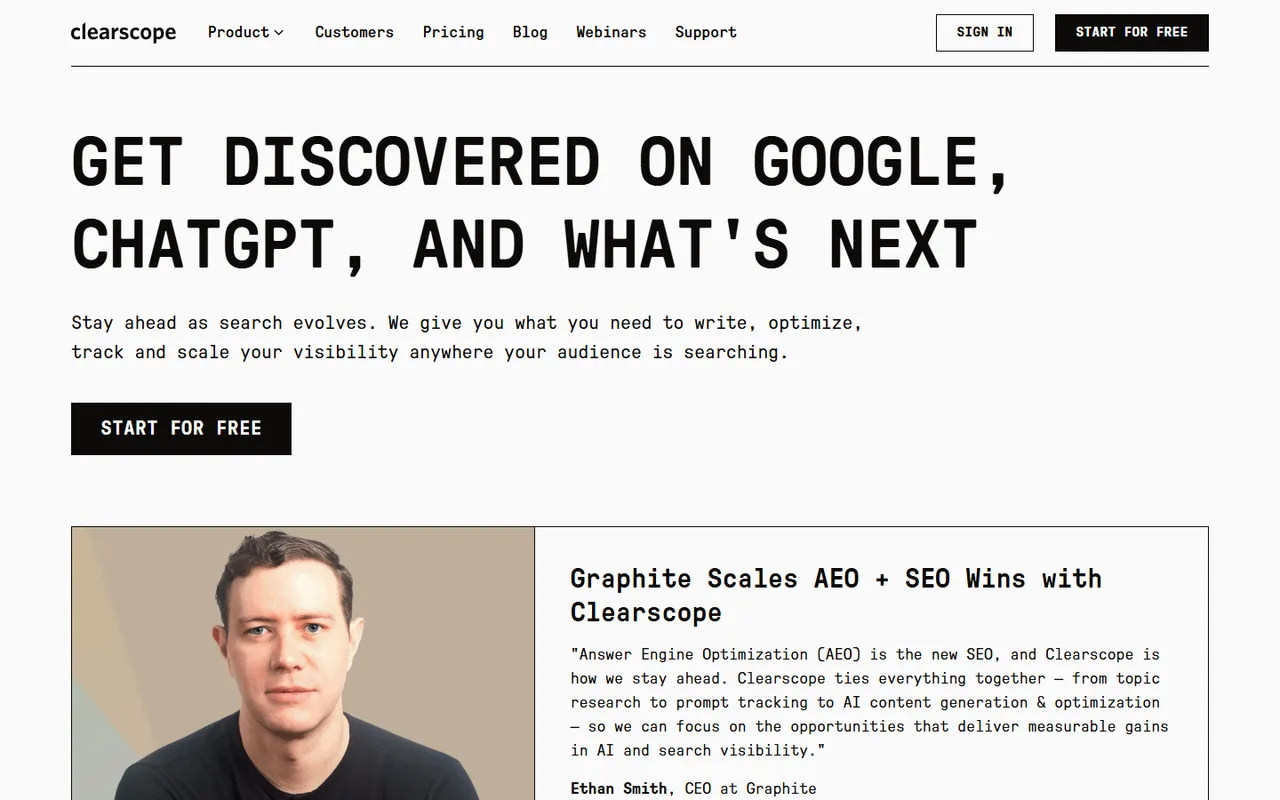
Clearscope is a content optimization platform that has grown a measurement layer around itself. It is the kind of AI SEO tool a writer opens next to a draft. TheSEOAgent sits at the other end of the same job: keyword validation, citations, a claim check, internal links, and native CMS publish with nobody in the editor.
The headline on the live homepage is “Get Discovered on Google, ChatGPT, and What’s Next”, and the line underneath promises what you need to write, optimize, track, and scale visibility wherever your audience searches. That is a wider claim than the old positioning, which was essentially one very good content grader.
The product is now sold as seven named modules: Expand for prompt tracking, Discover for query discovery, Write for AI drafting, Optimize for the editor most people know it for, Protect for content analytics and monitoring, plus Localize and Linking. Expand is the interesting one. Tracking how a brand shows up in assistant answers is the answer engine optimization problem, and it is now metered on the same plan as the classic grading work.
The logo wall runs Intuit, Conde Nast, Adobe, Shopify, Deloitte, YouTube, and IBM, and the case studies quote Webflow at 130 percent growth in non-branded SEO traffic in 2024, Animalz saving 1.5 to 3 hours per article, and Optimizely at a 52 percent organic lift on optimized content. Those are publisher-scale numbers from publisher-scale teams, which tells you who the product is built for. If the assistant-visibility half is why you are shopping, our roundup of the tools that track brand mentions in AI answers compares the dedicated trackers against suites like this one.
2. Clearscope pricing, tier by tier.
Credit where it is due: the page is honest and readable. No annual toggle preselected to make the number look smaller, no countdown banner, no struck-through anchor price. It says simple, transparent pricing, no contracts, no hidden costs, 14 day free trial, and then it prints two numbers.
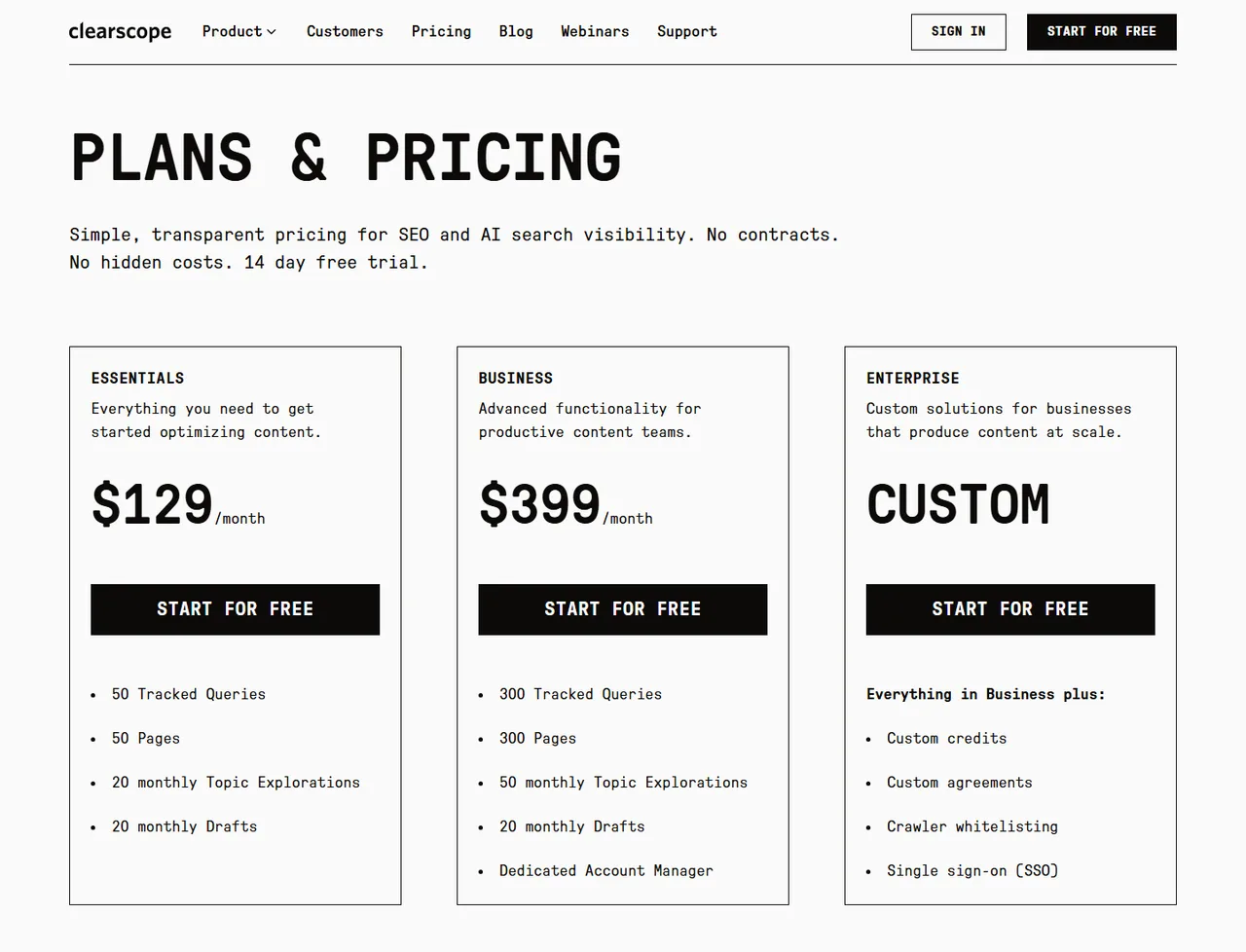
- Essentials$129 a month
50 tracked queries, 50 pages, 20 topic explorations, and 20 drafts a month, with unlimited users and projects. Fine for one site and a small library. Fifty pages is a blog that has been running for about a year, so growing sites hit that ceiling before they hit any of the others.
- Business$399 a month
300 tracked queries, 300 pages, 50 topic explorations, still 20 drafts a month, plus a dedicated account manager. Six times the monitoring for roughly three times the price, and exactly the same writing allowance as the entry tier. This tier is sold to teams that measure a lot, not to teams that write a lot.
- EnterpriseCustom, contact required
Everything in Business plus custom credits, custom agreements, crawler whitelisting, and single sign-on. The published part of the pricing page stops here, so the biggest buyer is the one who still cannot budget without a call. If SSO is a procurement requirement for you, assume a sales cycle.

Now the part the pricing table does not spell out. Each tier is four separate counters, and they do not scale together. Tracked queries and pages jump six times between Essentials and Business. Topic explorations roughly double. Drafts stay at 20. Paying $270 more a month buys you a bigger telescope, not more writing. That is a coherent product decision for a company whose core buyer already employs writers, and it is a bad deal for anyone hoping the subscription replaces them.
Three things are included on every tier and they matter more than the headline price.
- Unlimited users, projects, and sharing
On every tier, including the $129 one. Most tools in this category charge per seat, so a five-person content team is comparing $129 flat against five seats somewhere else. This is the line that makes the price defensible.
- 14-day free trial, no contract
Long enough to run a real test if you load your own pages and queries on the first day rather than the tenth. Monthly billing with no lock-in also means you can cancel after a quiet quarter instead of arguing with an annual term.
- Add-on pages and drafts
Extra pages and drafts are sold on top of the plan and priced by tier. Worth pricing before you commit, because the draft counter is the one that runs out first and it is the one that does not grow when you upgrade.

The one gap left in the transparency story is the top of the ladder. Enterprise lists custom credits, custom agreements, crawler whitelisting, and single sign-on, and no number at all. If SSO is a procurement requirement, your budgeting starts with a sales call. If you are cross-checking this against older reviews, ignore their tier prices: pages still quoting Essentials at $170 or $189 are describing packaging that is no longer on the site. Our own flat monthly plan exists because this arithmetic should not need a spreadsheet.
3. Where Clearscope wins.
This is a well-built product with a specific buyer, and it is better at that buyer’s job than the cheaper tools it gets compared against.
- Unlimited seats on every plan. A six-person content team pays $129, not six seat licences. Against per-seat pricing elsewhere this often flips the total-cost comparison entirely, and it means freelancers and editors get access instead of sharing one login.
- The editor is the benchmark. Term and entity coverage scored against what currently ranks, presented as one grade a writer can work toward, is the cleanest version of that workflow anyone ships. It gives a distributed team a shared definition of done.
- Monitoring existing pages. Watching 300 URLs for decay is real work that most content teams do badly or not at all. Refreshing a page that used to rank is usually cheaper than writing a new one.
- It moved on AI search. Prompt tracking is not a bolt-on marketing page here, it is a named module with its own counter. For a brand that needs to report assistant visibility to a board, that reporting exists.
Where that lands in the category is covered in our AI SEO tools roundup, which separates tools that make a person faster from tools that remove a step. Clearscope is firmly and deliberately in the first group, and the prompt-tracking module pulls it toward the generative engine optimization stack.
4. Is Clearscope good for SEO?
For the optimize-and-measure half, yes, and few tools do it better. For the half that decides whether anything ranks, the constraints are structural rather than fixable with a bigger plan.

- Twenty drafts is not a program. Rankings move on cadence. Twenty drafts a month is five a week before editing, and it is the same number whether you pay $129 or $399, so the writing ceiling is fixed no matter how much budget you throw at it.
- A grade is not a gate. Nothing stops a writer publishing a low-scoring page. Quality depends on editorial discipline, which is exactly the thing understaffed content teams run out of first.
- Coverage is not accuracy. Hitting every recommended term says nothing about whether a claim is true or where it came from. Attaching a real source to every defensible statement is the expensive half of shipping an AI draft, and it is the job our citation pass does before anything goes live.
- Linking is a module, not an outcome. Internal linking appears in the product list, and it still runs as a suggestion a person applies. Compare that against what an automatic internal linker does at the moment each page publishes.
- Nothing reaches the CMS. The deliverable is an optimized document. Somebody still formats it, adds the images, and hits publish, and that final hour is where most content calendars actually die.
That gap is the one our automation-tool rankings weigh heaviest: how much of the loop closes without a person picking up a recommendation and doing the work by hand?
5. Clearscope vs TheSEOAgent.
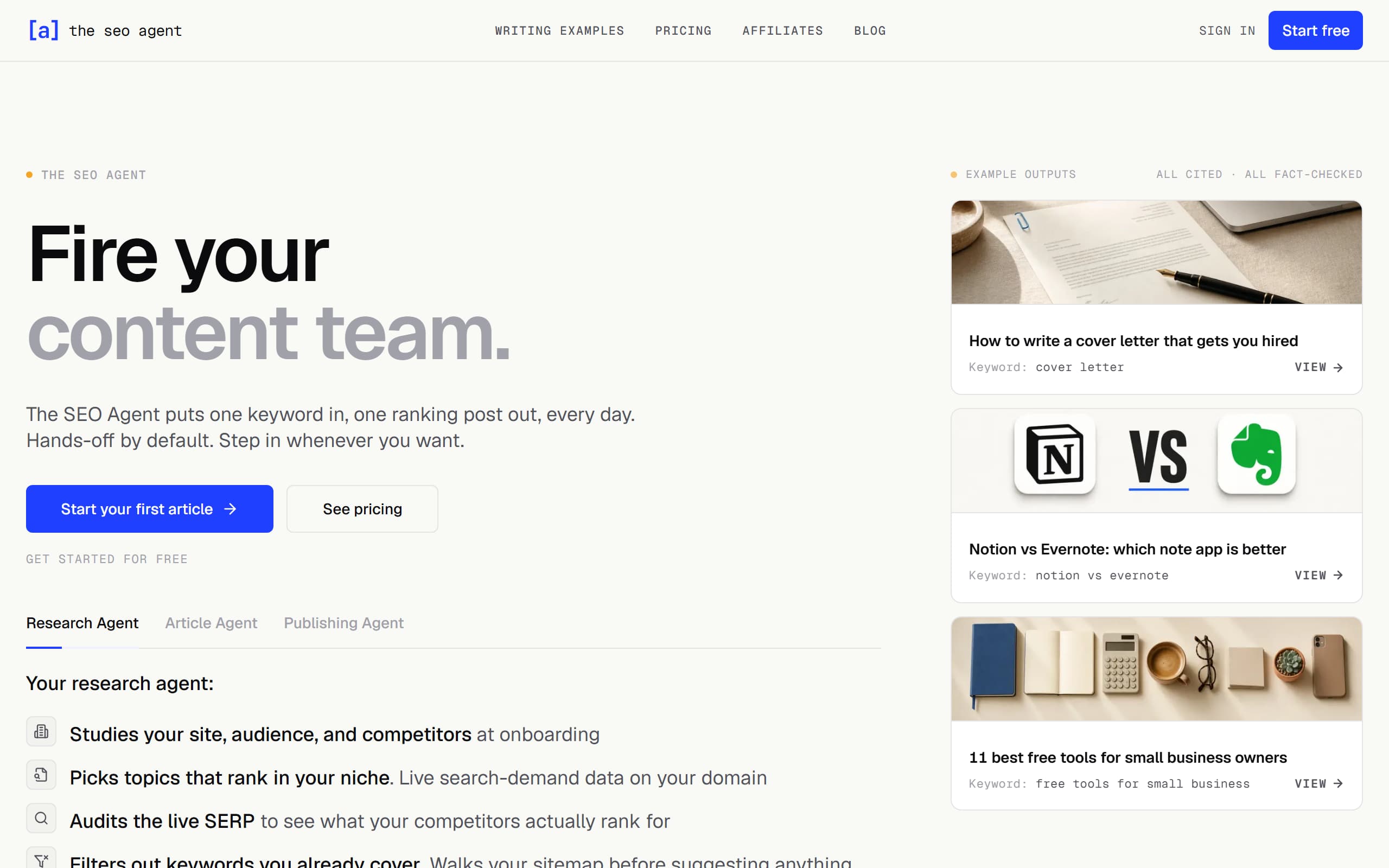
The clean split: Clearscope grades and monitors pages so the people writing them work better, metered in queries, pages, explorations, and drafts. TheSEOAgent removes the writing step and publishes the result on a cadence you set.
| FEATURE | CLEARSCOPE | THESEOAGENT |
|---|---|---|
| Best fit | Editorial teams optimizing an existing content library | Founders and teams who need new pages published on a cadence |
| What you get | Grades, term coverage, and monitoring for pages you own | Finished articles live on your site |
| Seats | Unlimited users and projects on every tier | One workspace per site, no seat charges either |
| Keyword selection | Topic explorations metered at 20 or 50 a month | Live keyword validation before anything is planned, unmetered |
| Fact checking | Not part of the grade | Every claim checked against its sources before publish |
| Quality control | A letter grade the writer works toward, advisory only | Claims its sources do not back are cut before publish |
| Publishing | The optimized document is the deliverable | Native publish to WordPress, Webflow, Shopify, Ghost, and Wix |
| Price shape | $129 or $399 a month, then a call for enterprise | $99 a month flat, published, cancel in one click |
6. The decision matrix.
One question decides this, and it is not a feature question. Who opens the tool on Monday, and do they have time to act on what it says?
- You employ writers and editors who want guidance, not drafts.
- Several people need access without paying per seat.
- You have a library worth monitoring for decay.
- Reporting assistant visibility to leadership is part of the job.
- Nobody on the team is going to open an editor this week.
- You want the keyword chosen for you from live search data.
- You want citations and internal links handled by default.
- You want the article published, not graded.
If the honest answer is that nobody has the hours, a better dashboard will not fix it. The autoblogging page explains what the hands-off version looks like day to day, and an AI SEO agent that researches, drafts, checks, links, and publishes on one flat plan is a different purchase from an instrument that reports on the problem.
7. Clearscope alternatives worth checking.
Decide which job you are replacing before you shop. Clearscope does four of them and the swaps are different in each direction.
- Replacing the on-page editor. Surfer is the closest like-for-like swap and cheaper for a solo operator, though it charges differently once a team needs access. The Surfer SEO verdict covers what it does and does not include.
- Replacing the research and briefs. Frase leads with question research and brief building, and it starts a long way below $129. The Frase verdict is the place to check whether the depth is enough for your writers. If you want the brief to run on into a first draft inside the same tool, the Outranking pricing and add-on breakdown shows what that costs once the AI credits are added.
- Replacing the library planning. MarketMuse works at site level rather than page level, which is the right altitude if the question is what to write next rather than how to improve this page. The MarketMuse verdict covers who that suits, and the Scalenut verdict covers the broad-suite option that bundles drafting with visibility tracking.
- Replacing the whole workflow. If the real complaint is that graded drafts never reach the site, the swap is a pipeline rather than an editor. The auto blogging software comparison ranks that category by what actually reaches a live page.
8. How to test it in 14 days.
Fourteen days is generous by category standards, and it is still easy to waste the first ten on the dashboard. Run it in this order:
- On day one, load your real URLs into pages and your real targets into tracked queries. Monitoring needs elapsed time to show you anything, so this cannot wait.
- Count how many pages you actually own. If it is over 50, price Business rather than Essentials before you get attached to the entry number.
- Take three keywords from one cluster to a finished, publishable draft and record how much of the 20-draft allowance that consumed.
- Count what the tool did not do to each draft: unsupported claims, missing sources, missing internal links, and the CMS formatting work. Time that honestly.
- Multiply that time by your target monthly output. Subscription plus hours is the real cost, and with a fixed 20-draft ceiling the hours usually decide it.
To run the same test on the automated side, our free trial covers keyword validation through to CMS publish with no draft counter to watch, and the AI SEO software page explains which parts of the loop run without anyone in the editor.
- Surfer SEO review for the on-page optimizer it competes with most directly
- MarketMuse review for the site-level planning alternative
- AI visibility tools ranked for the prompt-tracking half of the job
- SEO automation with keyword validation and a claim check
- SEO automation tools compared by how much of the loop they close
Is Clearscope worth it in 2026?
It is worth it if a team of writers and editors is going to open it every week and work against the grades it produces. Checked 2026-09-18, Essentials is $129 a month for 50 tracked queries, 50 pages, 20 topic explorations, and 20 drafts, with unlimited users on every tier. That last part is genuinely rare and it is the strongest argument for the price. It is not worth it if the problem is that pages are not getting published, because the tool grades and advises, it does not ship.
How much does Clearscope cost?
Checked 2026-09-18 on the live pricing page: Essentials is $129 a month, Business is $399 a month, and Enterprise is custom priced. There is a 14-day free trial and the page states no contracts and no hidden costs. Extra pages and drafts are sold as add-ons priced by plan level. Older review pages still quote an Essentials tier at $170 or $189, and those figures are not what the page shows today.
What is Clearscope best for?
Editorial teams optimizing a real content library. It is strongest when several writers work on the same set of pages, because every tier includes unlimited users, unlimited projects, and unlimited sharing, so nobody gets locked out to save a seat. The grading workflow gives a room full of writers one shared definition of what finished looks like, which is a management problem as much as an SEO one.
What do the Clearscope tier limits actually meter?
Four separate counters. Tracked Queries is how many search or prompt targets you monitor, Pages is how many of your URLs the platform watches, Topic Explorations is the research side, and Drafts is AI writing. Essentials gives 50, 50, 20, and 20. Business gives 300, 300, 50, and 20. Note the last number: the draft allowance is identical on both tiers, so paying three times more buys monitoring scale, not writing volume.
What is the main weakness of Clearscope?
The grade is advisory. Nothing in the product refuses to let a weak page go live, nothing attaches a source to a claim, and nothing publishes the finished article to your CMS. You are buying a very good instrument panel, and the person reading it still has to fly the plane. The second weakness is smaller: the enterprise tier is still a conversation rather than a number, so the largest buyer cannot self-serve a budget.
Is Clearscope good for SEO?
For on-page optimization and content measurement, yes. Term and entity coverage against what already ranks is legitimate work, the reporting on existing pages is solid, and the prompt tracking added for AI search is a real answer to where discovery is moving. For the part that decides whether anything ranks, which is publishing useful pages on a cadence, 20 drafts a month and a human editor are the ceiling.
Is Clearscope better than Surfer SEO or Frase?
They split on price and polish. Clearscope is the cleaner editorial workflow with unlimited seats and a research depth that suits publishers. Surfer is cheaper per month and sharper for a solo operator optimizing individual pages. Frase leads with briefs and question research. If several people need access, Clearscope usually wins on total cost even though its sticker price is higher.
How is TheSEOAgent different from Clearscope?
Clearscope tells a writer what a page needs. TheSEOAgent produces the page. Keyword research on live search data picks the target, drafting links its sources, every claim is checked against them, internal links are added, and the article publishes into WordPress, Webflow, Shopify, Ghost, or Wix. One flat $99 a month, no page counter, no draft counter, cancel in one click.
Should I switch from Clearscope to TheSEOAgent?
Switch if the grades are fine and the calendar is empty, which is the usual failure mode when the bottleneck is writer hours rather than guidance. Stay if you have writers who act on the reports every week and a library big enough that monitoring 300 pages pays for itself. Running both is coherent: optimize the existing library in one tool, publish the new pages with the other.
What should I check during the 14-day trial?
Load your real pages and queries on day one so the monitoring has time to collect something. Take three keywords from one cluster to a finished, publishable draft and count how many of the 20 monthly drafts that consumed. Then time the work the tool did not do: fact checking, source attachment, internal links, and the CMS publish. That hours figure decides the purchase more often than the subscription price does.
Stop scoring drafts. Ship the pages.
Start the trial, connect your CMS, and run three keywords end to end. If the published pages are not better than what your current workflow ships, cancel in one click.
FREE TRIAL · SOURCE-CHECKED DRAFTS · CANCEL IN ONE CLICK