Lovable SEO: the complete guide for 2026.
On May 13, 2026, Lovable fixed the problem every Lovable SEO guide was written about: its sites now ship crawlable HTML, with server-side rendering for new apps and pre-rendering across all 40 million existing ones. Most advice you will find is older than that announcement and tells you to buy tooling you no longer need. This guide covers what actually determines whether a Lovable site ranks now: the domain, the metadata, Search Console, and the content the platform will never write for you.
How do you do SEO on a Lovable site?
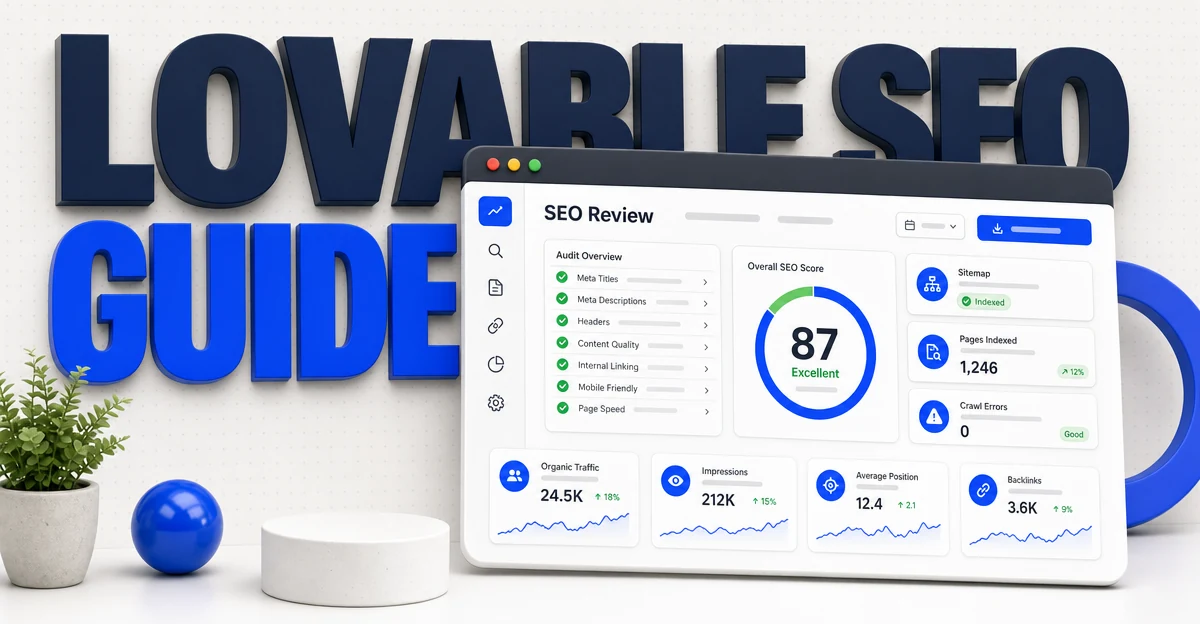
Since May 13, 2026, Lovable serves crawlable HTML for every app: new projects are server-side rendered with TanStack Start and all 40 million existing apps get pre-rendered snapshots, so indexing is no longer the bottleneck. To rank: connect a custom domain, run Lovable's built-in SEO review, submit your sitemap to Google Search Console, write a unique title and meta description for every route, then publish pages that target real keywords. A Lovable site with only a homepage ranks for its brand name and almost nothing else.
Built your site with Lovable? The SEO Agent finds the keywords it can win and writes one cited article a day for it. Enter your site to start.
Free trial · Cancel in one click- 01The rendering problem is fixed. Verify it anyway.
- 02Run the built-in SEO review, then check its work.
- 03Get off lovable.app and into Search Console.
- 04Titles, descriptions, and schema: prompt them explicitly.
- 05The part no site builder fixes: content.
- 06Scaffold the blog: the three ways, and the one-prompt build.
- 07A worked example: fresh Lovable site to indexed in a week.
- 08Common mistakes that keep Lovable sites invisible.
1. The rendering problem is fixed. Verify it anyway.
For most of Lovable's life, its apps were client-side React: the server sent an empty HTML shell and the browser assembled the page with JavaScript. Search crawlers got the shell. Technical SEO write-ups documented the result: pages indexed late or not at all, social previews rendered blank, and AI crawlers that do not execute JavaScript saw nothing. Prerender's analysis put the indexing penalty for JavaScript-heavy pages at roughly nine times slower than static HTML.
That era ended on May 13, 2026. Lovable's Discoverability announcement shipped two changes at once: new apps are server-side rendered with TanStack Start, and every one of the 40 million existing apps gets pre-rendered HTML snapshots served to verified crawlers (Google, Bing, social bots, and AI engines like ChatGPT and Perplexity). If a guide tells you to wire a Lovable site into a third-party prerendering service, check its publish date. It is probably describing a platform that no longer exists.
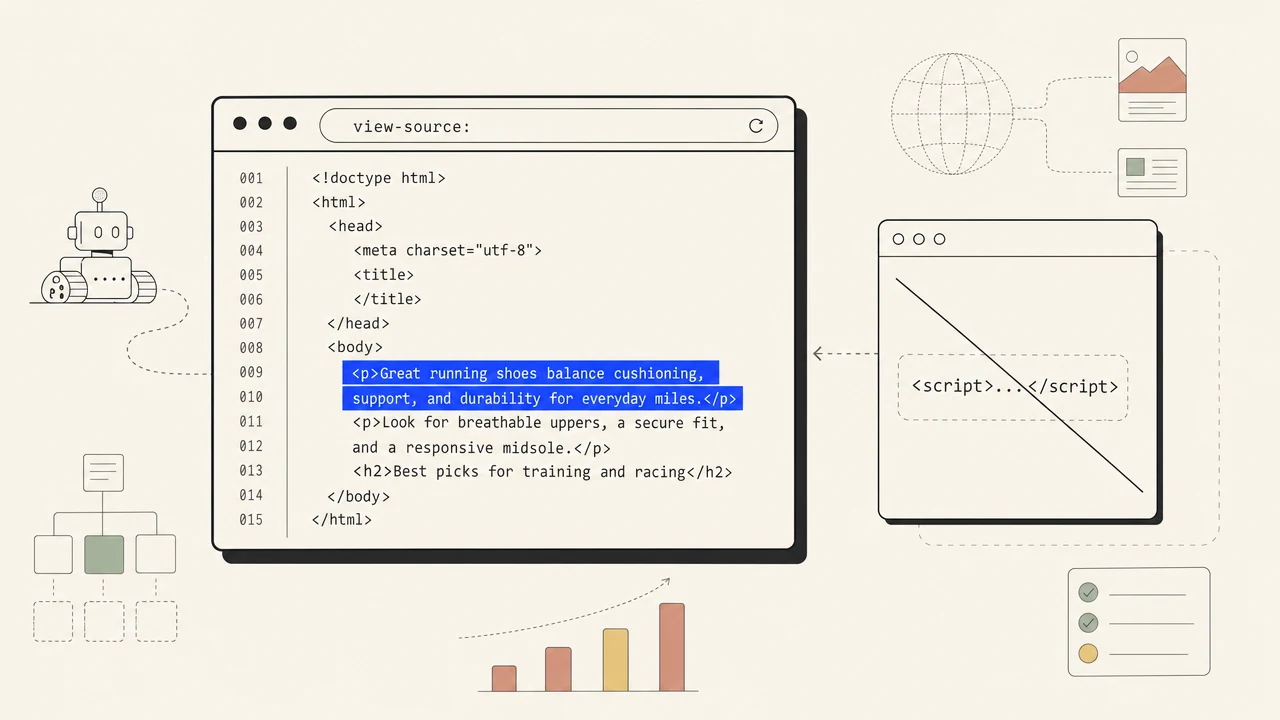
Verify it on your own site in thirty seconds anyway, because trust-but-verify is cheap here. Open your live site, hit view-source (not inspect element, the raw source), and search for a sentence from your homepage copy. If it is in the HTML, crawlers can read you. If you get a near-empty document with a single script tag, your project is on old infrastructure: republish it, and if the shell persists, rebuild the route on a current project. Everything else in this guide assumes this check passed.
2. Run the built-in SEO review, then check its work.
The same Discoverability release added an SEO review inside the builder. Lovable's own SEO documentation describes what it audits: metadata, structured data, robots.txt, sitemaps, indexing tags, Open Graph tags, mobile usability, and content structure, with one-click fixes for most findings. Run it before touching anything by hand. It will catch the mechanical problems (a missing canonical, a route absent from the sitemap, an unclosed heading hierarchy) faster than you will.
Then spot-check, because an automated fix writes valid tags, not persuasive ones. A generated meta description is grammatically fine and says nothing that earns a click. A generated title repeats your app name on every route. The review gets you to technically correct; section four gets you to copy that competes. Treat the dashboard score as a floor, not a grade.
One more thing shipped in that release: keyword and competitor data inside the builder through a Semrush partnership. Useful for orientation, and the same caveat applies as with any suite tool (we ranked the trade-offs in our Semrush alternatives breakdown): having keyword data in a panel and having pages that target those keywords are different things. The data tells you where to aim. It does not pull the trigger.
3. Get off lovable.app and into Search Console.
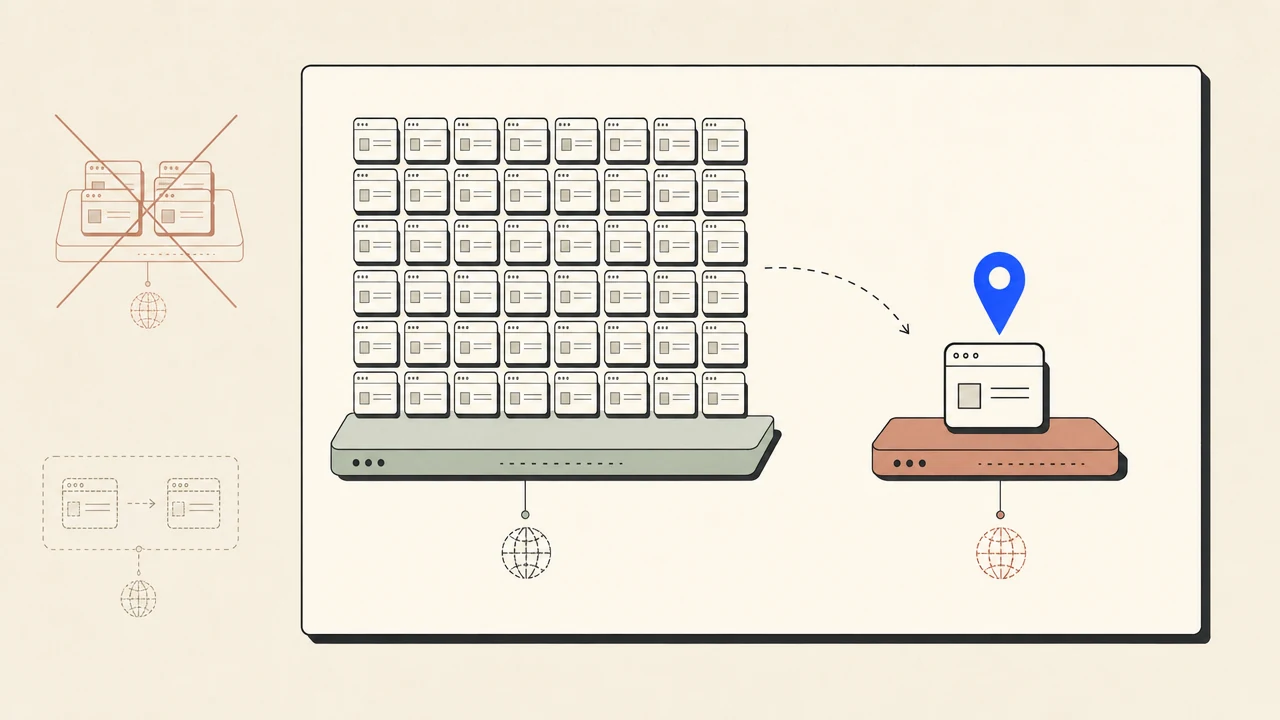
Lovable ships over 200,000 projects a day, and the free ones all live on the shared lovable.app namespace. That is the address equivalent of opening a shop inside a self-storage facility: hundreds of thousands of experiments, demos, and abandoned weekend projects share your street. Google evaluates them as neighbors. You cannot cleanly verify a subdomain you do not control in Search Console, and every backlink you earn while parked there is equity you forfeit the day you move to a real domain.
The fix costs about $10 a year. Buy the domain, connect it in Lovable's settings, and make it the canonical home before you share the site anywhere that matters. Then connect Google Search Console: verify the domain property, submit the sitemap URL once, and let it run. Search Console is the only place Google tells you what queries you actually surface for, which pages it indexed, and what it skipped. Without it you are doing SEO with the lights off.
Expect quiet at first. A fresh domain has no history, and impressions for anything beyond your brand name take weeks to months to accumulate. That is normal physics, not a Lovable problem. The pattern that should worry you is flat impressions at zero while your indexed-pages count grows, which almost always means the pages target no real query, which is section five's territory.
4. Titles, descriptions, and schema: prompt them explicitly.
Lovable's docs are direct about the division of labor: the platform handles rendering and can generate the technical files, while unique titles, descriptions, semantic headings, and content quality are yours. The catch with a prompt-built site is that nobody on the team ever opens the head tags. The model wrote something, the page shipped, and what it wrote was a description of the app ("A modern platform for managing your workflow") rather than an answer to a search.
Prompt the metadata as its own task, not as a side effect of building features. Ask Lovable for exactly this: a unique title under 60 characters and a unique meta description under 160 characters for every route, each one leading with what the page does for the visitor, plus Open Graph title, description, and image tags so shared links unfurl properly. Writing these by feel is harder than it looks, which is why we built a free SEO title generator and a meta description generator that work from what already ranks for the query instead of guessing.
Add structured data where the page type earns it: Article schema on posts, FAQ schema on question sections, product schema if you sell. One prompt per type is enough ("add Article JSON-LD to every blog post using its real title, date, and image"). Then re-run the SEO review from section two after any large prompting session, because a model rebuilding a page can silently rebuild its head tags too, and a regression you do not monitor is a regression you ship.
5. The part no site builder fixes: content.
Here is the uncomfortable math. Everything above gets your Lovable site to technically healthy, and a technically healthy site with five pages ranks for approximately five things, most of them variations of its own name. The founders outranking you are not running better meta tags. They are running fifty pages against fifty queries their customers type, while your entire site answers one.
Lovable knows this, which is why its docs route you toward keyword research and content strategy and stop there. There is no CMS and no blog primitive in the platform. The surface is promptable (Lovable Cloud gives every project a real database, and the model will happily scaffold blog routes on top of it), and section six below has the exact prompt. Hosted builders solve that differently: Wix ships a blog primitive, so the work there is platform configuration instead, laid out in the checklist for Wix SEO. The scaffold is the easy half. The hard half is the publishing program: picking keywords with real volume, writing articles that answer them honestly, and doing it every week while you are also building the product.
That ongoing half is the job we automate. TheSEOAgent's automation pipeline researches keywords against live search data, drafts the article, runs an AI fact-check pass with citations, cuts what its sources do not back, and publishes on schedule. If you would rather assemble the stack yourself, our rundown of the best auto blogging software compares the honest options, and the blog post ideas tool is a free way to see what a keyword-led queue looks like for your niche. Most Lovable projects that survive turn into SaaS products, and SaaS SEO software describes the same program once there is a product to sell. If you rebuild the marketing site in a design tool later, Framer SEO setup covers that publishing path. Whichever route you take, the principle is the same: rankings follow pages, and pages have to come from somewhere on a schedule.

6. Scaffold the blog: the three ways, and the one-prompt build.
Three ways to build the surface. Prompt Lovable to scaffold blog routes on its own database (Lovable Cloud gives every project one, and this is the right call for most founders: same domain, server-side rendered, no extra subscription). Wire in an external headless CMS (worth the sync overhead only when a non-technical team edits content daily). Or run a separate platform on a subdomain (the weakest choice for a new site: two stacks, two designs, and a link profile split across a subdomain boundary Google treats as a looser connection than a path on your main domain). Skip the shortcut that looks free too: an iframe embed of a hosted blog renders on someone else's origin, so Google credits their domain, not yours, and your /blog page ends up an empty shell with a window in it.
The prompt-built option is one message. Paste this into Lovable, adjust the brand details, and delete the webhook step if you will only ever write by hand.
Build a blog for this site:
1. Create a posts table in the database: id, slug (unique), title, meta_description, body (markdown), cover_image_url, published_at, status (draft/published).
2. Add a /blog index page listing published posts newest-first, and /blog/[slug] pages that render the markdown body. Each post page must set its own title tag (under 60 characters), meta description (under 160), canonical URL, Open Graph tags, and Article JSON-LD using the post's real title, date, and cover image.
3. Add published posts to the sitemap automatically and keep /blog in the main navigation and footer.
4. Add a simple admin route, protected by login, where I can create, edit, publish, and unpublish posts.
5. Optional: add a POST /api/blog-webhook endpoint that accepts JSON article payloads (title, slug, meta_description, body_markdown, cover_image_url) and inserts them as published posts. Verify each request with an HMAC signature against a secret stored in server-side environment secrets, never in client code. Reject unsigned requests.
Step five is what makes the supply pluggable: that endpoint speaks the same shape our webhook publisher sends, so pointing TheSEOAgent's automation pipeline at it is a paste-the-URL job, not an integration project. One habit worth keeping: re-check that route's source after any heavy redesign prompt, since a model rebuilding a page can drop the metadata or the webhook handler along with it.
Fresh Lovable site to indexed in a week.
A concrete sequence for a fictional Lovable-built invoicing tool, fastinvoice.app. Total hands-on time is about two hours spread across seven days; the rest is waiting on DNS and crawlers.
Day 1. Buy fastinvoice.com, connect it in Lovable, confirm the lovable.app address 301-redirects to it. View-source the homepage and find real copy in the HTML.
Day 2. Run the SEO review, accept the mechanical fixes, then prompt: "Write a unique title under 60 characters and a unique meta description under 160 characters for every route. Lead each with the visitor benefit, not the product name. Add Open Graph title, description, and image tags sitewide." Read every line it writes and edit the weak ones.
Day 3. Verify the domain property in Search Console and submit /sitemap.xml. Request indexing on the homepage and pricing page. Paste the site into a social-preview checker and confirm the cards unfurl.
Day 4. Prompt: "Scaffold a blog: an articles table in the database, a /blog index, and /blog/[slug] pages with per-post title, meta description, date, and Article JSON-LD. Add new posts to the sitemap automatically."
Days 5 to 7. Publish the first three articles against real long-tail queries (for fastinvoice: "invoice late fee wording", "freelance invoice vs receipt", "net 30 vs due on receipt"). Watch Search Console: the goal for week one is indexed pages, not clicks.
That is the whole playbook at miniature scale. Day 1 through 3 happen once. Days 5 to 7 are the loop that runs forever, and the part where a publishing pipeline (ours or anyone's) earns its keep.
Common mistakes that keep Lovable sites invisible.
- Launching on the lovable.app subdomain. Every week parked there is link equity and domain history donated to a shared namespace. The $10 domain is step zero.
- Following pre-May-2026 advice. Prerendering services and SSR workarounds solved a problem the platform has since fixed. Run the view-source test before buying tooling.
- Treating indexed as ranking. Indexed means Google filed the page. Ranking means it wins a query. The gap between them is metadata quality, content depth, and time.
- Letting big prompt sessions silently rewrite head tags. A model that rebuilds a page can rebuild its title and description too. Re-run the SEO review after any heavy build session.
- One-page site syndrome. Everything lives on the homepage, so the site competes for exactly one query. Rankings follow pages that each own a search intent.
- Bulk-dumping thin AI articles into a new blog. Fifty generic posts in a weekend reads as low-effort scaled content to Google, and it is precisely what helpful-content updates demote. Cadence plus citations plus a quality bar beats volume.
Lovable compressed building. It did not compress earning attention.
That is not a criticism; it is a boundary. A builder that ships 200,000 projects a day can hand every one of them clean HTML, but it cannot hand them all page one, because page one does not scale that way. What ranks is decided by the work after launch: the domain you commit to, the metadata you actually read, and the keyword-targeted pages you publish week after week. Founders who treat that as part of the build (the way we did with this site) compound. Founders who treat launch as the finish line stay invisible.
If the publishing loop is the part you do not want to own, that is the job TheSEOAgent exists for: real keyword data in, cited, source-checked articles out, on schedule, at $99 a month flat. Your Lovable site stays yours. The traffic engine just runs alongside it.
Is Lovable good for SEO in 2026?
Better than its reputation. Since May 13, 2026, new Lovable apps ship server-side rendered with TanStack Start, and all existing apps get pre-rendered HTML snapshots for crawlers, so Google reads real content instead of an empty JavaScript shell. The platform also bundles an SEO review and keyword data. What it does not do is write keyword-targeted pages for you, and a site without those ranks for its brand name and nothing else.
Do Lovable sites rank on Google?
They index, which is the part that used to fail. Ranking is a separate fight: it depends on a custom domain, unique titles and descriptions per page, and pages that target real keywords. A single-page Lovable app with a connected domain typically ranks for its own brand name within days and for almost nothing else until it publishes more pages.
Do I still need a prerendering service for my Lovable site?
For most sites, no. Guides written before May 2026 recommend third-party prerendering because Lovable apps were pure client-side React at the time. Lovable now pre-renders existing apps for verified crawlers itself and ships new apps with server-side rendering. Run the view-source test in this guide before paying for tooling the platform already replaced.
Does Lovable generate a sitemap and robots.txt?
It can generate both, and its SEO review checks them. Keeping them accurate is on you: new pages need to land in the sitemap, and the sitemap needs to be submitted to Google Search Console once. The review also checks metadata, canonical tags, Open Graph tags, and content structure, and can apply most fixes in one click.
Why is my Lovable site not showing up on Google?
Work through four checks in order. One: is it indexed at all (search site:yourdomain.com)? Two: are you still on the lovable.app subdomain instead of your own domain? Three: has the sitemap been submitted in Search Console? Four: does any page besides the homepage target a search phrase people actually type? In our experience the fourth one is the usual answer.
Should I keep the free lovable.app subdomain or connect a custom domain?
Connect a custom domain before you do anything else on this page. On lovable.app you are sharing a subdomain namespace with hundreds of thousands of experiments and abandoned demos, you cannot verify the property cleanly in Search Console, and every link you earn builds equity you lose the day you move. Domains cost about $10 a year. It is the highest-leverage $10 in this guide.
Does Lovable have a blog or CMS built in?
No. The official docs cover rendering, metadata, sitemaps, and search-intelligence tooling, and say content strategy is the user's responsibility. There is no CMS primitive and no blog feature. You can prompt Lovable to scaffold blog routes backed by its Supabase database, and this guide has the exact one-prompt scaffold, webhook receiver included.
How do I add keyword-targeted content to a Lovable site?
Two layers. First, scaffold the surface: prompt Lovable to build blog routes with per-post titles, descriptions, and article schema. Second, fill it: research keywords with real search-volume data, write articles that answer them, and publish on a steady cadence. The first layer is a one-time prompt. The second is the ongoing work that tools like TheSEOAgent automate end to end.
Related guides + features.
SEO automation
The full pipeline: research, drafting, a check on every claim, and native publish. Where these tools stop, the agent ships the page.
/features/seo-automation →LISTICLEBest SEO automation tools
The category ranked on workflow depth, from keyword validation through to native CMS publishing.
/blog/best-seo-automation-tools →PRICINGSimple pricing
$99 flat per month after a free trial. No per-keyword meter, and cancellation is one click in the app.
/pricing →Your Lovable site is built. Now give Google a reason to send people to it.
The agent researches keywords with live search data, writes articles with citations, cuts the claims its sources do not back, and publishes on schedule. The technical setup in this guide takes a week. The publishing loop runs forever, so we automated it.
$1 FOR 3 DAYS · CANCEL IN ONE CLICK