The free Chrome SEO extension that audits any article in one click.
Install from the Chrome Web Store. Open any article. Click the toolbar icon. The verdict returns instantly: score, outline, 30+ checks, link counts, AI-writing tells, schema. Local-only, no signup, no rate limit.
FREE FOREVER · NO SIGNUP · NO RATE LIMIT- H1The free Chrome SEO extension that audits any article in one click.
- H2What is the SEO Agent Chrome extension?
- H2Why our SEO Chrome extension wins
- H3Local-only execution · AI-writing detection
What is the SEO Agent Chrome SEO extension?
The SEO Agent is a free Chrome SEO extension (also searched as a “SEO Chrome extension” or “SEO checker Chrome extension”) that runs a one-click on-page audit on any article. Install from the Chrome Web Store, open a blog post, click the toolbar icon. The audit covers outline structure, title and meta length, H1 count, word count, image alt coverage, canonical URL, OG image, noindex flag, internal and external link counts, JSON-LD schema, and AI-writing tells like em-dash density and LLM-isms. Everything runs inside your browser tab: no signup, no account, no rate limit, no data sent to a server. It joins our other free business tools as a no-cost top-of-funnel surface for the paid agent.
Throws a dashboard on every page. Asks for a login. Phones home.
Most SEO Chrome extensions are skinned dashboards for a paid SaaS. They demand a login on first run, send the URL of every page you visit to their server, and surface 80 metrics across 4 tabs you have to learn before any of them help.
- Forces a signup before the first audit even runs
- Sends every page you visit to a remote server
- Surfaces 80 metrics where 8 would have been enough
- Requires a paid tier to unlock the checks that actually matter
- Treats blog content the same as e-commerce categories
Audits the article you opened. Returns the verdict. Quits.
Open any article, click the toolbar icon, read the verdict. The audit function runs in your tab and returns a single result card with the score, the outline, the failed checks, and the AI-writing tells. Nothing is sent to a server. It is the audit pipeline from the paid agent, shipped as a free Chrome popup.
- Local-only execution: the audit runs inside your tab
- No signup, no account, no rate limit
- Single result card: score, outline, checks, links, AI tells, schema
- Editorial defaults: built for blog articles, not category pages
- Same audit logic running inside the paid pipeline quality gate
Four reasons our SEO Chrome extension beats the dashboard skins.
The audit runs inside your browser. Nothing leaves the tab.
The audit function is injected into the active tab, runs against the DOM, returns a plain-object result to the popup, and that is it. No URL is sent to a server, no account is provisioned, no telemetry pings home. That is also why the extension is free with no rate limit. Same privacy posture as the on-site audit tool we host at theseoagent.ai for one-off URLs.
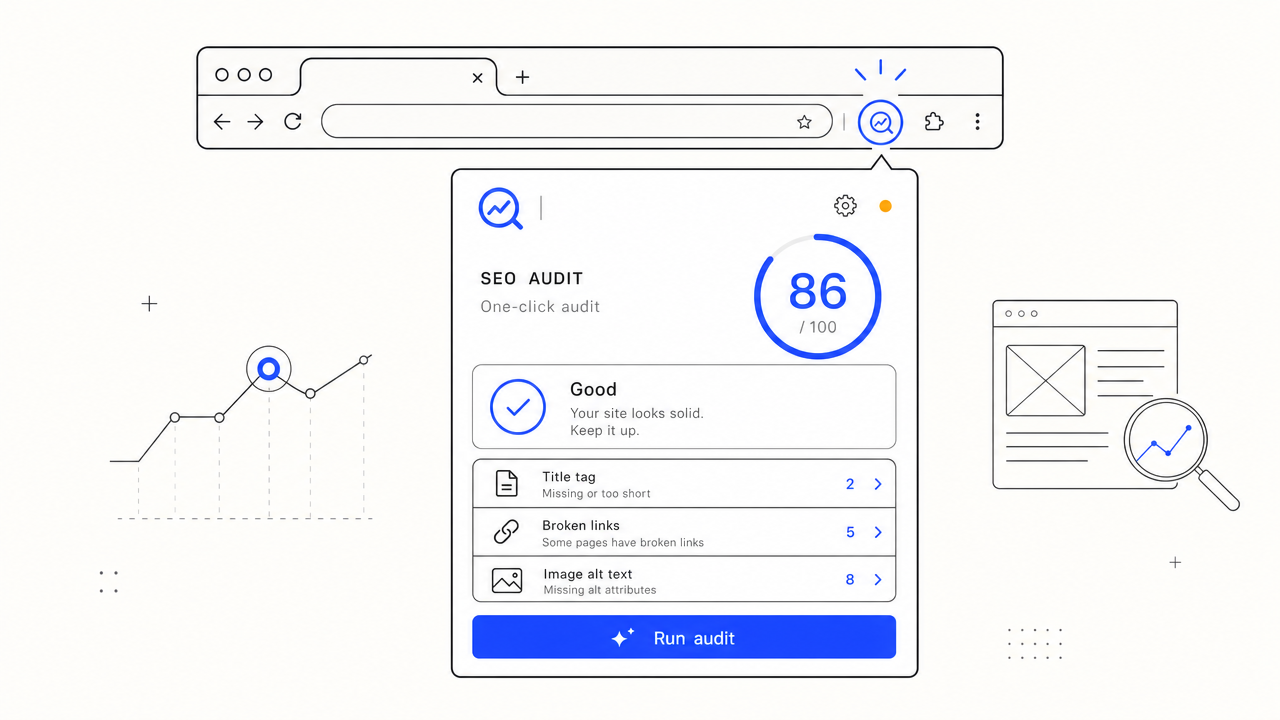
Score, outline, checks, links, AI-writing tells, schema. Every run.
Most SEO extensions show a score and a chart. Ours returns the underlying checks alongside it: title length, meta description length, H1 count, word count, image alt coverage, canonical URL, OG image, noindex flag, internal/external link counts, JSON-LD types, and the AI-writing tells (em-dash density, common LLM-isms per 1k words). Same set of checks we run inside the paid SEO automation pipeline before every published article. The agent runs $99 a month flat; full breakdown on the pricing page.
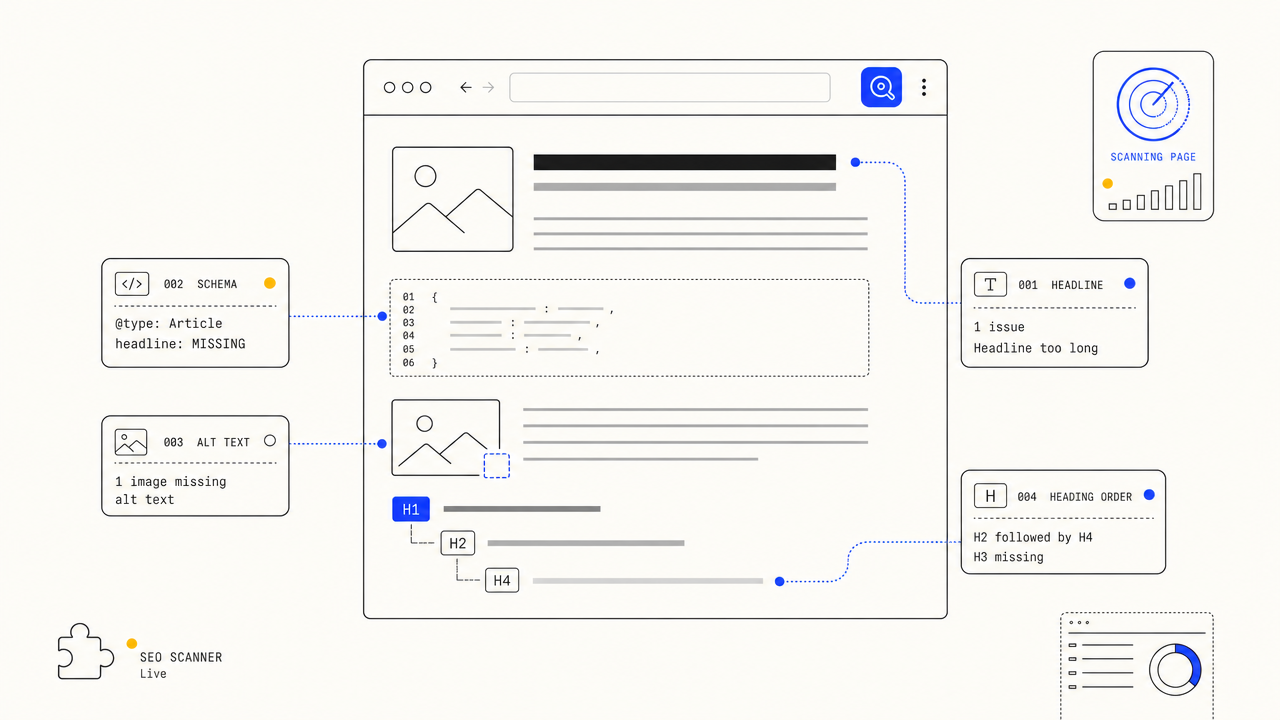
Catches the giveaways most extensions miss.
Em-dash density per 1k words. Hit-counts for the common LLM-isms ("delve", "tapestry", "realm", "moreover", and the rest of the watch-list). Each surfaces in the verdict card so you know which paragraphs need a rewrite before the article ships. Same detection rules used by the AI fact checker inside the paid pipeline.
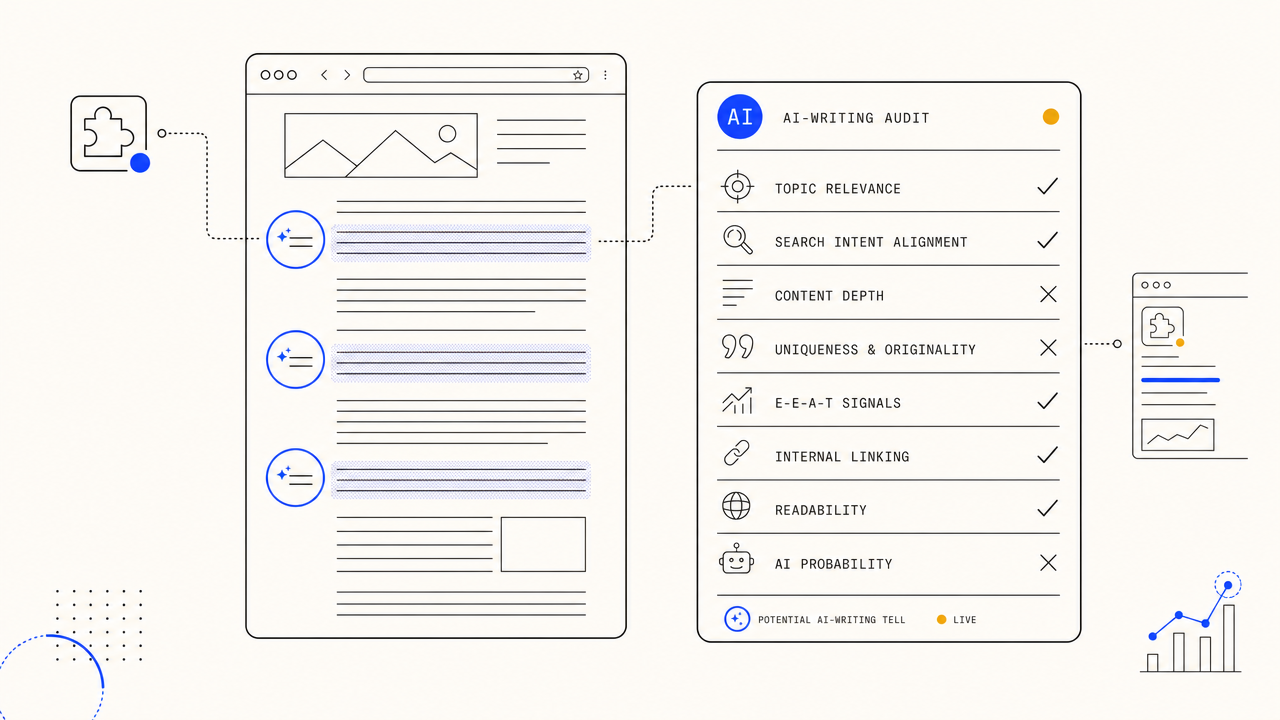
The verdict mirrors what the paid pipeline ships every day.
Pass the audit in the extension and the article passes the gate in the paid pipeline too. Fail the audit and the same draft would have been rejected back into the regeneration queue. Use the free extension to inspect competitor articles, then run the keyword density checker or the reading level checker for the dimensions the popup does not cover.
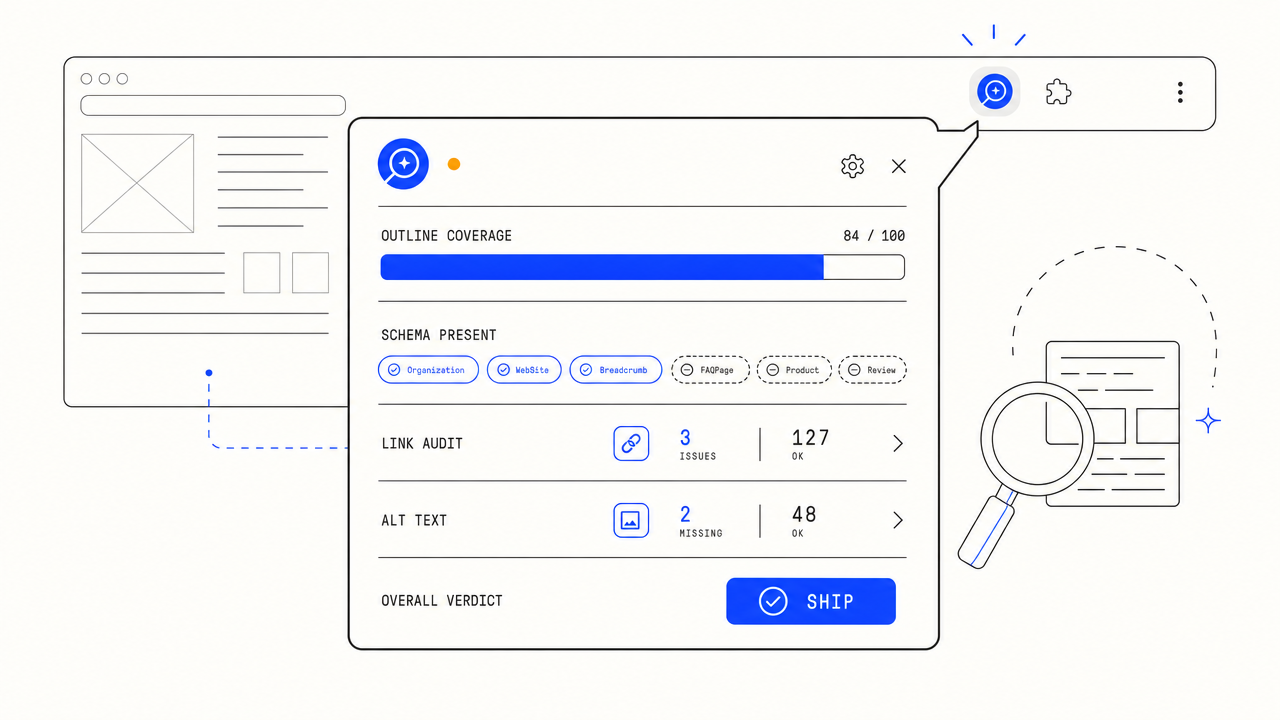
Four steps. Install once. Audit forever.
One click on the Chrome Web Store listing. The extension lands in your browser, the icon appears in the toolbar. Pin it from the puzzle menu so it sits next to the URL bar.
Any http(s) article on the open web. Your own blog, a competitor article, a Reddit answer, a SaaS comparison page. The extension does not care which CMS or which template.
The popup opens, injects an audit function into the active tab, runs it once, and renders the result. Score on top, outline next, every failed check below, AI-writing tells at the bottom.
The verdict tells you whether the article is ready to ship or which checks to fix first. Re-run the audit after each edit. No quotas, no usage caps, no upsell modal.
The honest one-screen comparison.
| FEATURE | THE AGENT | EVERYONE ELSE |
|---|---|---|
| Pricing | Free, no signup, no rate limit | Free tier with login + paid tier upsell |
| Local-only audit (no data sent to a server) | ||
| AI-writing detection (em-dash density, LLM-isms) | ||
| Audit dimensions returned | Score + outline + 30+ checks + links + AI tells + schema | Score + a few high-level metrics |
| Account required | Never | Required to unlock anything beyond basics |
| Same audit as the paid agent | Yes, identical check list | Different SaaS, different verdict |
Q.01Is the Chrome SEO extension actually free?+
Yes. There is no signup, no account, no paywall, no rate limit. The audit runs inside your tab and returns a verdict. The extension exists as the top of the funnel for the paid agent, but using the extension does not require touching the paid product.
Q.02Is this the best SEO Chrome extension?+
We think so for the article-audit job specifically. The trade-off you make with the SEO Agent extension is breadth for depth: it does one thing (on-page audit) and returns the full underlying check list rather than a single score. If you want a backlink explorer or a keyword research dashboard the answer is no, those are different tools. For "is this article ready to ship" the extension covers more dimensions per click than the dashboard skins, with no login.
Q.03Does the extension send the URL of pages I audit to a server?+
No. The audit function is injected into the active tab, runs against the page DOM, and returns a plain-object result to the popup. No fetch call goes outbound during the audit. You can verify this in the Chrome devtools network tab.
Q.04What does the audit actually check?+
Score 0 to 100, outline (H1/H2/H3/H4 hierarchy), title length, meta description length, H1 count, word count, image alt coverage, canonical URL, OG image, noindex flag, internal and external link counts, JSON-LD schema types, AI-writing tells (em-dash density and LLM-ism hits per 1k words).
Q.05Will it work on competitor articles, not just my own?+
Yes. The extension runs against whichever article is in the active tab. Open any http(s) article on the open web, click the toolbar icon, the verdict renders. Run it on the top three SERP results for your target keyword to see what they actually pass and fail.
Q.06Where do I install it?+
The Chrome Web Store listing. Click "Add to Chrome" on this page, the extension lands in your browser, the icon appears in the toolbar. Pin it from the puzzle menu so it sits next to the URL bar where it is one click away.
Q.07Does it work in Edge, Brave, or Arc?+
Yes. Anything Chromium-based works. The extension follows the standard Manifest V3 install path. The Chrome Web Store listing is the canonical install source; Edge users can install Chrome Web Store extensions via the toggle in edge://extensions.
Q.08How is this different from the paid product?+
The extension is an auditor: it tells you whether an article passes the bar. The paid agent is a publisher: it writes the article from the keyword and ships it to your CMS. The extension uses the same check list as the paid quality gate, so an article that passes the extension audit would also pass the paid pipeline gate.
Q.09Can I use the audit data inside the paid agent?+
Yes. When you connect a CMS via the paid agent, every article goes through the same audit on the way out. Failed audits get regenerated, passing audits get published. The extension is the visible version of what the paid pipeline runs every day.
Pin it next to the URL bar.
Install the SEO Chrome extension. Click once on any article. Get the verdict. No signup, no rate limit, no data leaves the tab. Same audit the paid agent runs before every article it ships.
FREE FOREVER · WORKS IN CHROME, EDGE, BRAVE, ARC