Claude AI for writing: how to set it up, prompt it, and keep the AI tells out.
Claude is one of the better writing assistants you can open today, and most people use it the weakest way: a blank chat, a one-line request, and a draft that reads like every other AI draft. This guide is the setup that fixes that. A Project that holds your rules, a custom style built from your own writing, prompts run one stage at a time, and a sweep for AI tells and unsupported claims before anything ships.
Is Claude good for writing?
Yes. Claude is a strong writing assistant for outlining, drafting, restructuring and editing long-form content, and its two newest models shipped with clearer writing as a headline improvement: Claude Opus 5.5 (September 22, 2026) and Claude Sonnet 5.5 (September 28, 2026), which is now the default model on the Free and Pro plans. It writes best when you set it up first: a Project holding your rules, facts and three to five of your best articles, a custom style built from your own writing, and prompts that go brief, outline, one section at a time, then edit. Its weak spots are predictable. It has no search volume data, its reliable knowledge stops at June 2026, it states wrong facts as fluently as right ones, and unedited drafts carry recognizable AI tells. Use it as a fast drafting and editing partner, then check every claim and do the final edit yourself.
Writing blog posts with Claude? The SEO Agent picks each topic from live search data, cites a source for every claim and publishes a finished article to your site every day. Enter your site to start.
Free trial · Cancel in one click- 01Is Claude good for writing? Where it is strong and where it slips.
- 02Which Claude model you are writing with.
- 03Set up a Claude Project as your writing workspace.
- 04Teach Claude your voice with a custom style.
- 05Claude writing prompts that work, one stage at a time.
- 06How to keep AI tells out of Claude writing.
- 07Claude for blog content that has to rank.
- 08Check every claim before you publish.
- 09A worked example: one blog post, Project to publish.
- 10Common mistakes when writing with Claude.
1. Is Claude good for writing? Where it is strong and where it slips.
For most of the work around an article, yes. As a replacement for the person whose name goes on it, no. Claude's current Opus, Sonnet and Fable models each read up to 1 million tokens at once, which Claude's developer docs put at roughly 555,000 words, so a research pack, a style guide and five past articles fit in one conversation with room to spare. Its two newest releases were sold partly on writing: the Opus 5.5 launch post says early testers found its writing clearer and easier to follow, and the Sonnet 5.5 launch post says it writes more clearly than the previous generation. If you are still choosing an assistant rather than learning one, our Claude vs ChatGPT writing comparison runs the same brief through both.
Where Claude is strong:
- Turning a pile into a structure. Notes, interview transcripts and research go in; an outline with a clear argument comes out. This is the step most people skip and the one Claude does fastest.
- Holding long material at once. It can draft section six without losing what section two promised, as long as both live in the same conversation or Project.
- Following written rules. Rules you write down and keep in a Project get applied across every chat in it. Rules you type once in a chat are forgotten in the next one.
- Editing and rewriting. Tightening a draft, restructuring an argument, or rewriting for an audience and a reading level you can confirm with a free reading level checker.
Where it slips:
- No search data. It cannot tell you what people search for or how often. Any volume it quotes is a guess.
- A knowledge cutoff. Its current models know the world reliably to June 2026. Anything after that is missing or invented.
- Confident errors. A wrong figure reads exactly like a right one. Section eight is the fix.
- Default patterns. Left alone, its prose falls into habits readers now recognize as machine-written. Section six is the fix.
- No first-hand experience. It has never used your product or met your customers. That material has to come from you.
None of this is a secret. What separates a Claude draft you can publish from one that reads as obvious AI is how much of the second list you deal with before and after the model writes. The rest of this guide is that work, in order.
2. Which Claude model you are writing with.
As of October 3, 2026, Claude's developer docs list four current models: Fable 5.1, Opus 5.5, Sonnet 5.5 and Haiku 4.5. In the Claude app, the plan you are on mostly makes the choice for you.
- Free plan: Claude Sonnet 5.5. Released September 28, 2026, it replaced Sonnet 5 as the default model on the Free and Pro plans. In the Claude apps it runs at medium effort by default, which keeps replies fast. Opus is not on the Free plan.
- Pro and above: Claude Opus 5.5. In the model menu on Pro, Max, Team and Enterprise since September 22. It is the model Claude's docs tell you to start with when unsure, and its launch post says it communicates more naturally and puts the most important information up front. Use it for long articles and the final edit.
- Claude Fable 5.1. Paid plans only, and on Pro it runs on usage credits. Worth it for long research turned into one finished document, rarely for an everyday blog post.
- Claude Haiku 4.5. The fastest and cheapest model, mostly used through the API, with knowledge that stops in February 2025. Fine for titles and summaries in bulk. Haiku 5.5 is announced but not released.
The full comparison, with API prices, speed labels, knowledge cutoffs and what one article costs on each model, is in our guide to the best Claude model for writing. If you are deciding between the two models most writers actually toggle, the Opus vs Sonnet head-to-head runs one brief through both.
One habit matters more than the pick: do not switch models halfway through a draft. Two models finishing alternate sections of one article will not sound like one writer. If you switch, switch at a stage boundary (outline, draft, edit), and keep everything else in this guide the same, because the Project and the style carry across models.
3. Set up a Claude Project as your writing workspace.
A Project is the biggest single upgrade over a blank chat. Claude's Help Center describes it as a workspace where you upload documents, give context and set project instructions that tailor every response inside it. Projects are on every plan, including Free, where you can create up to five. One Project per publication (or per client) is the right granularity.
What goes in, for a blog or a content program:
Project instructions
The rules for every draft: who the reader is, the reading level, target length, formatting, the banned-pattern list from section six, and how to handle facts ("use only facts from the knowledge files or the brief; where one is missing, write [SOURCE?] instead").
A one-page style guide
Voice, point of view, how you open and close a piece, words you never use. One page, because a 40-page brand book gets searched, not read.
Three to five of your best articles
Published pieces that sound like you on a good day, chosen to vary in format: a how-to, an opinion piece, a product update.
A product and facts sheet
Names, prices, features, the numbers you are allowed to quote and the claims you never make. Most invented facts in a draft are about your own product.
An internal link list
Real URLs on your site with one line on what each page covers, so Claude links to pages that exist instead of inventing plausible ones.

Two details from the Help Center change how you build it. On paid plans, when project knowledge approaches the context limit, Claude switches to a retrieval mode that the Help Center says expands capacity by up to 10 times. That means it searches the files instead of reading all of them, so the rules belong in the short project instructions, not on page 30 of an uploaded document. And on Team and Enterprise plans a Project can be shared with view or edit permissions, which is how a team keeps one rule set instead of five drifting copies.
Write the instructions with reasons. Claude's prompting guide notes that explaining why a rule exists helps the model apply it to cases you did not list. “No exclamation marks: our readers are finance teams and read them as hype” works better than the same rule in capital letters. The same Project, extended with keyword lists and SEO briefs, is the first setup in our Claude for SEO guide.
4. Teach Claude your voice with a custom style.
Styles change how Claude writes in any chat, inside a Project or not. Claude ships presets (Normal, Concise, Explanatory and Formal) and lets you create a custom style from the style menu in the chat box. You can build one from a writing sample you paste or upload, or from a description of how you want it to sound; Claude turns the sample into a written style description you can edit.
Use your best work, not your most recent. Give it three to five pieces that sound like you on a good day: Claude's prompting guide calls examples one of the most reliable ways to steer output format, tone and structure, and suggests three to five for best results. Vary them. A how-to, an opinion piece and a product update teach a voice; five near-identical posts teach a template, and every draft comes back in the same shape.
Then edit the description Claude writes, because it will generalize (“short sentences, conversational”). Add the specifics only you know: the words you never use, how you open a piece, how you end one, whether you write as “I” or “we”, how much you hedge. If voice-matching is the whole job, dedicated tools exist too, and our roundup of AI copywriting tools covers them.
Keep the jobs apart. The style controls voice everywhere; the Project instructions control the job (facts, links, length, banned patterns). Memory is a third layer: Claude's release notes say it has been on by default for Free, Pro and Max since late August 2026, and it picks up preferences across chats. It is useful, but it is not a style guide. Anything that has to apply every time belongs in writing, in the style or the Project, where you can read it and change it.
5. Claude writing prompts that work, one stage at a time.
The prompt that produces generic content is “write a blog post about X”. It gives Claude a topic and nothing else, so it returns the average of everything it has read on that topic. Split the job into stages, give each stage one task, and review between them. The process is the same in any assistant (we wrote up the brief-first writing process in full), so the prompts below are the Claude versions, written to lean on the Project from section three.
Here is my brief for an article targeting [query]. Before writing anything, list what is missing: questions the reader will have that the brief does not answer, claims that need a source, and any place where the angle is unclear. Do not draft.
Using the brief and the knowledge files in this Project, write an outline: H2s and H3s, one sentence per section on what it has to prove, and which source supports it. Mark any section that has no source.
Draft section 2 only, 300 to 400 words. Open with the answer, then the evidence. Use only facts from the brief or the knowledge files; where you need one that is not there, write [SOURCE?] instead of supplying it. Write in flowing paragraphs, not bullet points.
Edit this draft for clarity, not length. Cut any sentence that repeats an earlier one, replace vague claims with the specific example from the brief, and list every change you made with the reason for it.
Check this draft against the banned-pattern list in the project instructions. Quote every sentence that uses one of those patterns, name the pattern, and propose a rewrite. Do not change anything else.
List every factual claim in this article: numbers, dates, names, quotes and product details. For each one, give the source it came from (a knowledge file or a web search result) and quote the supporting sentence. Mark any claim with no source.
Three habits from Claude's prompting guide make every one of them work better:
- Long material first. Put long documents near the top of the prompt, above the instructions and the question. The guide says this improves performance across all models.
- Say what to do, not what to avoid. The guide's own example: instead of “do not use markdown”, ask for a response composed of smoothly flowing prose paragraphs.
- Write the prompt the way you want the output. The formatting of your prompt shapes the reply. A prompt full of bullet points gets bullet points back; removing markdown from your prompt reduces it in the output.

The [SOURCE?] marker in prompt 03 is the most useful line in the set. Without it, Claude fills a gap in the brief with something plausible. With it, the gap comes back visible and you decide whether to source it or cut it. Headlines are the one place to ask for options rather than one answer: ten title candidates, then pick and tighten, or compare against a headline generator.
6. How to keep AI tells out of Claude writing.
Every model has defaults, and readers have learned them. A draft can be accurate and still read as machine-written because a handful of patterns repeat across AI output, clustered in openings, transitions and endings. Claude's newest models write more naturally than older ones, but the patterns still appear, especially in long drafts and on topics where the brief is thin. The six that matter most:
- Em dashes as the all-purpose connector. Two or three per paragraph, joining clauses that wanted a period. Readers now treat a page full of them as a giveaway.
- Stock openers. "In today's fast-paced world", "When it comes to", "Let's dive in". They delay the answer and every reader has seen them.
- The "not just X, but Y" construction. Once is a sentence. Three times in an article is a fingerprint.
- Everything in threes. Three adjectives, three benefits, three examples, in paragraph after paragraph, whether or not there are three things to say.
- Vacuous transitions. "Moreover", "Furthermore", "It is worth noting that". They signal a connection without making one.
- Summary closers. "In conclusion", "Ultimately", "By following these steps, you can". The reader just read the article; they do not need it again.
Removing them takes three moves. First, put the list in the project instructions, phrased as what to do instead: “join clauses with a period, comma or colon” rather than a ban on a punctuation mark, “end on the next step the reader takes” rather than a ban on conclusions. Second, run the tell sweep (prompt 05) as its own pass after the edit; a model checking for one thing catches more than a model asked to write and police itself at once. Third, read the piece aloud. Rhythm problems that pass on screen are obvious out loud.
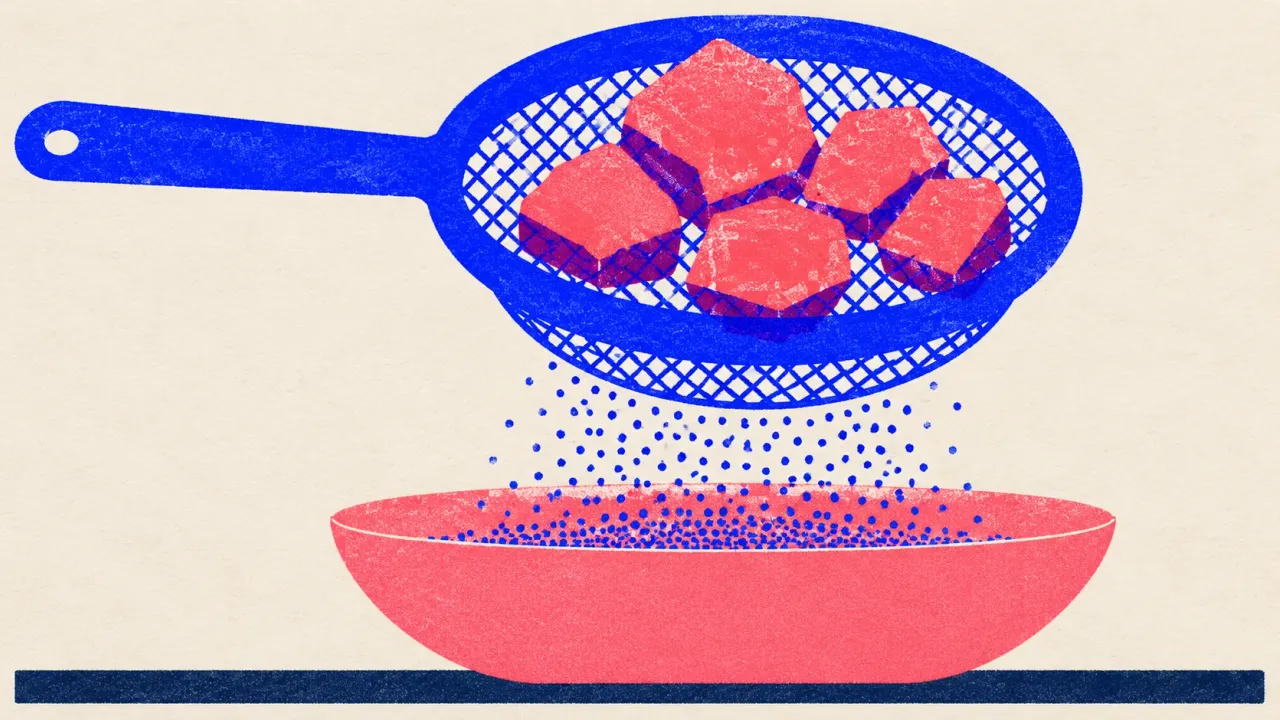
What does not work is asking Claude to “sound human” or “avoid sounding like AI”. A general instruction like that mostly swaps one set of defaults for another; naming the specific patterns is what changes the output. The test is not an AI detector score either. It is whether a reader in your niche would notice. If the post is headed for WordPress, our walkthrough on writing WordPress posts with AI without publishing slop covers the publish side of the same problem.
7. Claude for blog content that has to rank.
Writing for a blog adds a job Claude cannot do: choosing what to write. There is no keyword database inside the model. Ask it for search volume and it will produce a plausible number, which is a guess formatted as a measurement. The query, and how many people type it, has to come from real data or your own Search Console, as our guide to blog SEO explains.
Google is explicit that the tool is not the problem. Google Search Central says it focuses on the quality of content rather than how it was produced, and warns that using generative AI to publish many pages without adding value for users may violate its scaled content abuse policy. The ranking data agrees. An Ahrefs study published on July 27, 2026, covering the top ten results across 100,000 searches, found that pages under 50% AI content held 82.2% of top-three rankings, and that the average AI share rose only slightly from position one (27.1%) to position ten (30.9%). Fully AI-written pages do rank (5.3% of top-ranking pages scored 100% AI), but they are the exception. There is more of that data in our AI SEO statistics.
So the human share is the part that ranks: the query from real data, your own examples and numbers, a structure built around what the searcher needs, and the edit. Claude speeds up everything between those. Titles and meta descriptions across many posts are a good Claude job too, as long as you check length against what Google actually shows, which a meta description generator or a free SEO title generator does for you.
8. Check every claim before you publish.
Claude's developer docs are plain about it: models can generate text that is factually incorrect, and the recommended defense is to have the model cite its sources and withdraw claims it cannot support. A fluent sentence and a checked sentence look identical on the page. The knowledge cutoff makes it worse: Opus 5.5 and Sonnet 5.5 know the world reliably to June 2026, Haiku 4.5 only to February 2025, and anything newer is either missing or guessed.
The check is one prompt and one human pass. After the final edit, run the claim-list prompt (06). Then open every source yourself and cut whatever has none. Web search in the Claude app attaches citations to its answers, which makes the check faster, but a cited sentence still has to say what the page it cites says. Claims about your own product are the most common failure, which is why the facts sheet in the Project matters. This is the job an AI fact checker exists to do at scale.
A worked example: one blog post, Project to publish.
Take a fictional invoicing app, Ledgerline, writing one 1,600-word post for small agencies on how to chase a late invoice. The company, its data and its time log are invented. The setup, the prompts and the checks are the ones from this guide, run on Sonnet 5.5 on the Pro plan, with Opus 5.5 for the final pass.
Instructions: readers are owners of agencies with 2 to 20 staff; plain English at about a grade 8 reading level; 1,400 to 1,800 words; the six banned patterns from section six, each written as what to do instead; the [SOURCE?] rule. Knowledge files: a one-page style guide, four past posts, a product facts sheet and 30 internal URLs.
Built from three of the four past posts. Claude wrote a description ("short paragraphs, direct, practical"); the team added the specifics it missed: opens on a scenario, never a definition; writes as "we"; never says "leverage" or "seamless".
Query from the Search Console export: "how to chase a late invoice", shown 40 times a month at position 18. Angle: the polite, specific reminder beats the stern one. Material only the company has: its own payment data (the median late invoice was paid 9 days after the first reminder) and two stories from the founder. The brief-check prompt flagged two gaps: no example reminder email, and nothing on when to stop chasing and escalate.
Outline approved after one change. Six sections drafted one at a time on Sonnet 5.5. Three [SOURCE?] markers came back where Claude would otherwise have supplied a figure; the team filled two from its own data and cut the third.
The sweep quoted 11 sentences: four stock transitions, three "not just X, but Y", two summary closers and two em-dash chains. Before: "Chasing a late invoice isn't just about getting paid, it's about protecting the relationship." After: "Most late invoices get paid within a week of one polite, specific reminder. Send it the day the invoice is due."
The claim-list prompt found 14 claims. Twelve matched their source. One statistic about late payments had no source and was cut; one reference to a payment rule was out of date and was rewritten after checking the official page. Final pass on Opus 5.5 for flow, then read aloud before publishing.
Total human time: about 2 hours 20 minutes, of which the 30 minutes of Project and style setup is paid once and reused on every later post. Look at where the rest went. Drafting, the part people expect AI to remove, took 35 minutes. The brief, the tell sweep and the claim check took the other 75, and no model choice changes that.
At one post a week, that is a good trade and Claude earns its place. At one post a day it is a full-time job, and the parts that grow are exactly the ones Claude does not do: choosing the query from real data, checking every claim, and getting the finished post into the CMS. If that is where you are, the comparison worth reading is content writing priced as software against a writer or an agency.
Common mistakes when writing with Claude.
- Starting every article in a blank chat. It feels faster than setting anything up, so the rules get retyped from memory each time and drift. Twenty minutes on a Project once beats five minutes of re-explaining every time.
- Asking for the whole article in one prompt. One prompt is one review point, so problems surface only at the end, all at once. Brief check, outline, then one section at a time gives you a place to catch each one while it is small.
- Building the style from the wrong samples. The most recent posts are the easiest to grab and often not the best. Pick three to five pieces you are proud of, in different formats, then edit the description Claude writes.
- Trusting numbers Claude remembers. A specific figure feels researched. Unless it came from the brief or a source you opened, it is a guess; the [SOURCE?] marker and the claim list catch it before a reader does.
- Telling it to sound human. The instruction is easy to write and changes little. Name the patterns you do not want and say what to write instead, then sweep for them as a separate pass.
- Scaling with more prompts, not more checks. When the goal moves from one post a week to one a day, the tempting move is a longer prompt. The bottleneck is checking time per post, which is the whole argument for autoblogging with a quality gate rather than without one.
Claude writes the draft. The rest is still yours.
Set up the Project, build the style from your best writing, prompt one stage at a time, sweep for tells and check every claim, and Claude is a genuinely good writing assistant. What it does not do is decide what to write, verify what it wrote, or publish it on the days nobody feels like it.
That daily loop is the job we built our AI SEO agent to do. The SEO Agent turns the steps on this page into fixed stages:
- Real keyword data. Live monthly search volume and difficulty for every article it plans, checked against the pages you already have.
- Fact-checked drafts. Claims get cited sources, and unsupported sentences are rewritten or dropped.
- A scored quality gate. Relevance, citations, voice and structure, and a draft that fails stays off your site.
- Native publishing, daily. Into WordPress (through a free WordPress plugin), Webflow, Shopify, Wix, Ghost or Framer, with every stage listed on the SEO automation pipeline page.
It costs a flat $99 a month after a free trial, and you cancel in one click from inside the app. Why we built it is its own short read.
Is Claude good for writing?
Yes, for most of the work around an article: turning notes into an outline, drafting sections, restructuring and editing. It reads up to 1 million tokens at once on its current Opus, Sonnet and Fable models, so a research pack, a style guide and past articles fit in one conversation, and its two newest models were launched with clearer writing as a headline improvement. It is weak where every model is weak: it has no search volume data, its knowledge stops at a cutoff, it states wrong facts as fluently as right ones, and unedited drafts carry recognizable AI patterns.
What is the best Claude model for writing?
On a paid plan, Claude Opus 5.5 for long articles and the final edit, with Claude Sonnet 5.5 for faster drafting. On the Free plan you write with Sonnet 5.5, which became the default for Free and Pro on September 28, 2026. Fable 5.1 is worth its higher price only for long research turned into one finished document. Our separate guide to the best Claude model for writing compares all four current models on price, speed and knowledge cutoff.
Can I use Claude for writing for free?
Yes. The Free plan gives you Claude Sonnet 5.5, the same default model Pro users start on, plus Projects (up to five on Free) and styles, which are the two features that matter most for writing. What Free does not include is Claude Opus 5.5 or the Fable models, and its usage limits are lower, so a long article drafted in many passes can run into them.
How do I make Claude write in my style?
Create a custom style from the style menu in the chat box and give it 3 to 5 varied samples of your best published writing, then edit the description Claude writes so it includes your specific rules: the words you never use, how you open and close, and whether you write as I or we. Keep the same samples in a Project as reference articles so every draft in that Project starts from them.
How do I stop Claude from sounding like AI?
Name the patterns instead of asking it to sound human. Put a ban list in your Project instructions (stock openers, not just X but Y constructions, vacuous transitions like moreover, summary closers, em dashes used as all-purpose connectors), phrase each rule as what to do instead, and run a separate tell-sweep prompt after the draft that quotes every offending sentence and proposes a rewrite. Then read the piece aloud. A general instruction to avoid sounding like AI mostly swaps one set of defaults for another.
Is Claude better than ChatGPT for writing?
It depends on the writing job and the plan you are on, and both have moved fast in 2026. Claude is strong on long documents and on following written style rules kept in a Project; ChatGPT has its own strengths. Neither has keyword data, and both need every claim checked. Our Claude vs ChatGPT for writing guide runs the same brief through both and gives a verdict by job.
Can Claude write SEO blog posts that rank?
It can write the draft of one. Ranking depends on inputs the model does not have: a query chosen from measured search data, first-hand material from you, and claims checked against sources. Google Search Central says it focuses on the quality of content rather than how it was produced, and an Ahrefs study published in July 2026 found that pages under 50% AI content held 82.2% of top-three rankings. The human share of the page is what separates it.
Does Claude make things up?
Yes, sometimes. Claude's developer docs say models can generate text that is factually incorrect, and recommend asking for sources and withdrawing claims that have none. Its current models know the world reliably to June 2026 (Haiku 4.5 only to February 2025), so anything newer is missing or guessed. Put facts in the brief yourself, tell Claude to mark a gap instead of filling it, and check every number, date, name and quote before you publish.
Related guides + features.
Claude for SEO
Three working setups (a Project, Claude Code skills, MCP connectors), seven prompts, and the failure modes to plan around.
/blog/claude-for-seo →PILLAR · SEO AUTOMATIONSEO automation
The full pipeline: research, fact-checked drafting, a quality gate, and native publish. Where these tools stop, the agent ships the page.
/features/seo-automation →PRICINGSimple pricing
$99 flat per month after a free trial. No per-keyword meter, and cancellation is one click in the app.
/pricing →A researched, fact-checked article on your site every day, with no chat window in the loop.
The SEO Agent picks keywords from live search volume and difficulty, cites a source for every claim, rewrites or drops what it cannot support, refuses drafts that fail its quality gate, and publishes natively to WordPress, Webflow, Shopify, Wix, Ghost or Framer. $99 a month after a free trial. Cancel in one click.
FREE TRIAL · CANCEL IN ONE CLICK