What AI writing actually gets wrong.
Three failure modes account for almost every bad AI-written WordPress post, and all three are predictable. The first is generic phrasing. A model reaching for its defaults produces the same connectives, the same tidy three-item lists, and the same hedged closing paragraph on every topic, which is why so many blogs suddenly read like the same author. The second is invented specifics. Ask for a statistic and you will often get one, complete with a plausible percentage and a source that does not say that. The third is thin rewriting: the model reads the current top-ranking pages and produces a slightly worse version of the consensus, adding nothing a reader could not already find.
None of that is an argument against using AI. It is an argument against using it unsupervised. Ahrefs surveyed 879 content marketers for its State of AI in Content Marketing report and found 87% using AI somewhere in content production, while 97% edit and review what it produces and only 4% publish raw output. The teams getting results are already treating the draft as a first pass, not a deliverable.
The scale of the shift is worth sitting with. Ahrefs ran its content detector over 900,000 newly discovered pages in April 2025 and found 74.2% carried some AI-generated text, with only 2.5% reading as pure machine output. Mixed human and machine writing is now the default on the web. That means the differentiator is no longer whether you used a model. It is whether anyone checked the result. The same instinct drives every page we publish, from this guide to our ranked breakdown of AI SEO tools.
The three real approaches, and who each one fits.
There are exactly three ways people put AI-written posts on a WordPress site, and the right one depends entirely on how many posts you publish, not on which is most sophisticated.
1. A chat assistant plus manual paste.
You brief a general chat assistant, iterate in the chat window, then paste the result into the WordPress block editor and clean up the formatting by hand. Cost is near zero and control is total. The cost lands on your calendar instead: expect 60 to 90 minutes per post once you include the research, the editing, the image, and the formatting cleanup. This is the correct choice for one to four posts a month, and for any post where your own expertise is the reason the page is worth reading.
2. An AI writing plugin inside wp-admin.
A generation plugin lives in your WordPress dashboard and drafts directly into the editor. The workflow is shorter because the draft arrives where the post already lives. The trade-off is that most of these plugins are wrappers around a text model: they generate prose on a topic string, and the parts that decide whether the post ranks, meaning keyword selection, competitive angle, and claim verification, stay your job. Good fit for a writer who wants a faster first draft and is happy to own strategy. Weak fit for anyone who wanted the strategy handled.
3. A full pipeline that publishes into WordPress.
The third approach runs the whole chain outside WordPress and treats your site as the destination: keyword research on live search data, an outline, a drafted article with sources attached, a review pass that can reject the draft, and a publish step that creates the post on your site. This is where WordPress SEO automation sits, and it is the only one of the three that scales past a few posts a week without a proportional increase in your own hours. It is also the heaviest commitment, because you are handing over topic selection as well as typing. If you want the category view rather than our version of it, we compared the auto-blogging platforms on exactly this axis.
Under 4 posts a month, use a chat assistant and keep the hours. 4 to 12 posts a month, a plugin inside wp-admin saves real time if you already own the keyword strategy. Above roughly 12 posts a month, hand-editing becomes the bottleneck and a full pipeline is the only thing that holds quality steady at that cadence.
Start with real keyword data, not a prompt.
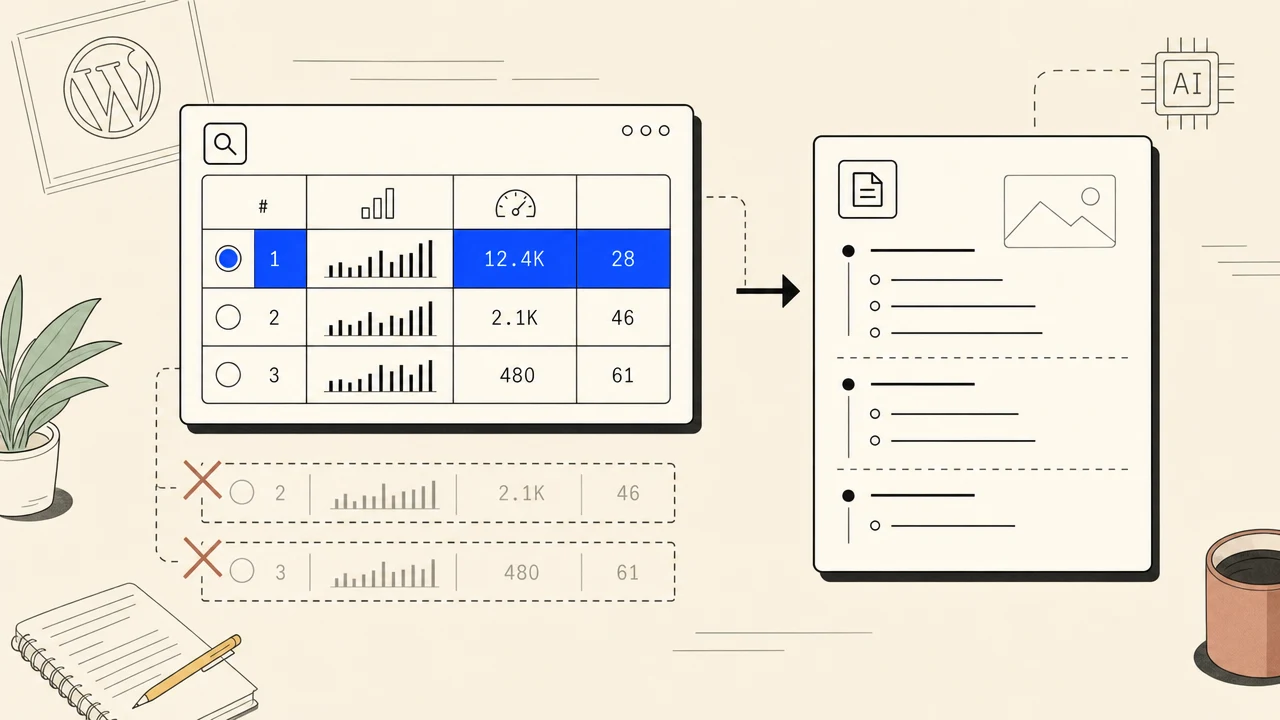
A model asked to suggest blog topics will give you twenty reasonable-sounding ones and zero information about whether anybody searches for them. Search volume, keyword difficulty, and current ranking pages are not in its training data in any reliable form, and when pressed it will produce numbers that look like data. Every one of those numbers is a guess dressed as a measurement.
Pull the real numbers first. You want monthly search volume, a difficulty score, the intent behind the query, and a look at who currently holds the top five results. Then judge honestly whether your site can compete for it. A brand new domain going after a difficulty-70 head term is writing for practice. The same domain going after a specific long-tail question with a clear answer has a real shot inside a few months. This is the entire premise behind our SEO automation pipeline: the keyword decision happens on measured data before a single sentence exists.
One more thing the model cannot see: what you have already published. If your site has a post covering the same query, a second one splits the signal between two pages and usually leaves both outside the top ten. Check your existing coverage before you commission anything new, and if two posts genuinely overlap, merge them and redirect the loser. Sorting out which of your pages should own which query is also what an internal linking tool is for.
Write the outline before the draft.
Asking a model for a finished 1,800-word post in one shot is how you get an average one. It has to invent the structure, the angle, and the prose simultaneously, and the safest structure is always the one that looks like everything else ranking for that query. Split the job. Get the outline first, argue with it, approve it, then let the draft be nothing more than execution of a plan you already agreed to.
A usable outline fixes five things: the angle in one sentence, the H2s in order, the specific claims each section will make, which of those claims need a citation, and which internal pages the post should link to. That last item matters more than it sounds. A post with no internal links is an orphan, and a post whose links were chosen by a model that cannot see your site will point at URLs that do not exist. Decide the link targets while you are looking at your own sitemap.
The angle sentence is the part most people skip and the part that does the most work. “A guide to email marketing” is not an angle. “Why most onboarding sequences fail in the second email, and the three fixes that work” is an angle, and every section afterwards has something to be measured against. If a heading does not serve the angle, cut it before it becomes 300 words you will have to read later. The same discipline shapes how we brief titles and intros, which is why the headline generator asks for the angle rather than the topic.
Fact-check every claim before you format anything.
Formatting a draft you have not verified is wasted work, because the verification pass is what deletes paragraphs. Do it first. Go through the draft and mark every statistic, date, price, product name, and attributed quote. For each one, find the primary source and confirm the number says what the draft claims it says. Anything you cannot source in a couple of minutes comes out. Not softened, not hedged with “studies suggest”, removed.
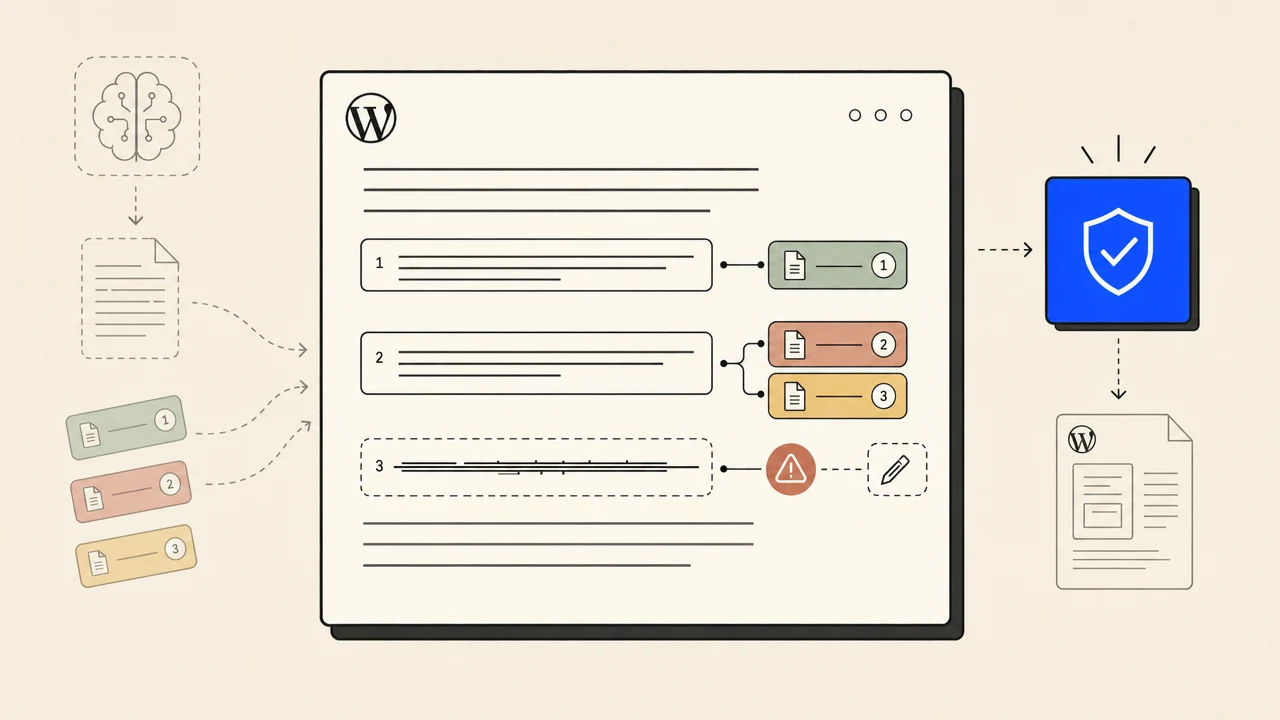
Two categories deserve extra suspicion. Round numbers that support the argument a little too neatly are usually invented, and a real survey rarely lands on exactly 80%. Citations to real organisations that do not contain the claim are the harder case, because the source is genuine and the attribution is not, which means the link survives a spot check while the sentence is still false. Open the source. This verification loop is exactly the job our AI fact checker runs on every draft before it reaches the review stage.
Cite as you go, with a named source and a working link, and keep the citations visible in the published post rather than hidden in a reference list nobody scrolls to. Readers use them to decide whether to trust the rest, and language models reading your page for an answer-engine summary use them the same way. If ranking inside AI answers matters to you, our guide to answer engine optimization covers what those systems actually reward.
Put a gate between the draft and the publish button.
A quality gate is a check that is allowed to say no. That is the whole idea, and it is the piece almost every AI publishing setup is missing. Without one, the draft goes live because it exists, and the only feedback loop is a ranking report three months later telling you the last forty posts did nothing.
The Ahrefs study of roughly 331,000 top-10 ranking pages is the clearest evidence for why the gate pays for itself. Pages with heavy AI content were not banned, they simply did worse: average AI share rose from 27.1% at position 1 to 30.9% at position 10, and indexation rates fell from 49.3% for low-AI pages to 40.4% for the heaviest. Meanwhile 82.2% of top-3 results sat under 50% AI content. The penalty is gradual and it lands on quality, which is precisely what a gate is built to catch.
Five checks catch most of it. Does every section deliver something the heading promised, or is one of them 200 words of throat-clearing? Does the post carry AI-tell phrasing, meaning stock openers, em dashes, vacuous transitions, and the same sentence shape three times in a paragraph? Does every specific claim have a source? Does the post actually answer the query it targeted, in the first paragraph? Does it link to the internal pages the outline specified? Fail any one and the draft goes back. That refusal step is the difference between autoblogging that compounds and autoblogging that quietly buries your good pages under weak ones.

Getting the finished post into WordPress.
WordPress is the destination for most of this work by a wide margin. The W3Techs CMS survey put WordPress at 40.8% of all websites in August 2026, and 59.0% of the sites whose CMS is identifiable. Whatever writes the post, it almost certainly has to end up in wp-admin.
Manual paste is the honest baseline. Copy the body in, rebuild the headings as real heading blocks, upload and set the featured image, write the excerpt, assign the category, publish. Fifteen to twenty minutes per post once you are practised, and that number does not fall with volume. The alternative is giving your writing tool an authenticated path into the site, which is what a publishing plugin does: the finished article arrives as a real WordPress post with its formatted body, title, and featured image already in place, created new or updated if that post already exists. Ours is a free plugin from the WordPress.org directory, and connecting a WordPress site takes about two minutes. That plugin sits beside the metadata layer rather than replacing it, so keep whichever one you already run; we ranked the options in the WordPress SEO plugin comparison. If you would rather nothing needed opening at all, the roundup of plugins that automate WordPress SEO unattended sorts the field by how much of the job survives you closing the tab.
Two habits worth keeping whichever route you take. Read the post on its live URL before you tell anyone about it, because the rendered page catches broken heading levels, a missing featured image, and an internal link pointing at a draft in a way the editor preview does not. And keep a human name on the byline. Someone should be accountable for the claims on the page. That is the standard we hold our own automated WordPress publishing to, and it is the standard worth holding any tool to.
A worked example, keyword to live post.
Here is the whole pipeline on one real-shaped job. The site is a fictional bookkeeping SaaS called Ledgerline, selling to freelancers and small agencies. It publishes twice a week and wants the next post to earn traffic rather than fill a calendar slot.
The shortlist has three candidates. “Accounting software” is huge and hopeless for a two-year-old domain. “Bookkeeping tips” has volume and no buying intent. “How to categorise business expenses as a freelancer” has modest volume, low difficulty, and a top five made up of generic listicles with no worked examples. Third one wins, because it is winnable and the searcher has an actual problem.
Angle: most freelancers over-categorise, and the fix is a short list of categories mapped to the tax form they actually file. Sections: why long category lists backfire, the eight categories that cover almost everything, the three edge cases that cause audits, a filled-in worked example, and what to automate. Citations needed on the tax-form mapping and the deduction rules. Internal links: the expense-tracking feature page and the existing quarterly tax guide.
Drafted section by section against the approved outline, roughly 1,600 words. The model produces a competent version of every section and one problem: the edge-cases section asserts that 62% of freelancers misclassify home office expenses, with no source attached.
The 62% does not exist. No survey produces it, and the two studies that sound similar measure something else. The sentence is deleted and replaced with the published deduction rule from the tax authority, cited and linked. The tax-form mapping checks out against the official form and gets a citation too. Two other paragraphs lose a sentence each for the same reason.
First pass fails on two counts. The intro takes four sentences to reach the answer, and the “what to automate” section is 180 words of generalities that could sit on any page. The intro is rewritten to answer in sentence one. The automation section is replaced with a specific before-and-after of one freelancer's category list. Second pass clears.
The article lands in WordPress as a post: formatted body, title, featured image, the two internal links live. It is read once on the live URL, where a heading turns out to have been set as H4 instead of H3. Fixed in the editor. Total human time across all six steps: about 25 minutes, almost all of it in steps 4 and 5.
Notice where the time went. Nobody spent 90 minutes writing. Two people-minutes went into the keyword decision and roughly twenty into checking and rejecting. That ratio is the point of the whole exercise, and it is the ratio a good pipeline is designed to produce. Running that loop across a site rather than a single post is what AI SEO tools are supposed to be for.
Common mistakes that sink AI-written posts.
Six anti-patterns account for most of the AI-written WordPress posts that never earn a visit. Each one has a rational-looking reason behind it, which is why they persist.
1. Publishing the first output unedited.
The draft looks finished, which is exactly the trap. Fluent prose reads as complete, so the edit feels optional. Only 4% of the marketers in the Ahrefs survey publish raw output, and they are not the ones reporting results. Budget a real editing pass per post and treat the draft as raw material.
2. Choosing topics without keyword data.
Brainstorming with a model feels like research because it produces a list. It is not research, because nothing in the list is grounded in what people search for. Pull volume, difficulty, and intent from a live source before you commission anything, and be honest about which difficulty scores your domain can actually reach today.
3. Shipping with no gate that can say no.
A review step that has never rejected anything is not a review step. If your process cannot produce the outcome “this post does not go live”, you have a formatting queue. Write down the failure conditions before you publish the next one, and let the first draft that hits one of them get sent back.
4. Stacking AI-tell phrasing.
One stock transition is nothing. Six on a page, plus em dashes in every third sentence and three paragraphs opening the same way, is a texture readers now recognise instantly. Keep a ban list and run it as a find-and-replace pass: stock openers, vacuous connectives, em dashes, and any sentence shape that appears three times in a row.
5. Publishing orphan posts with no internal links.
A model that cannot see your site will not link to it, so posts ship with zero internal links or with invented URLs that 404. Both waste the page. Decide link targets during the outline against your real sitemap, and add a link from an existing related post back to the new one on the day it goes live.
6. Optimising volume before quality.
Going from four posts a month to forty is trivial once generation is automated, which is why so many sites do it before the quality loop works. Forty weak posts are worse than four good ones, because they dilute the site and give you no signal about what actually worked. Get a post that ranks, then raise the cadence on the process that produced it. Flat pricing helps here, since $99 a month with no per-article meter removes the incentive to ration quality checks.
The model is the cheapest part of the job.
Every step in this guide that decides whether a post ranks happens outside the writing itself: the keyword you picked, the angle you committed to, the claims you deleted, the draft you sent back, and the link you added from an older post. The generation is a commodity now. The judgement around it is not.
That is the whole design brief behind The SEO Agent. Real keyword data instead of brainstormed topics, sources attached to claims, a gate that refuses weak drafts, and a native WordPress publish at the end so the finished post lands where your readers already are.