WordPress auto blog, run by the agent.
Install the free plugin, paste one token, and The SEO Agent publishes fact-checked articles straight into WordPress as posts. Featured image, tags, and meta included. Re-publish and it updates the live post in place.
FREE PLUGIN · FREE TRIAL · CANCEL IN ONE CLICK9f4c2e8a1b7d6e0a3c5b8d2f4a6c9e1b7d3f5a8c0e2b4d6f8a1c3e5b7d9f0a2cSavePOST /wp-json/seobot/v1/articlesGET /wp-json/seobot/v1/pingHow do I auto-publish to WordPress with The SEO Agent?
Install the free WordPress plugin (“Seobot Publisher for The SEO Agent” on the WordPress.org directory), paste your integration token into the The SEO Agent menu, and choose publish-live or hold-as-draft. From then on the agent writes a fact-checked article, runs it through the quality gate, and the plugin posts it to WordPress automatically with the featured image, tags, and meta set. Re-publishing a revised article updates the same post instead of creating a duplicate. The plugin is free; the agent runs on the flat plan. See pricing.
A draft, then a long manual route to WordPress.
Most AI writing tools hand you a draft and stop. Getting that draft onto WordPress is still a manual chore that runs every single article.
- Copy-paste from a doc into the WordPress editor
- Re-do the formatting Gutenberg mangled on paste
- Set the featured image, tags, and meta by hand
- No way to update the live post when you revise the draft
- Duplicate posts pile up when you re-publish a fixed version
The article lands as a WordPress post. Automatically.
The agent pushes the finished article straight into WordPress through the free plugin. No editor, no paste, no reformatting.
- Fact-checked article posts itself to WordPress on a cadence
- Featured image, tags, and meta ship with the publish
- Re-publishing a revised article updates the live post in place
- No duplicates: each article maps to one post, upserted on edit
- Choose publish-live or hold-as-draft for human review
Four things the connector does that a bare webhook does not.
Articles arrive as real WordPress posts, fully formatted.
The plugin writes a genuine WordPress post: title, body, featured image, tags, and meta all set the way the editor would set them. No raw HTML payload for you to clean up, no half-built block soup. It is the same native publish path described on the WordPress SEO automation page, exposed here as the connector you actually install. It sits at the top of our roundup of the WordPress SEO plugins that run unattended for the same reason: it publishes without a human step.

Edit an article and the live post updates, no duplicates.
Every article maps to one post. When you revise a draft and re-publish, the plugin finds the existing post and updates it in place instead of spawning a second copy. That is the difference between a tidy WordPress library and a graveyard of near-duplicate slugs. The same hands-off cadence powers our broader autoblogging motion across every connected site.
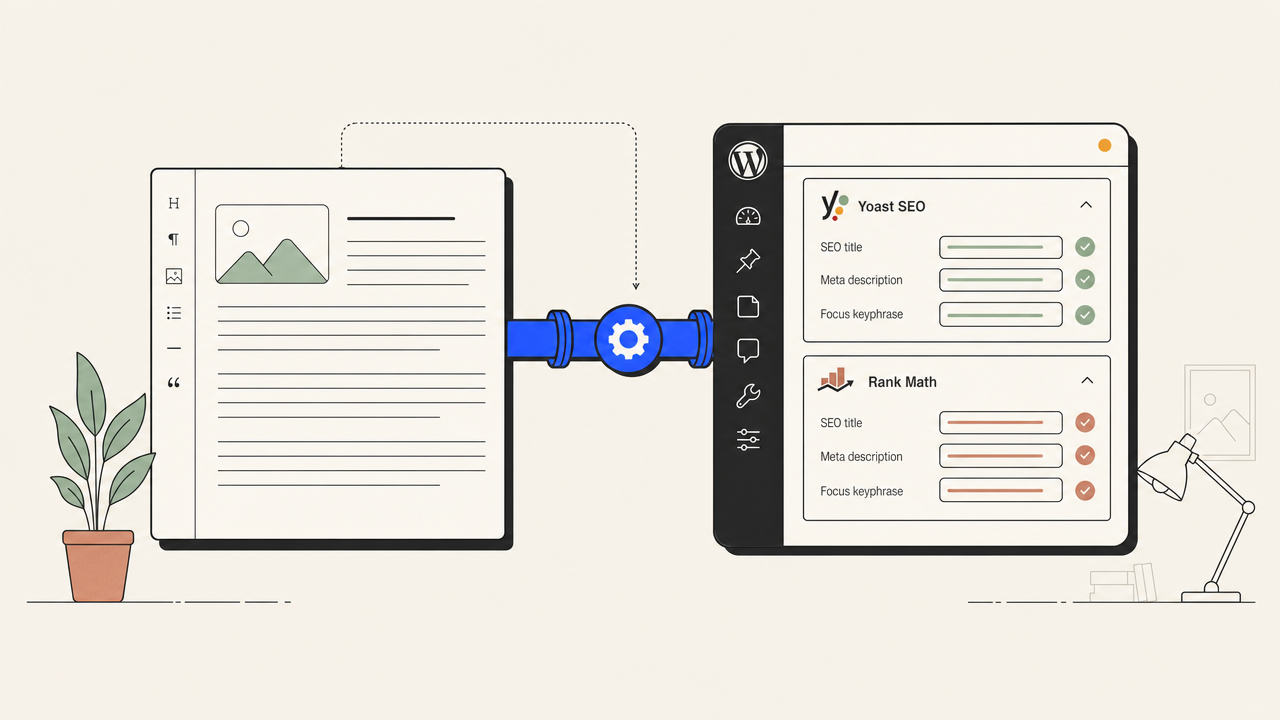
You decide whether a human sees it first.
Set the plugin to publish live the instant an article clears the quality gate, or to drop every article in as a WordPress draft for review. The gate already refuses to ship low-grade output, so most teams run on auto-publish, but the draft mode is there when you want a human in the loop. Read how the gate scores a draft on the SEO automation overview.
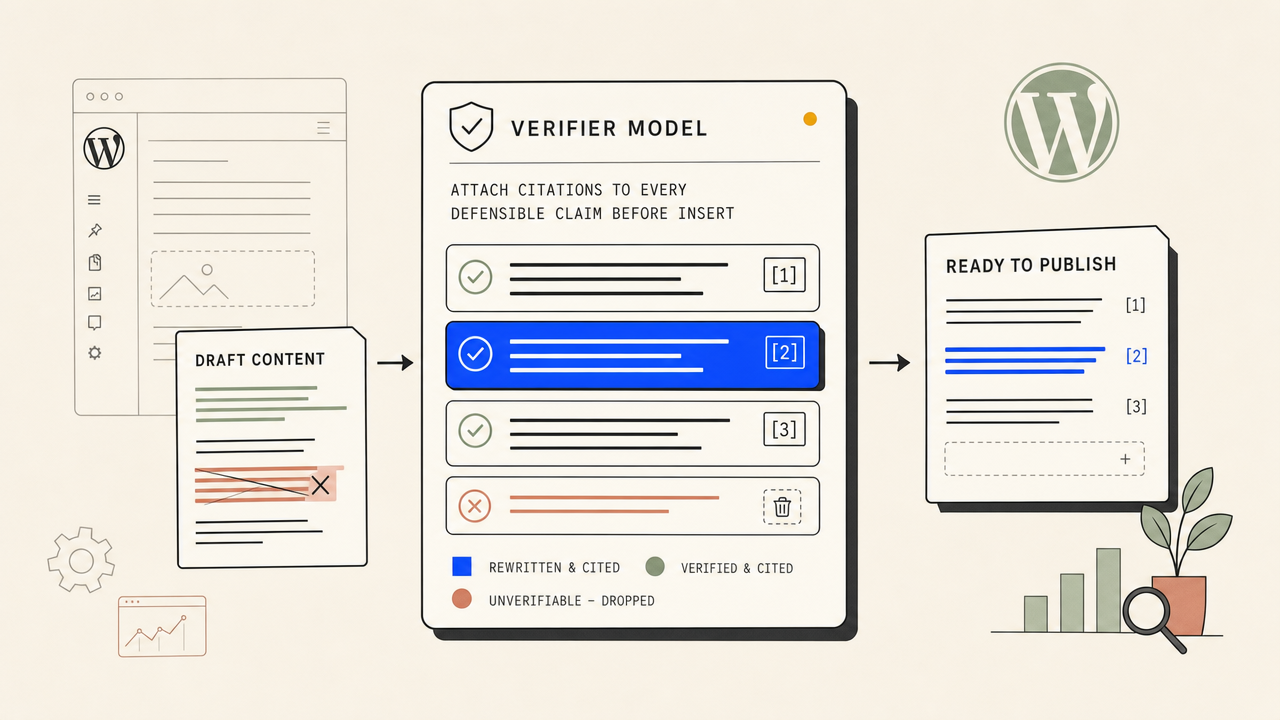
One token connects it. Nothing to host or babysit.
Connecting WordPress is pasting a single token, not wiring an API or hosting middleware. If you would rather drive publishing programmatically, the same content ships over our REST API and through the n8n connector, but for WordPress the plugin is the shortest path and it is free on the directory.
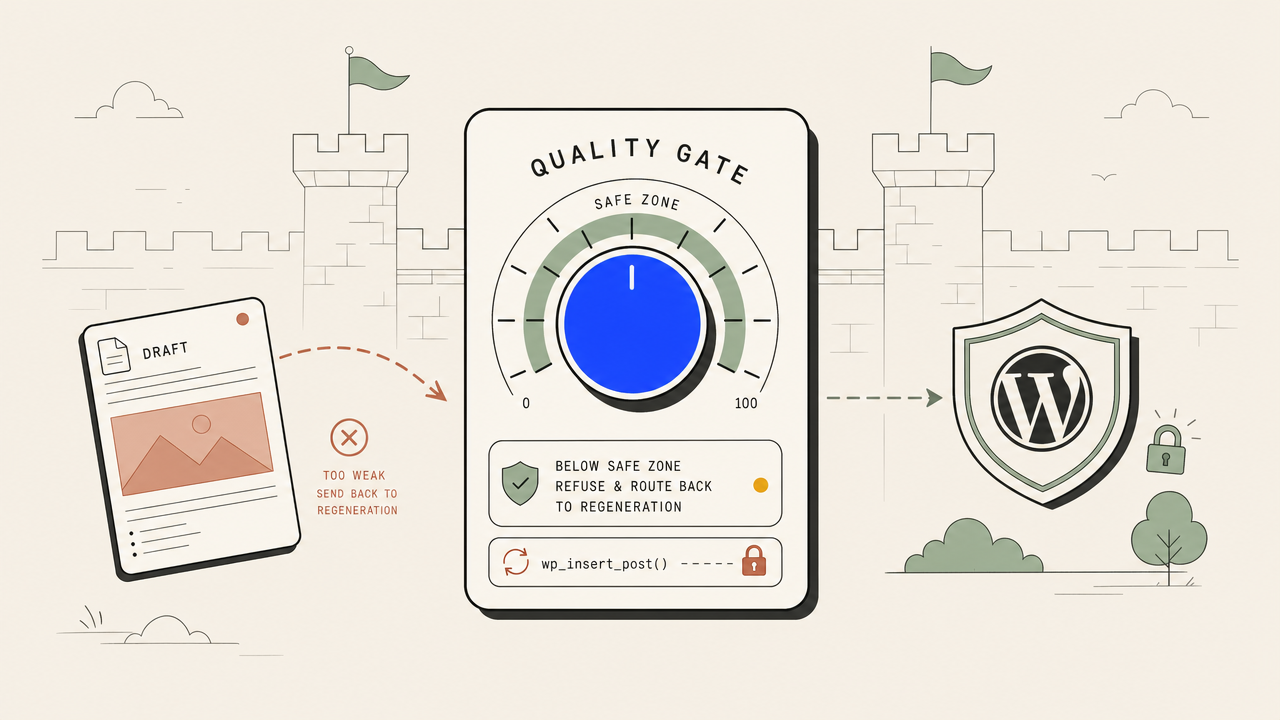
Four steps. Real ones. The plugin is live today.
Search "Seobot Publisher for The SEO Agent" in your WordPress plugins screen, or grab it from the WordPress.org directory. Activate it. A new "The SEO Agent" menu appears in your admin sidebar.
Open the The SEO Agent menu in WordPress, copy your 64-character integration token from your project settings on theseoagent.ai, and paste it into the token field. Save. The status row flips to Connected.
Choose whether finished articles publish live the moment they pass the quality gate, or land as drafts so you can review them first. Flip it per site, change it any time.
Point the agent at your keywords. Each day it drafts the next article, fact-checks it, runs the quality gate, and posts it to WordPress. Revise an article later and the live post updates in place.
The honest one-screen comparison.
| FEATURE | THE AGENT | EVERYONE ELSE |
|---|---|---|
| Getting an article onto WordPress | Native post via the free plugin | Copy-paste into the editor |
| Featured image, tags, meta set automatically | ||
| Re-publish updates the live post (no duplicates) | ||
| Setup | Install plugin, paste one token | Configure a bare webhook by hand |
| Publish-live or hold-as-draft choice | ||
| Fact-check + quality gate before publish |
Q.01What does the WordPress plugin actually do?+
It connects your WordPress site to The SEO Agent so finished articles publish themselves as native WordPress posts. The agent writes a fact-checked article, runs it through the quality gate, then the plugin creates the post with the featured image, tags, and meta already set. No copy-paste, no manual formatting.
Q.02Is the WordPress plugin free?+
Yes. The plugin is free on the WordPress.org directory. Search "Seobot Publisher for The SEO Agent" in your plugins screen and install it. The agent that writes and publishes the articles runs on the flat monthly plan, with a trial so you can watch posts ship before you commit.
Q.03How do I connect it to my account?+
Install and activate the plugin, then open the The SEO Agent menu that appears in your WordPress admin sidebar. Copy the 64-character integration token from your project settings on theseoagent.ai and paste it into the token field. Save, and the status row flips to Connected.
Q.04What happens when I re-publish a revised article?+
The plugin updates the existing post in place instead of creating a duplicate. Each article maps to one WordPress post, so edits flow through to the live page and your library stays clean. No graveyard of near-identical slugs.
Q.05Can I review posts before they go live?+
Yes. Set the plugin to draft mode and every incoming article lands as a WordPress draft for you to review and publish manually. Set it to publish mode and articles go live automatically once they clear the quality gate. You choose per site and can change it any time.
Q.06Will the auto-published articles read like AI?+
No. The pipeline runs a fact-check pass that forces real citations into the text and an editing pass that smooths the prose. The quality gate refuses to publish anything below threshold, so weak drafts never reach your WordPress site in the first place.
Q.07Do I need a developer to set this up?+
No. Connecting WordPress is installing a plugin and pasting one token. There is no FTP, no API code, and nothing to host. If you do want to publish programmatically instead, the same content ships over our public REST API, but the plugin is the no-code path.
Q.08Which other CMS platforms can the agent publish to?+
Alongside WordPress, the agent publishes natively to Webflow, Shopify, Ghost, and Wix, with a webhook integration for anything else. WordPress is the most direct because the plugin handles the post, image, tags, and meta for you with a single token.
Related guides + features.
Autoblogging
Hands-off publishing on a cadence you set, with a gate that stops weak drafts before they reach your site.
/features/autoblogging →PILLAR · SEO AUTOMATIONSEO automation
The full pipeline: research, fact-checked drafting, a quality gate, and native publish. Where these tools stop, the agent ships the page.
/features/seo-automation →PRICINGSimple pricing
$1 for a 3-day trial if eligible, then $99 per month. No per-keyword meter. Cancel in the app.
/pricing →Watch posts ship to your WordPress this week.
Three days for a dollar. Install the free plugin, paste your token, point the agent at a keyword list, and watch articles publish themselves. Cancel in one click if it isn't working.
FREE TRIAL · CANCEL IN ONE CLICK