Free AI SEO tools: 11 that are genuinely free in 2026.
Eleven AI tools you can use for SEO at $0 with no end date: the free plans of the four big assistants, single-job generators and checkers, and free AI reports from Bing and Google. Every free tier was read off the vendor's own pages on 9 October 2026, every entry has a catch, and three of the eleven are ours and marked as such.
What are the best free AI SEO tools?
The best free AI SEO tools in 2026 fall into three groups. For writing and research, the free plans of ChatGPT, Claude, Gemini and Perplexity cover briefs, drafts and sourced answers at $0, with usage limits that are mostly unpublished. For single jobs, a free meta description generator, SEO title generator and keyword density checker, plus the 45 small generators Ahrefs gives away, handle one tag or one check at a time. For measurement, the AI Performance report in Bing Webmaster Tools, the AI-powered configuration in Google Search Console and the HubSpot AI Search Grader are free. None of the eleven has measured keyword volume or difficulty.
- 01ChatGPT (free plan): Free plan with web search, for everyday SEO writing
- 02Claude (free plan): Free plan that includes projects and connectors
- 03Gemini (free tier): Free, but on the smallest model
- 04Perplexity (free plan): Free research with citations you can open
- 05Meta description generator (ours): Five options per keyword, pixel-measured
- 06SEO title generator (ours): Ten title tags per keyword, length-tagged
- 07Keyword density checker (ours): No sign-in, no cap, runs in your browser
- 08Ahrefs free AI writing tools: 45 small free generators on one page
- 09Bing Webmaster Tools AI Performance: Free first-party report on AI citations
- 10Search Console AI-powered configuration: AI on top of the only measured ranking data here
- 11HubSpot AI Search Grader: Free one-time brand check across three engines
Free tools each do one job and leave the handoffs to you. The SEO Agent picks the keyword from live search data, writes a cited article and publishes it to your site every day. Enter your site to start.
Free trial · Cancel in one clickHow we picked these eleven.
The first filter was the word free. Most lists under this heading mix three different things: a tool that is free with no end date, a paid tool with a free allowance, and a seven-day trial that asks for a card. Only the first two are here. Every entry costs $0 with no expiry, and where there is a cap we say what it is, or say plainly that the vendor does not publish it. Each free tier was read off the vendor's own pricing or help page on 9 October 2026.
The second filter was whether AI does a real SEO job in it. That left three kinds of tool, and the list is grouped by kind, not ranked: the free plans of the general assistants (ChatGPT, Claude, Gemini and Perplexity), free single-job generators and checkers, and free AI reports and checks from the search engines and one large platform. A chat assistant and a citation report are not competing for the same slot, so a single leaderboard would be dishonest.
Three of the eleven are ours, and each is marked. We build an AI SEO agent, and the tools on this list are the small ones we give away, so discount our opinion of them accordingly. The Ahrefs set at number eight is the direct alternative and is listed on purpose. Nothing here is sponsored, and there are no affiliate links or outbound links at all: the screenshots, taken the same day, are the evidence. If you are shopping for something to pay for, that is a different page, our list of paid AI SEO tools, ranked. For free tools beyond SEO, see the roundup of free business tools.

ChatGPT (free plan)
Briefs, outlines, first drafts and rewrites when you can paste in the facts.
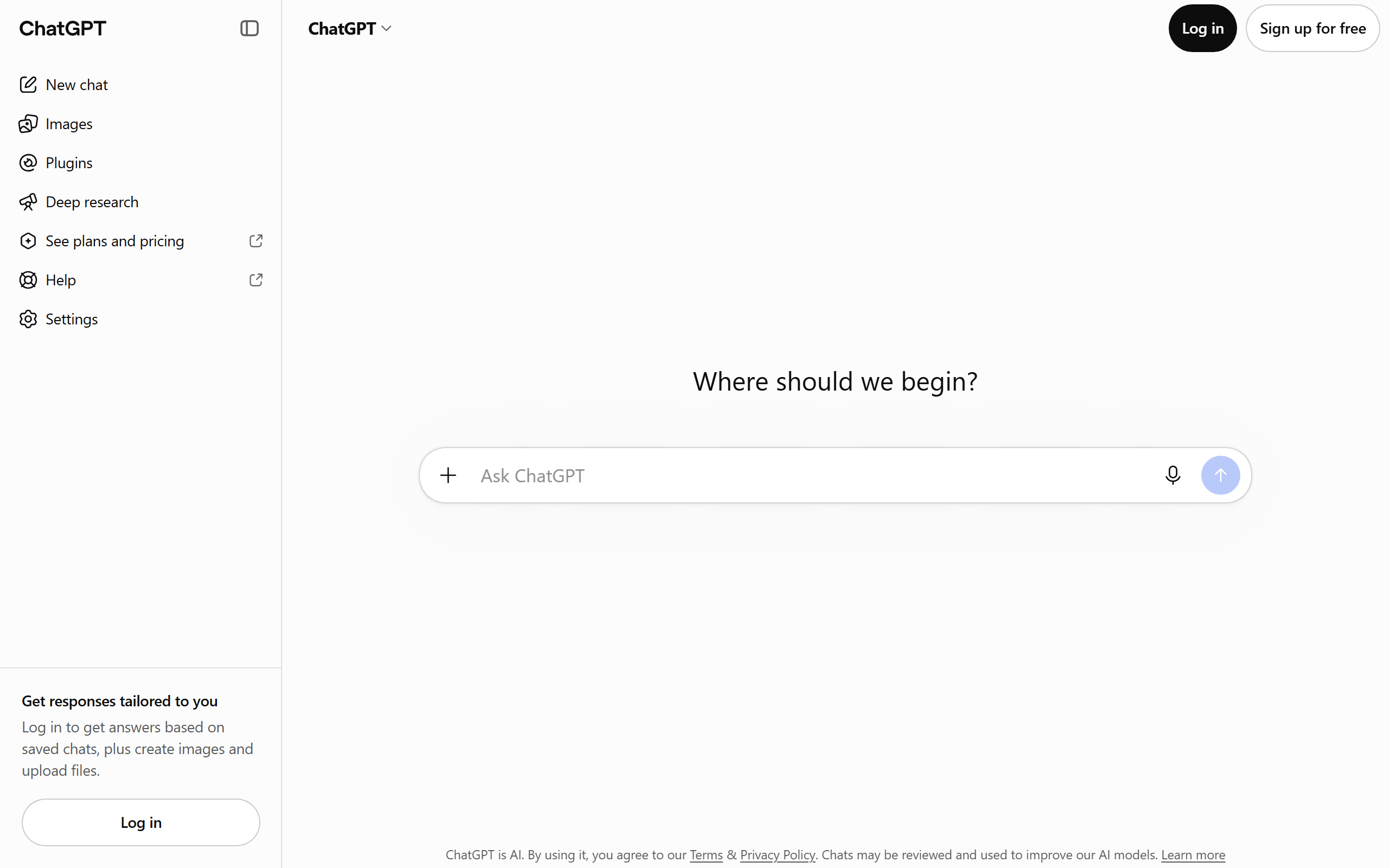
$0, no card. ChatGPT's own pricing and help pages list everyday chat and web search on the free plan, and put file uploads, data analysis, image creation and deep research behind limits. Most of those limits are not published as numbers: the app tells you when you hit one and when it resets.
This is the tool most people mean when they say free AI SEO tool, and for the text half of SEO it earns the spot. Paste in a keyword list and it groups the list by intent. Give it the three pages that rank and it writes a brief with the questions they all answer and the one they miss. Hand it a draft and it tightens the intro, moves the answer to the top and rewrites twenty title tags to length. All of that works on the free plan, because all of it runs on text you supplied.
It stops working the moment you ask for a fact it would have to measure. There is no keyword database inside the model, so a monthly search volume from ChatGPT is a sentence shaped like a number, and it cannot see your rankings either. The prompts, the setups and the failure modes are in our ChatGPT for SEO guide, and if the drafts come back sounding machine-written, how to make ChatGPT write like a human covers the fix.
It will state a search volume, a statistic or a citation it has no way of knowing, in the same confident tone as everything else. The limits on uploads and deep research are unpublished, so you find them by hitting them.
Claude (free plan)
Long drafts, careful edits and a reusable workspace that holds your brand rules.
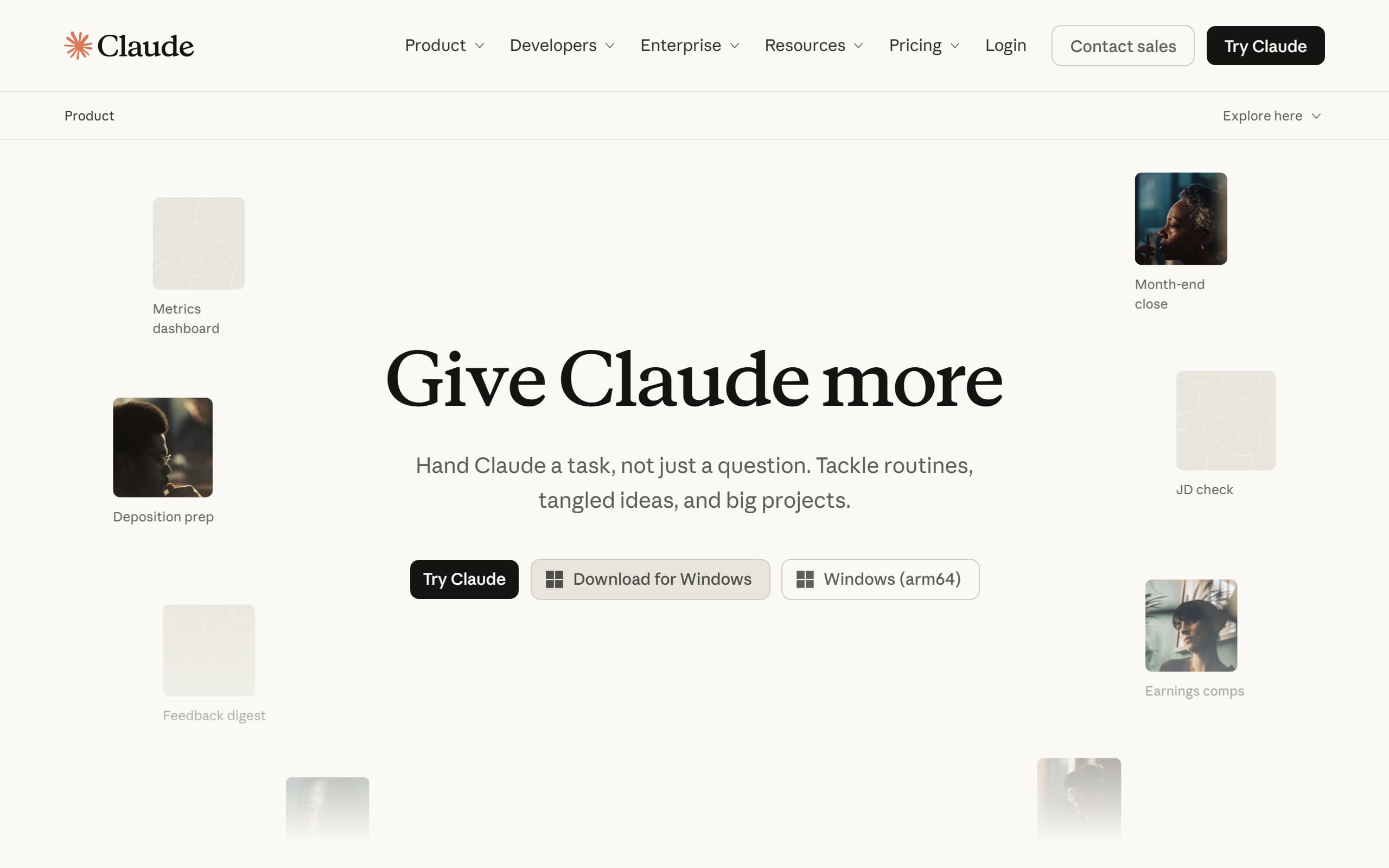
$0, and the pricing page says free for everyone. The free column lists chat on web, desktop and mobile, web search, file creation and code execution, memory across conversations, app connectors and Artifacts, with up to five projects. Research is a paid feature, and no message count is published.
Two things on the free plan matter for SEO work. The first is projects: a workspace where you upload a brand and voice document, your style rules, a product facts sheet and a list of your own URLs, so every brief and draft starts from the same inputs instead of an empty chat. Five of them is enough for five sites or five content lines. The second is connectors, which let Claude read from tools you already use instead of answering from memory.
It has the same blind spots as every assistant on this page: no search volume, no view of your rankings, and a habit of filling a missing number with a plausible one. Set the project instructions to forbid unsourced figures and run a separate check on every draft. The three setups that work, with seven prompts you can paste, are in our guide to using Claude for SEO.
How far the free plan goes depends on the length of the conversation and the features you use, not on a published message count. A long thread with large attachments runs out sooner than a string of short questions.
Gemini (free tier)
Short rewrites, summaries and quick questions where a small model is enough.
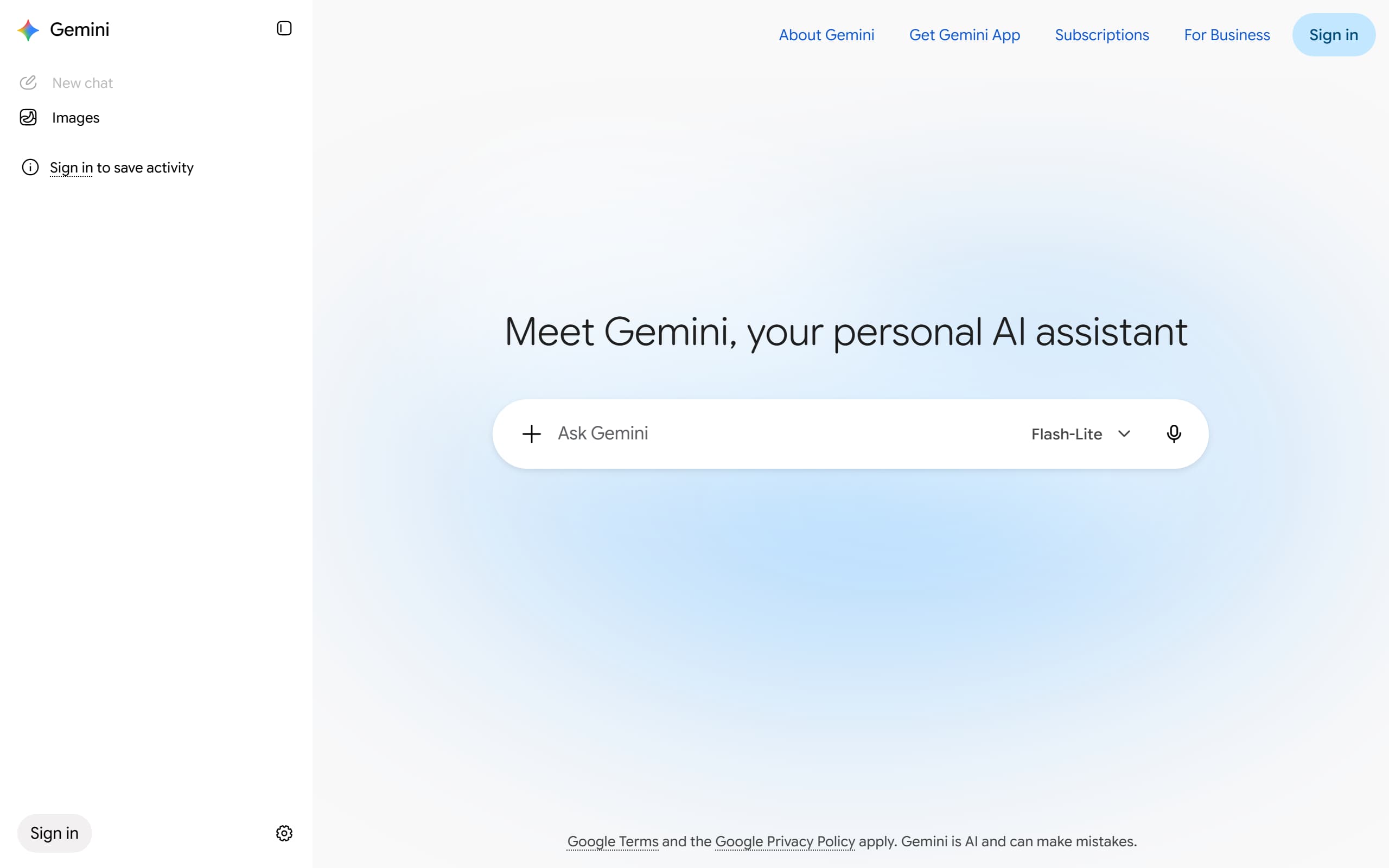
$0. Google’s limits page gives accounts without a plan standard limits it does not put a number on, a 32,000-token context window, and usage that refreshes every five hours up to a weekly cap. On 9 October 2026 the model picker for a visitor with no plan read Flash-Lite, the smallest model in the lineup.
Gemini is the entry that changed the week this list was written. Press coverage that week reported Google moving accounts without a plan onto Flash-Lite and taking the larger Flash and Pro models out of the free model picker, and the picker in the screenshot above matches. A small model is fine for rewriting a paragraph, summarising a competitor page you paste in, or drafting twenty meta descriptions. It is the wrong tool for a 2,000-word article that has to hold an argument together.
The 32,000-token context window (about 24,000 words, shared between what you paste and what it writes back) is enough for a brief and a few competitor pages, not for a whole content library. Google also says heavier features such as Deep Research may be unavailable when demand is high. If you are deciding whether a paid Gemini tier is worth it for writing, the lineup is compared in which Gemini model to write with.
This is the free tier most likely to be different by the time you read this. Google states that limits may change without notice, and the change to the free model this month shows it means it.

Perplexity (free plan)
Finding a source for a claim and seeing which pages an AI engine cites on your topic.
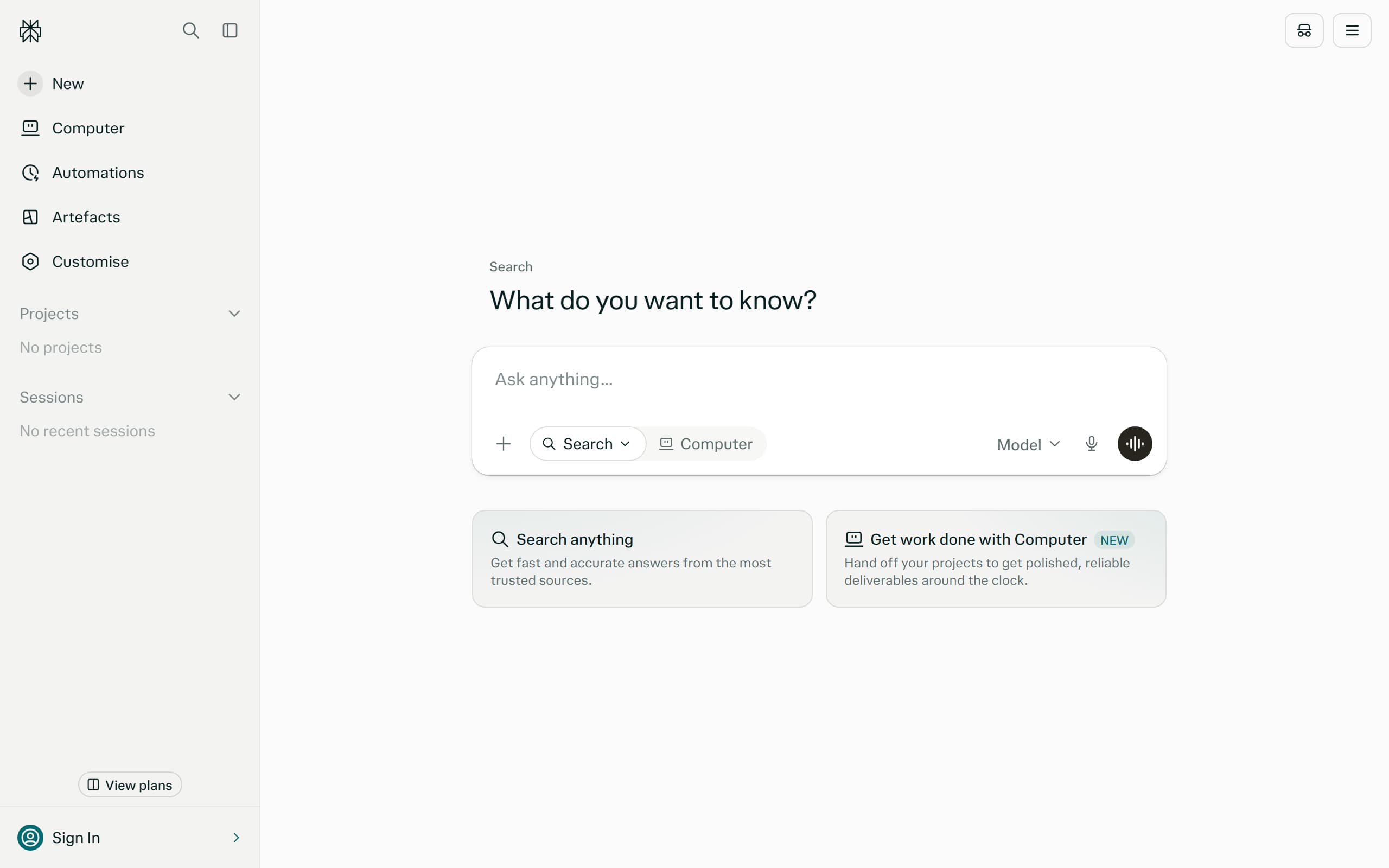
Basic search with numbered citations is free, and the Help Center plan comparison lists three Pro Searches a day on the free plan. You need to sign in to use Pro Search, and free accounts cannot pick an advanced model by hand.
Perplexity does the one thing the three assistants above do badly on their own: it shows where each sentence came from. Every answer carries numbered citations, so a claim is a click away from the page that made it. For SEO that is two jobs. One is sourcing: before a statistic goes into a draft, ask for it here and open the citation to check the page really says it. The other is reconnaissance: ask the question your buyers ask and read which sites get cited, because those are the pages you are competing with for the answer.
Three Pro Searches a day is a real constraint, so spend them on the questions that need several searches stitched together and use basic search for the rest. How the engine chooses its sources, and what makes a page citable, is in our Perplexity SEO guide, and the wider field is in AI search engines compared.
Three Pro Searches a day runs out fast, and a numbered citation only proves a page was retrieved, not that it supports the sentence. Open the source before you repeat the claim.
Meta description generator
One page at a time, when you want five real options instead of one.
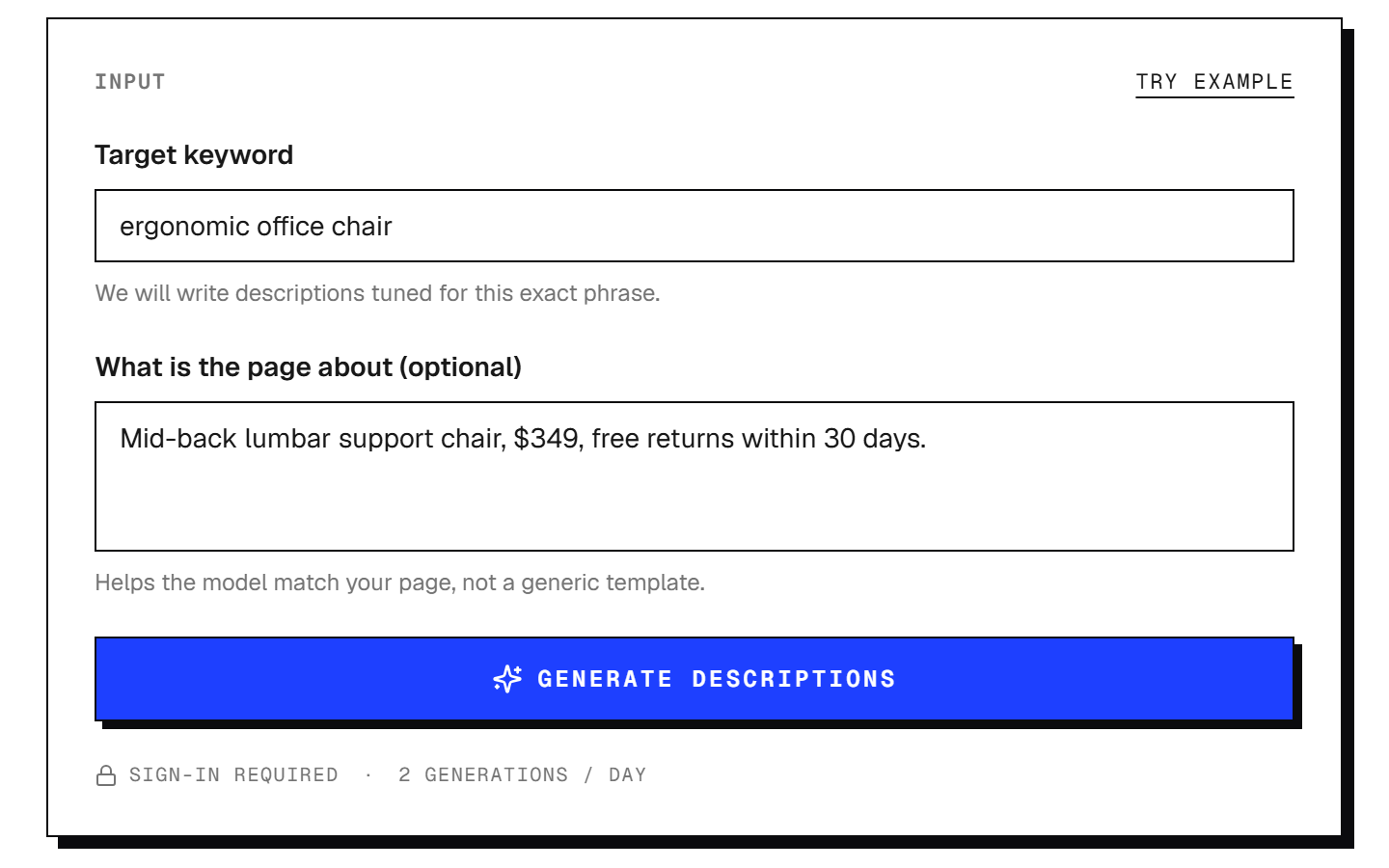
Free with a sign-in and no card, two generations a day. Each run returns five descriptions in five different patterns (benefit-led, list-led, year-led, question-led and CTA-led), and each one is measured in pixels against the roughly 920-pixel width where Google cuts a desktop description off.
This one is ours, so read it with that in mind. We built it because the common way to check a meta description is to count characters, and Google does not cut on characters. It cuts on rendered width, and a wide W takes more room than a narrow i, so two descriptions of the same length can end in different places. The free meta description generator measures the pixels and flags any candidate that would be clipped mid-sentence.
The honest comparison is with asking an assistant for the same thing. ChatGPT or Claude will write you twenty descriptions in one reply, and for a bulk rewrite across a whole site that is the better tool. This is for the page that matters, where you want five distinct angles and a length you can trust. Google often shows its own snippet instead of your description, so treat the result as your best pitch for the click, not a guarantee of what appears.
Two runs a day and a sign-in. It writes one tag for one page and knows nothing about the rest of your site, so it will not tell you whether the page deserved the keyword in the first place.
SEO title generator
Picking a title tag for one page with the keyword where it stays visible.
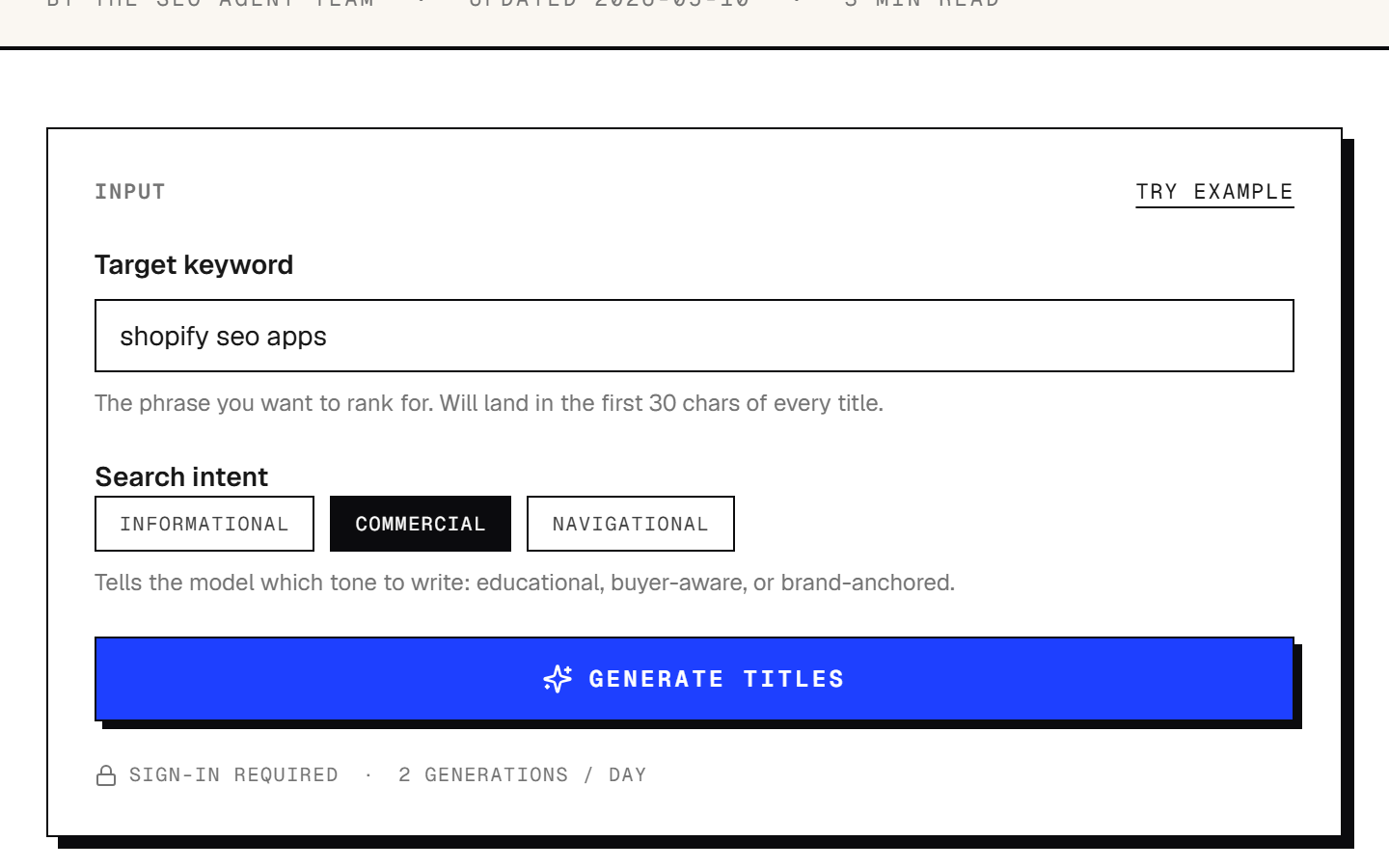
Free with a sign-in and no card, two generations a day. Each run returns ten title tags across five shapes (year-led, listicle-count, question-led, how-to-led and brand-led), puts the keyword in the first 30 characters, and tags every candidate SHORT, SERP-SAFE or TRUNCATES against a 50 to 60 character band.
Also ours. A title tag has one job the body headline does not: survive truncation. Search results cut titles from the right, and a keyword that sits at character 45 is the first thing to disappear on a phone. The free SEO title generator takes a keyword and an intent (informational, commercial or navigational), writes ten candidates with the keyword up front, and labels each one so you can see at a glance which fit.
It is deliberately narrow. It writes the tag that appears in search results, not the H1 a reader sees on the page, and those two can and often should differ. For the on-page headline there is a separate headline generator, also free. Neither one looks at what currently ranks for the keyword, so read the top results yourself before you pick. If every page on the first screen is a how-to, the listicle-count title is the wrong shape however good it sounds.
Two runs a day and a sign-in. Character bands are an approximation of a pixel limit, and the tool does not read the live results page, so matching the shape to search intent is still on you.
Keyword density checker
Checking whether a draft, AI-written or not, is actually about the keyword.
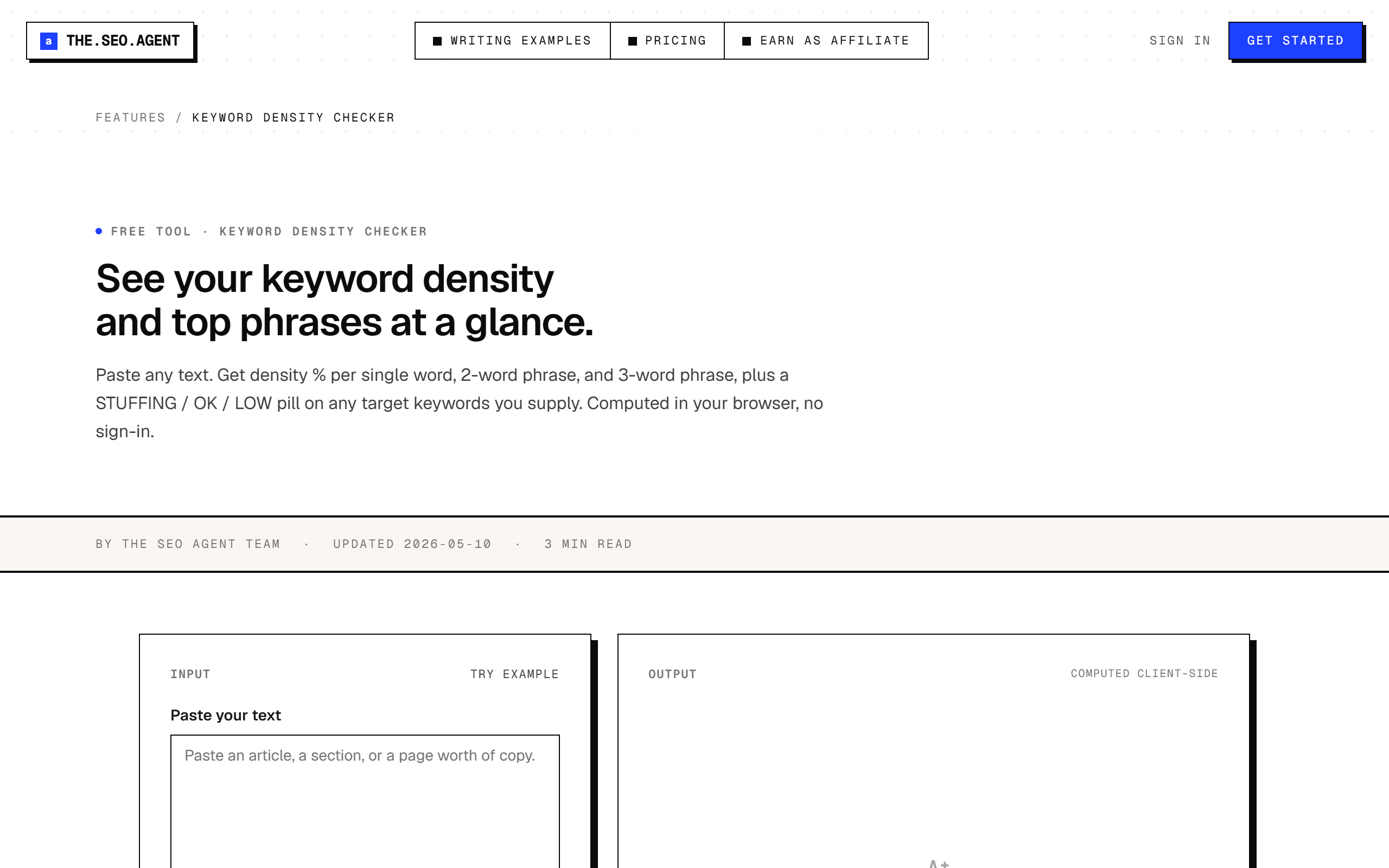
Free with no sign-in and no daily limit, because nothing leaves your browser. Paste any text and it reports density for single words, two-word phrases and three-word phrases, drops stop words, and puts a STUFFING, HIGH, OK or LOW label on any target keyword you supply (5% and over is flagged as stuffing, 0.5% to 3% reads OK).
The third one of ours, and the odd one out: there is no AI in it. It is arithmetic. Tokenise, count, divide. It is on a list of AI SEO tools because it is the check you run on what the AI wrote. A model asked to target a phrase will sometimes use it once in 1,500 words and sometimes eleven times in the first three paragraphs, and it is a poor judge of its own output. The free keyword density checker counts for it, and the same paste always returns the same number.
Density is a sanity check, not a ranking lever. Google has not published a target figure, and tuning a page to one would be a mistake. What the number tells you is whether the page is plainly about the topic you think it is, and whether a draft has tipped into repetition a reader would notice. Pair it with the reading level checker for the other thing AI drafts get wrong, which is prose that reads harder than it needs to.
It counts words. It does not know whether the keyword was worth targeting, whether the facts are right, or whether the page answers the search. A draft can score OK here and still be wrong.
Ahrefs free AI writing tools
One-off copy jobs: a meta description, a title, an outline, alt text.
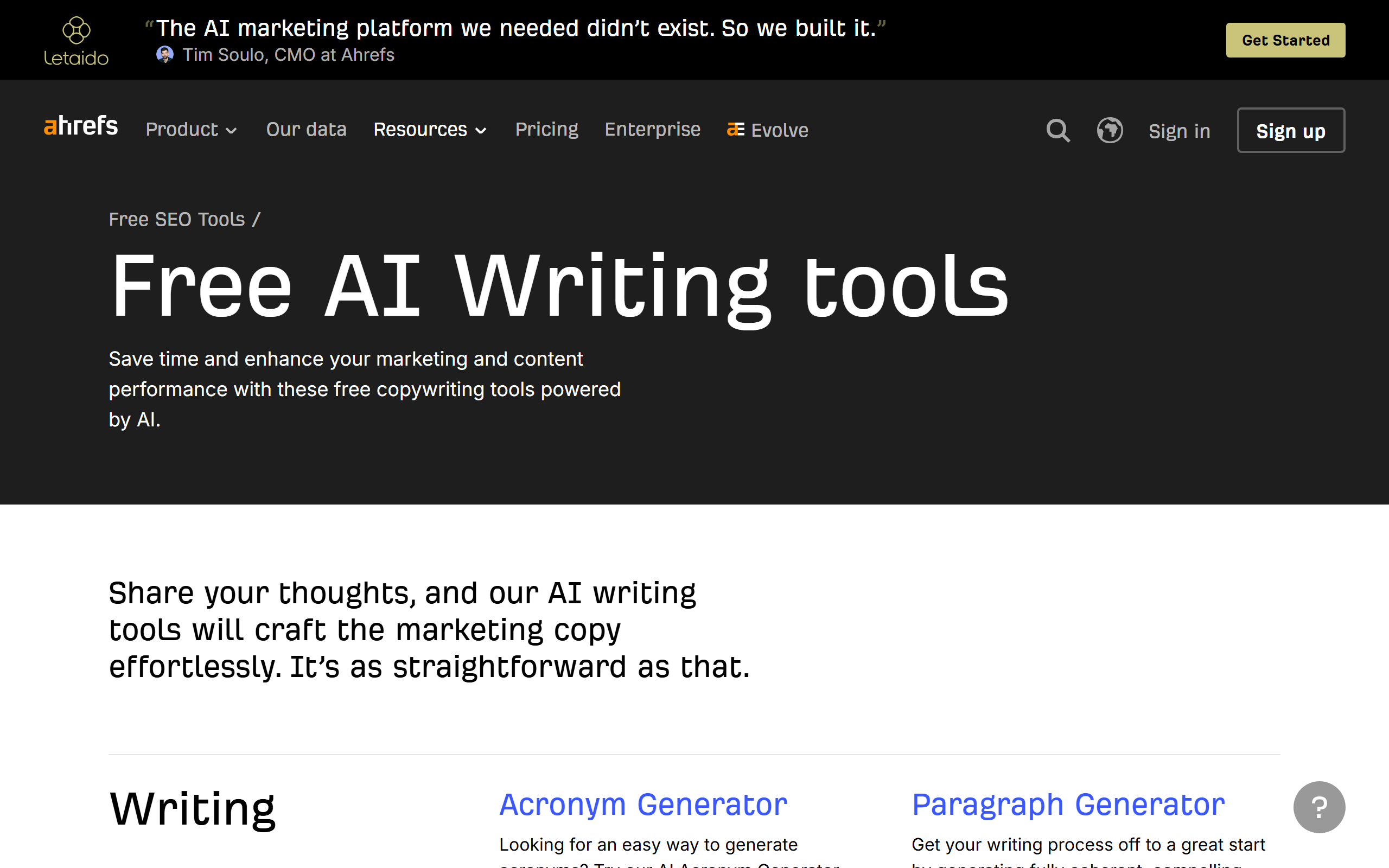
Free, and the page listed 45 AI writing tools when we checked, in four groups: writing, SEO and content marketing, social media, and business and marketing. The SEO-relevant ones include a meta description generator, an SEO title generator, a blog title generator, a blog post ideas generator, an image alt text generator, a paragraph rewriter and an outline generator. No usage limit is stated.
This is the direct alternative to the two generators of ours above, and you should try both. The meta description tool takes a description of your page (up to 2,048 characters), a writing tone and a language, and returns three variants. That is a different trade from ours: fewer options and no pixel measurement, in exchange for tone control, a language selector and no stated daily cap. If you write in a language other than English, start here.
The breadth is the point. An alt text generator and a paragraph rewriter are small tools, but they are the ones you reach for forty times in a week of publishing, and having them on one page beats writing a fresh prompt each time. The meta description generator works only from the text you type in. It does not draw on the keyword or backlink data the platform is known for, so the output is only as specific as your description. For tools built around longer copy, see our comparison of AI copywriting tools.
It is a free front door to a paid platform. Three variants per run on the meta description tool, no measurement against the search results cutoff, and no knowledge of your site.
Bing Webmaster Tools AI Performance
Seeing which of your pages get cited in AI answers without paying for a tracker.
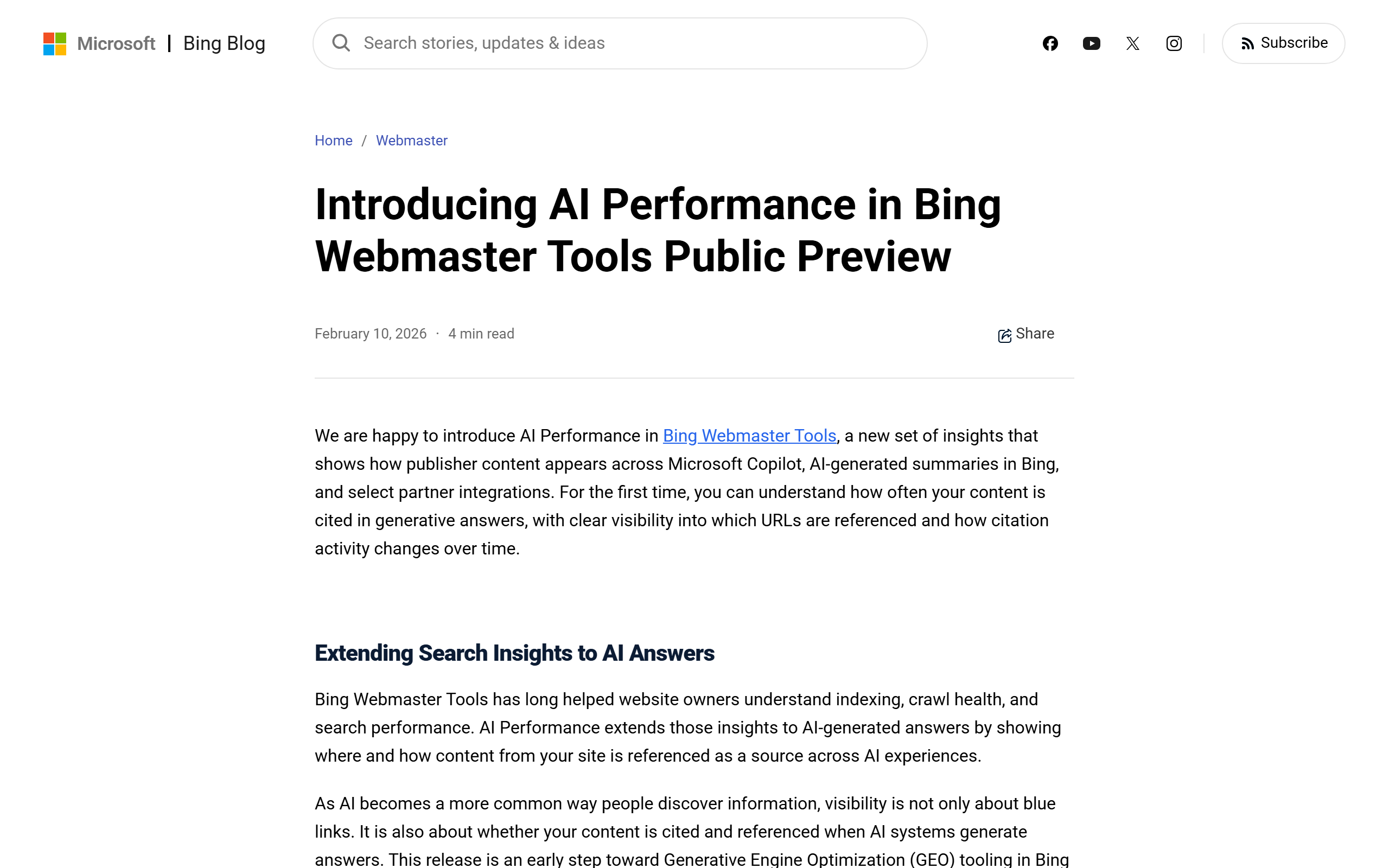
Free for any site verified in Bing Webmaster Tools. Launched as a public preview on 10 February 2026, it reports total citations, average cited pages per day, page-level citation counts and the grounding queries used to retrieve your content, across Microsoft Copilot, AI summaries in Bing and select partner integrations. A June 2026 update added intents, topics, citation share and a compare view, also in preview.
Most ways of finding out whether AI engines cite your site cost money or mean typing prompts by hand. This one is a report in a free tool you can verify in a minute, and it comes from the company running the engine, not from a third party sampling it. The grounding queries are the useful part. They are the phrases the system used when it went looking for content and landed on yours, which tells you what your pages are being retrieved for, as opposed to what you hoped they would rank for.
Read it for what it is. A citation is not a click, the grounding queries are a sample, and the report covers Microsoft's surfaces and its partners, so it is not a view of Google's AI Overviews or Gemini. Low-traffic sites will see thin data. As a free baseline it is hard to beat, and it is a fair test of whether you need one of the paid AI visibility trackers at all. The page-side work that earns citations is in our guide to getting cited by language models.
Microsoft’s surfaces only, and still labelled a preview. Citations are counted, clicks are not, and the grounding queries are a sample that Microsoft says it is still refining.
Search Console AI-powered configuration
Getting to the right slice of your Search Console data without building the filter.
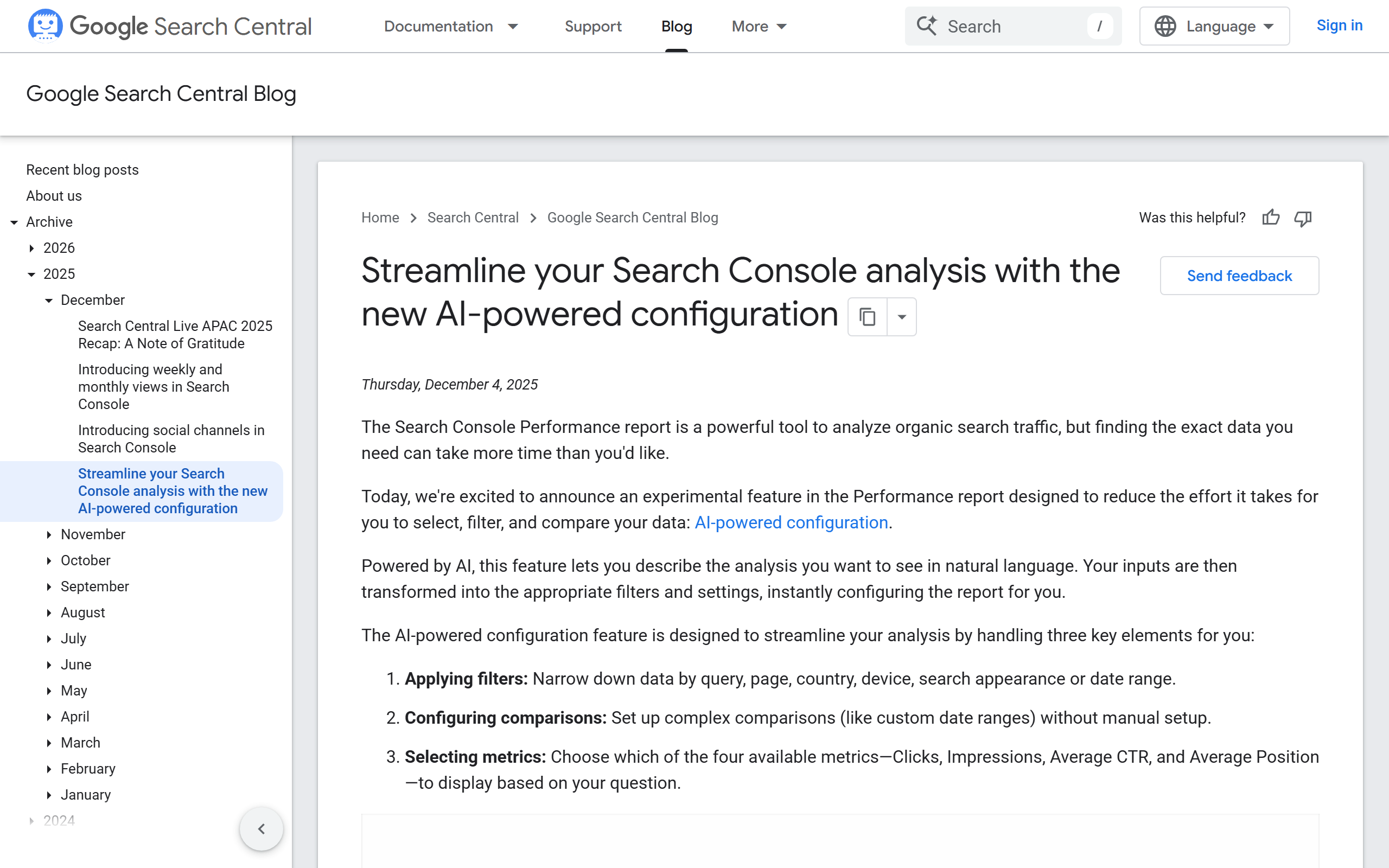
Free with a verified property. Announced on the Google Search Central blog on 4 December 2025 as an experimental feature in the Performance report: you describe the analysis in plain language and it sets the filters (query, page, country, device, search appearance, date range), the comparisons and the metrics (clicks, impressions, average CTR, average position) for you.
This is the least glamorous AI feature on the list and the one sitting on the best data. Everything an assistant tells you about your rankings is a guess. Search Console is the record of what Google actually served, and the awkward part has always been the filter panel. Now you can type a request, such as queries from phone searches containing a word over the last six months, or the blog pages this quarter against the same quarter last year, and the report configures itself.
The workflow it unlocks is the one that pays. Filter to queries where you sit in positions 8 to 20 with real impressions, export the list, and hand that list to one of the assistants above to cluster and brief. Now the assistant is working from measured data instead of inventing it. Google is clear about the limits: the feature configures the view and does not answer questions, it works on the Search results report only, and it can misread a complicated request, so check the filters it applied. For the rest of the free measurement stack, see our list of free rank trackers.
It sets filters, it does not interpret the data. Search results report only, not Discover or News, and Google warns it can misread complex requests. The numbers are still averages, with the usual day or two of lag.
HubSpot AI Search Grader
A first look at how a ChatGPT model, Perplexity and Gemini describe your company.
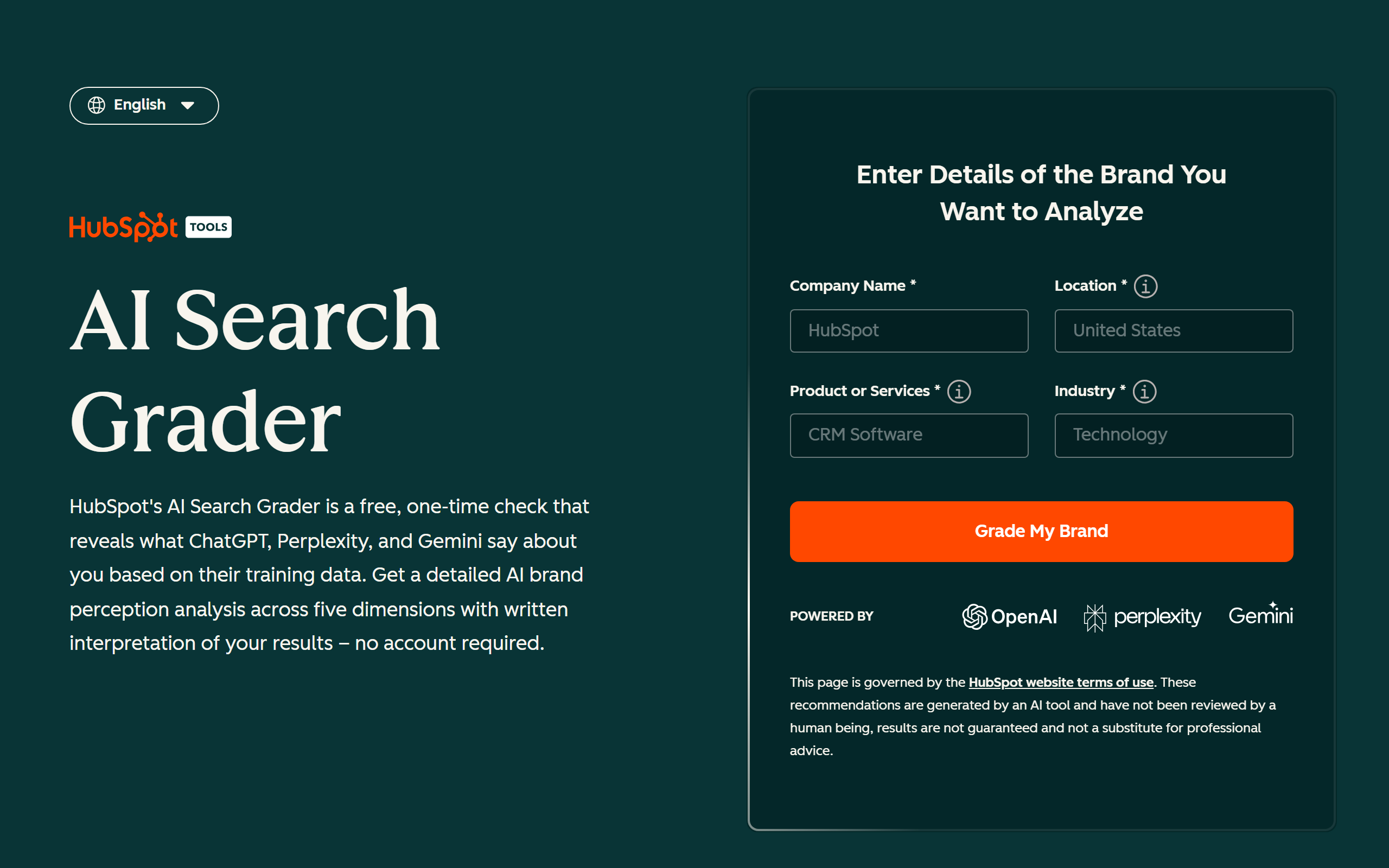
Free, described on the page as a one-time check with no account required. You enter a company name, location, product or service and industry, and it scores the brand out of 100 across five dimensions: sentiment (up to 40 points), presence quality (20), brand recognition (20), share of voice (10) and market competition (10). It checks a ChatGPT model, Perplexity and Gemini.
The Bing report above tells you when your pages were cited. This answers a different question: when someone asks an AI model about your category, does your brand come up, and is what it says accurate and positive? You get a score and a written read on each dimension, which is a quick way to find out whether you have a problem worth a proper look.
Treat it as a smoke test. The page itself says the read is based on what the models say from their training data, so it is a snapshot of reputation, not a record of live answers with sources, and one run tells you nothing about a trend. Sentiment carrying 40 of the 100 points also means a little-known brand with nothing bad said about it can score respectably. The full report sits behind a form, which is the price. If the score sends you looking for what to do next, start with how to rank in ChatGPT.
A lead form stands between you and the full report. It is a single snapshot built on what the models already know, so it cannot show change over time or which of your pages were cited.
A free stack for one article, in order.
Eleven tools is a list. Here is the same list as a workflow for one article, using only what is above.
- Find the keyword in your own data. Use the AI-powered configuration in Search Console to filter to queries where you sit in positions 8 to 20 with real impressions. That is the only measured demand on this page.
- Check the sources before you write. Ask Perplexity the question the article will answer, open the citations, and note which claims have a page behind them and which sites own the answer today.
- Brief and draft in an assistant. Paste the query list, the sources and your brand rules into ChatGPT or Claude. Forbid invented numbers and ask for the answer inside the first 100 words.
- Check the draft with something that cannot make things up. Run it through the keyword density checker, then run a separate fact-check prompt in a fresh chat so the check starts from the page, not from the reasoning that wrote it.
- Write the title tag and the meta description. Two runs a day on each generator is enough for one article.
- Publish, and link to it by hand. Add links from three related pages on your site. An internal linking tool shows what that map should look like.
- See whether it got cited. A few weeks later, look for the page in AI Performance in Bing Webmaster Tools and read the grounding queries it was retrieved for.
Budget a good part of an afternoon the first time, across six tabs. The blog SEO process covers what each step should produce, and the SEO checklist is the pass to run before you publish.
What a free stack still leaves for you to do.
Look at what the eleven have in common. None of them has measured keyword volume or difficulty for a term you do not already rank for. None of them checks its own claims. Three of them meter you on limits they do not publish, two stop at two runs a day, and not one of them publishes anything. Each does a single job well enough, and you are the part that carries the keyword into the brief, the brief into the draft, the draft into the check and the result into your CMS.

For one article a week that is a fair trade, and we would tell you to keep doing it. It stops being fair at one article a day, because the handoffs are the job and they do not get faster. That is the point where a pipeline beats a stack: SEO automation that picks keywords from live search volume and difficulty, writes the article, checks every claim against its sources and rewrites or cuts what it cannot support, links to your real pages, and publishes to your CMS on a daily cadence.
That is what The SEO Agent does, for $99 a month after a free trial, with one-click cancellation. Keep the free tools: the density checker and the Bing report are worth having either way. The AI SEO tools page shows which jobs the agent takes over and which it leaves with you.
Eleven free AI SEO tools, side by side.
| FEATURE | CHATGPT | CLAUDE | GEMINI | PERPLEXITY | META DESCRIPTION GENERATOR | SEO TITLE GENERATOR | KEYWORD DENSITY CHECKER | AHREFS AI WRITING TOOLS | BING AI PERFORMANCE | SEARCH CONSOLE AI CONFIG | HUBSPOT AI SEARCH GRADER |
|---|---|---|---|---|---|---|---|---|---|---|---|
| Main job | Briefs and drafts | Drafts and edits | Short rewrites | Sourced research | Meta descriptions | Title tags | Density check | Small copy jobs | AI citation report | Report filters | Brand check in AI |
| Free with no end date | One-time check | ||||||||||
| Account needed | Optional | Optional | For Pro Search | Not stated | Verified site | Verified site | Form for full report | ||||
| Published free limit | Not published | Not published | Not published | 3 Pro Searches a day | 2 runs a day | 2 runs a day | None | None stated | None | None | One run |
| Writes copy for you | |||||||||||
| Uses data from your own site | |||||||||||
| Keyword volume and difficulty | |||||||||||
| Publishes to your CMS |
What is the best free AI SEO tool?
It depends on the job. For briefs, drafts and rewrites, the free plan of ChatGPT or Claude does the most. For research with sources you can open, Perplexity. For one title tag or meta description, a single-job generator. For measurement, the AI Performance report in Bing Webmaster Tools and the AI-powered configuration in Google Search Console are both free. No single free tool covers keyword data, writing, checking and publishing, which is why this list is grouped by job.
Are these tools actually free, or free trials?
Free with no end date. We cut every tool whose free access is a countdown or needs a card. Where a free tier has a cap, the entry says what it is: three Pro Searches a day on Perplexity, two generations a day on our title and meta description generators, a one-time check on the HubSpot grader. ChatGPT, Claude and Gemini limit free usage but do not publish most of the numbers, and we say so instead of guessing.
Can I do SEO with the free version of ChatGPT?
You can do the text half of it. The free plan includes web search and handles keyword clustering from a list you paste, briefs, drafts, edits and title rewrites. It cannot give you measured search volume or see your rankings, and it will invent a statistic if nothing stops it. Pair it with Search Console for real data and run a separate fact-check on every draft.
Do free AI SEO tools include real keyword data?
No. None of the eleven tools here has measured search volume or keyword difficulty. Google Search Console shows impressions and average position for queries you already appear for, which is real data but only for your own site. An assistant that states a monthly search volume is estimating. Measured volume and difficulty for keywords you do not rank for yet come from paid keyword databases.
Which tools on this list are yours?
Three: the meta description generator, the SEO title generator and the keyword density checker, numbers five, six and seven. They are marked in the list. We also listed the free Ahrefs writing tools directly after them, because they are the closest alternative to two of ours and you should compare them yourself.
Is this list ranked, and is it sponsored?
Neither. It is grouped by what kind of free tool each entry is: assistant plans, single-job tools, and reports and checks. Nothing is sponsored, there are no affiliate links and no outbound links to the tools. The screenshots were captured on 9 October 2026 and stand in as the evidence.
Can I track AI citations of my site for free?
Partly. The AI Performance report in Bing Webmaster Tools is free for any verified site and shows how often your pages are cited across Microsoft Copilot and AI summaries in Bing, with the grounding queries behind them. It is not a view of Google AI Overviews or Gemini. The HubSpot AI Search Grader gives a free one-time read on how three engines describe your brand. Ongoing tracking across every engine is a paid category.
What did you leave off?
Paid AI SEO platforms with a short trial, which belong on a different list. Rank trackers and keyword tools with no AI in them, which we cover in a separate roundup of free rank trackers. And any tool whose free tier we could not confirm on the vendor pages on the day we checked.
When is it worth paying for an AI SEO tool?
When the handoffs between free tools become the job. One article a week through a free stack is reasonable. At a daily cadence you spend the time copying a keyword into a brief, a brief into a draft and a draft into a CMS. That is the point where a pipeline that picks keywords from live search data, writes, checks every claim against its sources and publishes for you costs less than your afternoon. The SEO Agent does that for $99 a month after a free trial.
One researched, fact-checked article a day, without the six tabs.
The SEO Agent picks keywords from live search volume and difficulty, writes the article, checks every claim against its sources, and publishes natively to WordPress, Webflow, Shopify, Wix or Ghost. $99 a month after a free trial. Cancel in one click.
FREE TRIAL · CANCEL IN ONE CLICK