How Many Internal Links Per Page to Use
How many internal links per page? Use 3-5 body links on articles, expect 40-60 total with menus, and ignore the old 100-link myth.
A typical article should carry 3 to 5 contextual internal links in the body. Once navigation is included, full-page totals often sit near 43 on desktop and 39 on mobile, and Google sets no fixed cap.
Those totals are a poor editing target on their own. Header, menu, breadcrumbs, and footer already print a stack of links on every URL before a writer types a sentence. The decision that changes rankings and reading is the small set of in-body links, chosen for the page's job. A support answer, a product page, and a category grid are not the same assignment, and copying one sitewide quota makes all three worse.
Treat the crawl number as a receipt, not a goal. Split template chrome from the links you write, then stop when the next useful step is already one click away.
Table of Contents
- How Many Internal Links per Page by Type
- Navigation Links Versus Contextual Links
- Median Internal Link Counts on Real Sites
- Why Google Refuses a Fixed Number
- Link Patterns for Four Site Models
- When Extra Links Start Hurting Readers
- Pick a Ceiling and Check Coverage
How Many Internal Links per Page by Type
For a typical article, 3 to 5 contextual internal links is a practical starting point, separate from persistent navigation. Add links as the page gets longer or covers more distinct subtopics, and adjust for its place in the site hierarchy. A short support answer may need only a couple. A long pillar can support more when each link helps readers reach a relevant subtopic.
Template links can make a page look more connected than its body is. Menus and footers may contribute 20 to 40 links before the first paragraph, so a crawl total of 25 to 60 does not tell you how many useful editorial links the page contains. Check body links separately.
Pick the row, then stop
| Page type | Contextual links to add | Typical total with nav | Stop when |
|---|---|---|---|
| Support or FAQ | 1-3 | 15-40 | Parent topic and one related answer are linked |
| Standard article | 3-5 | 25-60 | Pillar, one sibling, and one deeper resource are linked |
| Pillar or hub over 2,000 words | 8-15 | 40-80 | Each major subsection has its own child page |
| Category or collection | 30-80 grid links | 50-110 | Cards are the links and filler anchors are absent |
| Homepage | 5-12 featured paths | 30-80 | Hubs and money pages sit one or two clicks away |
| Product or service page | 3-6 | 25-50 | Category, guide, and close alternatives are linked |
Support and FAQ pages usually need 1 to 3 contextual links: the parent topic and a related answer. Add another only when it supports the task the reader is trying to complete.
Standard articles generally need 3 to 5. Cover the closest pillar, a relevant sibling article, and a deeper resource where they fit. Use descriptive anchors, and link to a relevant commercial page when it helps the reader. For a content template, The SEO Agent's blog optimization guide can help check how articles connect to existing pages.
Pillars and hubs over about 2,000 words can support 8 to 15 contextual links if those links serve distinct subsections. Spread them across the page rather than clustering them in one block. A link should clarify a topic relationship or give readers a useful next step.
Category and collection pages often have more links because the product or content cards are the main navigation. 30 to 80 grid links can make sense when browsing is the page's purpose. Avoid adding a second block of keyword anchors that repeats the grid.
Homepages can feature 5 to 12 paths into key hubs and commercial pages. Product and service pages commonly need 3 to 6 contextual links to a category, a relevant guide, or close alternatives.
Stop rule: Choose the matching row and stop when the page's important next steps are easy to find.
Navigation Links Versus Contextual Links
Template links and writer links do different jobs. Navigation, breadcrumbs, and footers are the site's permanent roads. They repeat on purpose, so they should stay short and obvious. Contextual links are signposts painted on one stretch of road. They appear inside a sentence, and the words around them explain why the destination matters.
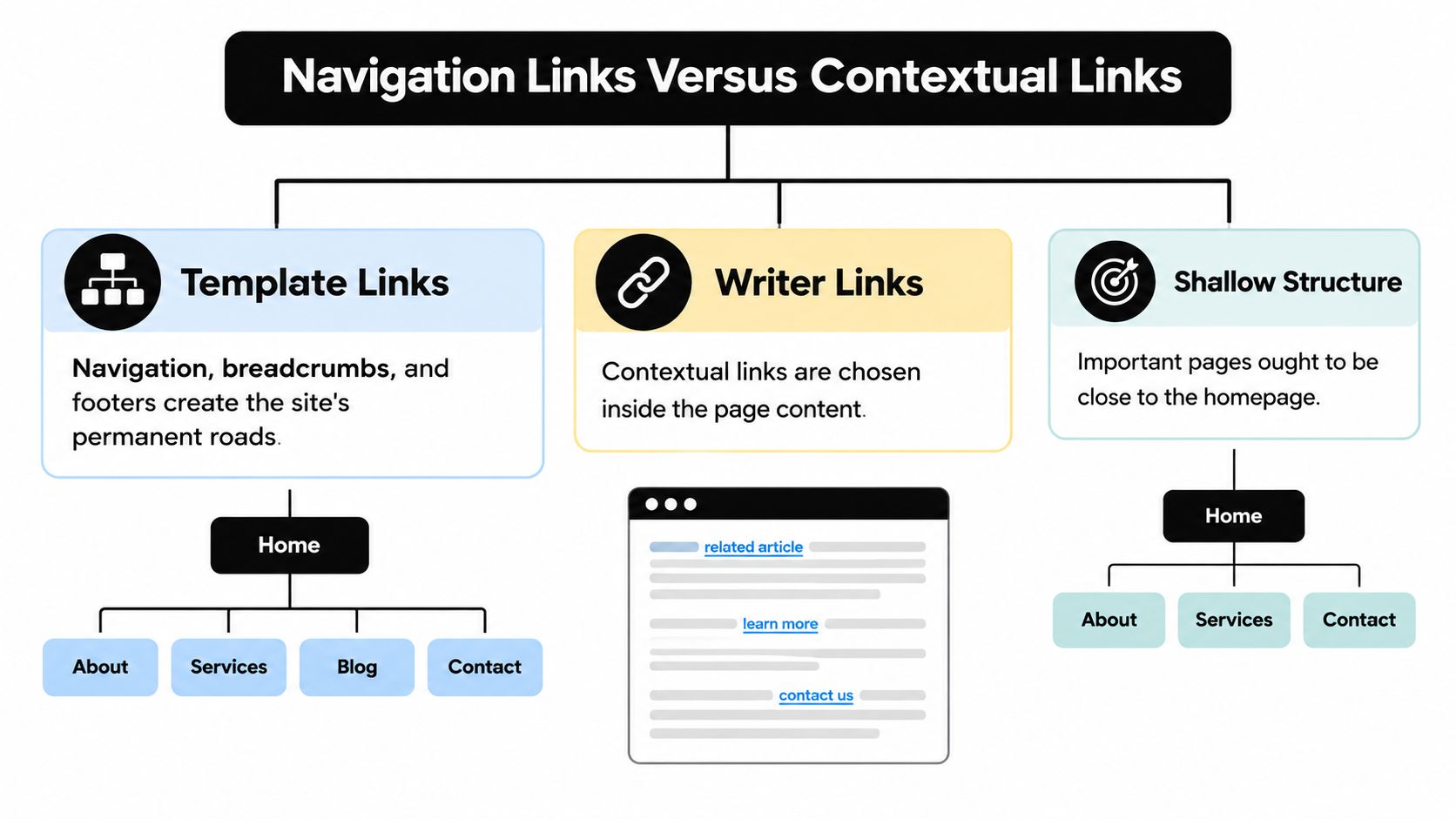
Google's site-architecture guidance says important pages should be clickable from the home page or discoverable throughout the site. It treats text links as an especially safe format for discovery. An XML sitemap can list URLs, but it should not replace a crawlable internal-link architecture. The same note sets no fixed click-depth and no fixed per-page count. It asks for intuitive navigation and direct connections, not a buried page five clicks down a chain of hubs nobody opens.
What belongs in the template
Keep the roads shallow.
- Main navigation: Top sections and the few commercial hubs a new visitor must see.
- Breadcrumbs: The parent path, so a deep URL still shows where it sits.
- Footer: Contact, legal, and a short list of key pages, not every city, tag, or author.
A mega-menu that repeats the same ten URLs on every template does not create a new path. It only inflates the crawl total. One strong in-body link to an orphaned guide beats five footer repeats of the contact page.
What the writer chooses
Anchor text should name the destination in plain language. Vary it across pages. Do not stamp the same exact-match phrase on every article. Place the link where the reader is already deciding what to do next, not in a pile at the bottom.
The coverage check is short. List every URL that earns revenue or ranks. Confirm it has at least one in-content inbound link from a related page. Confirm a visitor can reach it in a small number of obvious clicks from the home page or a section hub. If the only inbound link is a menu repeat, the page is still underlinked. Depth and destination coverage matter more than raising the raw count. When the crawl looks odd, find technical SEO issues before you add another related-posts widget.
Median Internal Link Counts on Real Sites
A raw crawl count mixes editorial links with navigation, footers, and repeated template elements. That makes broad site averages a weak guide to how many contextual links a page needs.
What the 2022 cut showed about scale
The cited 2022 figures come from a secondary summary, not the Web Almanac itself, so they cannot support the attributed medians. The useful takeaway is narrower: total internal-link counts can vary substantially by site size and design. Large menus and product grids add links across many pages, while smaller sites often have simpler templates.
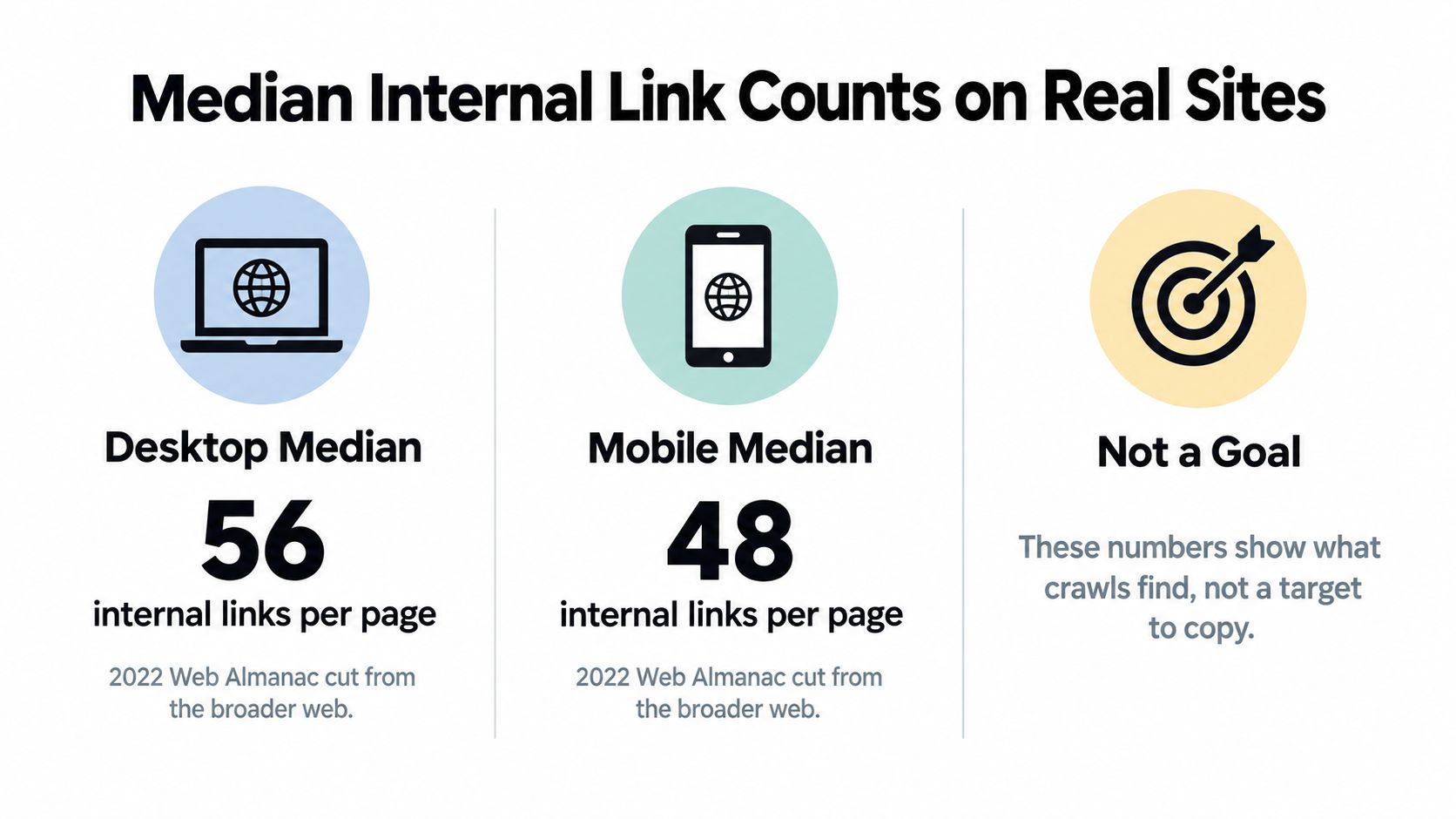
| Group and year | Desktop median | Mobile median | What it includes |
|---|---|---|---|
| Broader web, 2022 | Not established here | Not established here | Nav, footer, template, and body |
| Top 1,000 sites, 2022 | Not established here | Not established here | Denser menus and larger architectures |
| Median webpage, 2024 | Not established here | Not established here | Device split not established here |
| Inner pages, 2025 | Not established here | Not established here | Navigation, template, and body links |
Treat a crawl total as a description of the site's architecture, not a target for each URL. A publisher with many categories and articles may show more links than a small service site because its templates expose more destinations. Neither total tells you how many links on an individual page help readers.
Compare like with like: separate links repeated by the template from links placed in the content, then compare pages with the same job. A high total driven by menus is not evidence that the page needs more editorial links. A lower total can still serve readers well when important destinations are easy to find.
Why Google Refuses a Fixed Number
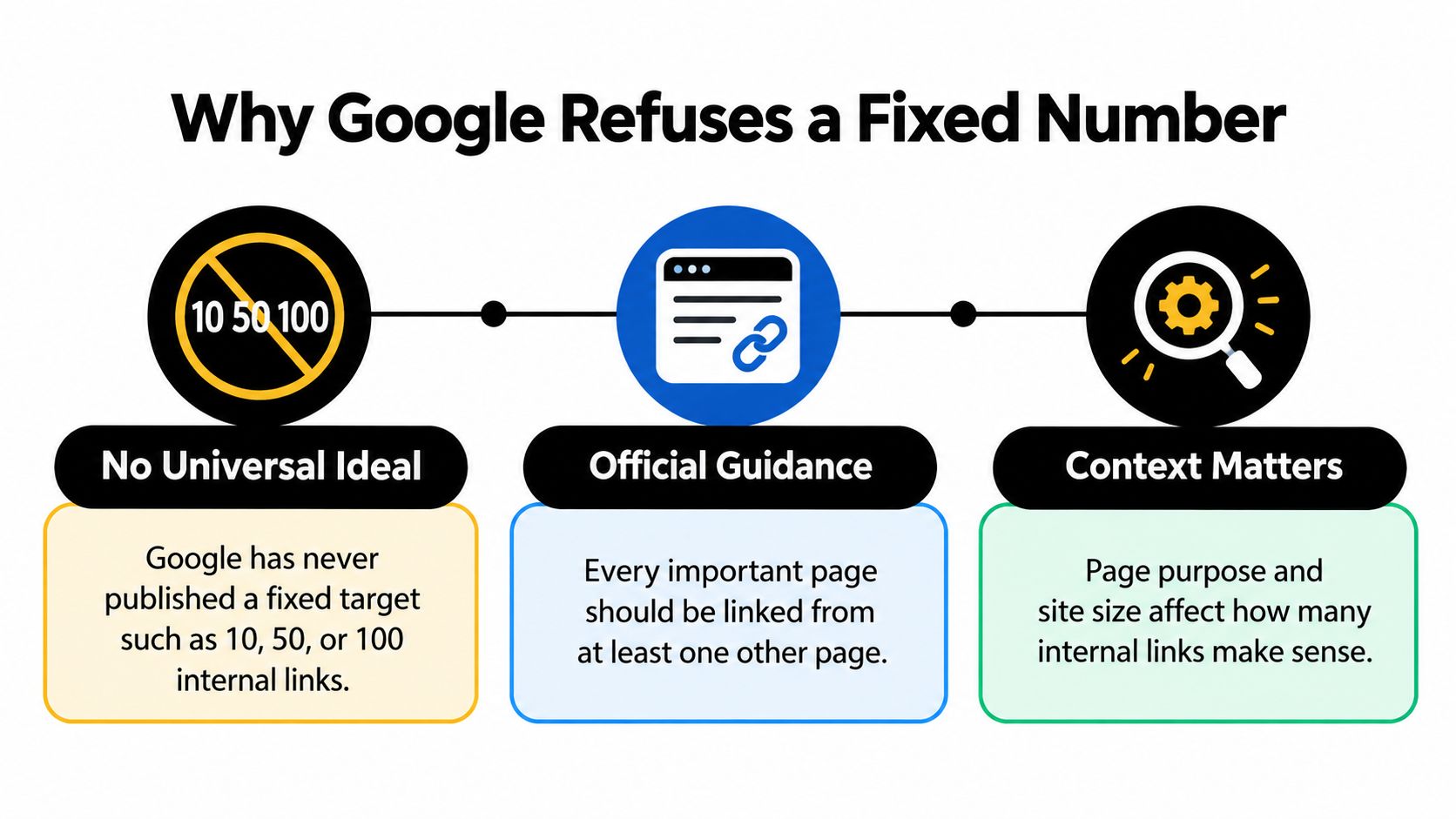
The 100 links per page rule is not a current Google limit. It belongs to an earlier crawling era, and teams still quote it as if a penalty starts at link 101. Google has never established a universal ideal such as 10, 50, or 100.
Google's documentation on crawlable links says every important page should be linked from at least one other page on the same site, while the total should remain "reasonable." The same guidance indicates there is no "magical ideal number," because the right count depends on the page's purpose, content, navigation, and whether each link helps someone reach relevant information.
Discoverability is the floor
The minimum is discoverability, not a quota. A page with no inbound internal link is easy to miss, no matter how careful the copy is. Completeness means important URLs have incoming links. It does not mean every URL links to every other URL.
Reasonable means each link helps a person. A short support article may need only a few contextual links. A large category page or resource hub may naturally contain many more, including well past 100, when those links are real paths rather than stuffed anchors. A help article with four useful links can beat a roundup that sprays fifty vague ones. Modern guidance prioritizes useful, crawlable links and avoiding excessive or irrelevant linking.
If removing the link would not make the page harder to use, it did not earn its place.
That test needs no tool. Read the sentence without the anchor. If the reader loses a next step they were about to take, keep it. If the sentence still works and the destination is already in the menu, cut it. The SEO Agent's search optimization guide is a place to pressure-test whether those kept links match real queries, not a prompt to raise the count.
Link Patterns for Four Site Models
Ranges get clearer when you watch them on a site the size of yours. Copy the model closest to your URL count, not the densest one in your niche.

A local plumber with 25 URLs
Say the homepage lists services and city pages in a simple menu, and each service page is a short offer plus proof. Before the edit, every page also carried a mega-menu of the same ten URLs, so the crawl looked busy and the body linked nowhere. After the edit, the template keeps services and cities only. Each service page gets two or three in-body links back to related jobs and one guide, placed where the reader is choosing a scope of work. The mega-menu goes. Repeating those ten URLs did not create a path the menu lacked.
A Shopify collection with 80 products
The collection has a high total because every product card is a link. The editorial job is a short intro with a few links to buying guides, not another 40 anchors under the grid. Before, the intro was a keyword paragraph and a "related collections" list that duplicated the filters. After, the intro links to two guides and one adjacent collection, and the cards do the rest. Keyword research for Shopify blogs belongs upstream of those guides, so the links you add point at pages shoppers search for.
This walkthrough of internal linking by site size is a useful companion when you are choosing which model to copy.
A SaaS blog cluster
The pattern is a pillar plus children. The pillar links once to each feature article. Each child links back to the pillar and to one sibling. That is enough to show the topic. A block that lists every post on the blog does not add a relationship. It adds a second copy of the index. Template links stay in the docs and product menu. Prose links stay on the feature being explained.
A news or recipe site with thousands of URLs
Denser related-story modules can be justified here, because a reader often wants another piece in the same subject. Cap the module and keep it on-topic. If every article recommends the whole archive, people learn to ignore the module, and crawlers spend time on links nobody follows. Template roads stay in sections. The prose gets one or two hand-picked links where the story turns.
When Extra Links Start Hurting Readers
Another link starts costing more than it returns when the paragraph is already blue. A sentence with a link on every other phrase makes people miss the one destination that mattered. It also dilutes what each anchor means, because nothing is the primary next step.
Four cuts are enough for one editing pass.
- One anchor per destination. A second link to the same URL on the same page rarely creates a new path. Keep the one that sits where the reader is deciding, and strip the repeat.
- Kill mechanical exact-match. Repeating the same phrase to the same URL across a cluster looks automated. Vary the wording so it matches the sentence, not a spreadsheet.
- Retire off-topic modules. Blocks labeled related posts that recycle the newest ten articles, regardless of subject, train readers to skip them. If the module cannot stay relevant, remove it from that template.
- Empty the footer dump. Lists of every city, tag, or author page raise the crawl count and hide the URLs that should rank. Move long lists onto a hub that owns that topic.
Mobile and hidden menus
The same heavy desktop template becomes a long scroll of repeated menus on a phone. Links inside expandable tabs or script-only menus are harder for people, and they are a weaker bet for crawlers than a plain text link in the copy. If a path matters, put it in HTML text where the reader is already looking.
A lower count with obvious paths beats a higher count nobody follows.
Subtraction is the fix. Keep one descriptive anchor per destination, place it at the decision, and drop sitewide lists that do not match the page.
Pick a Ceiling and Check Coverage
Record one decision per template, then verify it with a crawl. Header, menu, and footer are already counted. A template that adds 20 to 40 persistent links can show a crawl total of 25 to 60 while the body is still inside a small ceiling.
- Write the ceiling on the template. Next to the template name, record the contextual range from the matching page type and the stop condition on that same row. Editors should see the ceiling before they draft, not after a crawl surprises them.
- Split one sample URL. Export one live URL per template. Separate template links from in-body links and write both numbers down. If the body count is already at the ceiling, do not add another anchor unless a real next step is still missing.
- Mark revenue and ranking URLs. Make a second list of URLs that earn revenue or rank. Note whether each has at least one inbound contextual link from a related page. If the only inbound link is a footer or menu repeat, add one descriptive in-body link from a relevant article. Point new drafts at live URLs only.
Relevant internal links are added to every new article, and those articles include internal links into pages that already exist on the customer's site. Our Internal Linking Tool places internal links while the article is written, using varied anchors and targets drawn from the customer's existing URL pool on every new draft. That keeps the ceiling honest, because the targets are pages you already have, not a fresh URL invented to hit a count. A SEO checklist for startup founders can sit beside this two-list audit so linking is not the only item that slips.
- Repeat after the next publish cycle. Run the split count and the inbound mark again. Done means every important URL is linked in context and easy to reach. It does not mean the sitewide total went up.
The SEO Agent wires internal links into pages you already publish, using varied anchors drawn from your existing URLs, so new articles point at real next steps instead of a fixed quota. If you want that pass handled while drafts are written, visit The SEO Agent and put the ceiling to work on the next article.