Single Page SEO: How to Optimize One URL for Rankings
Single page SEO explained: set the title, headings, speed, schema and internal links for one URL, with thresholds and a step-by-step checklist.
In 2024, list posts made up 32% of page-one search results, based on NP Digital's analysis of 10,000 ranking pages (NP Digital marketing statistics). Format decided those positions, not word count. That's the useful frame for single page SEO: a URL earns a ranking by answering one query better than the alternatives, and it slips when it tries to answer twelve.
One page concentrates every decision. You get one title tag, one canonical address, one performance profile and one set of internal links, so a wrong choice costs the whole asset rather than a fraction of it. The work is choosing what the page is for, then making it fast, renderable, linkable and quotable.
Table of Contents
- Why One URL Still Needs One Clear Target
- How to Optimize On-Page Elements in the Right Order
- How to Pass Core Web Vitals on a Single Page
- Rendering and Structured Data Checks for One URL
- When a Section Should Become Its Own URL
- Internal Links and Canonicals That Keep One URL Strong
- Confirm the Page Passes Before You Scale
Why One URL Still Needs One Clear Target
A study of roughly 150,000 indexed pages across 10 websites found that trends and analysis content earned AI citations 78% of the time, compared with 12% for standard how-to guides (Business Insider's report on the AI search versus traditional SEO study). The study also reported that top-10 organic pages captured 55% of organic sessions but 29% of AI-referred sessions.
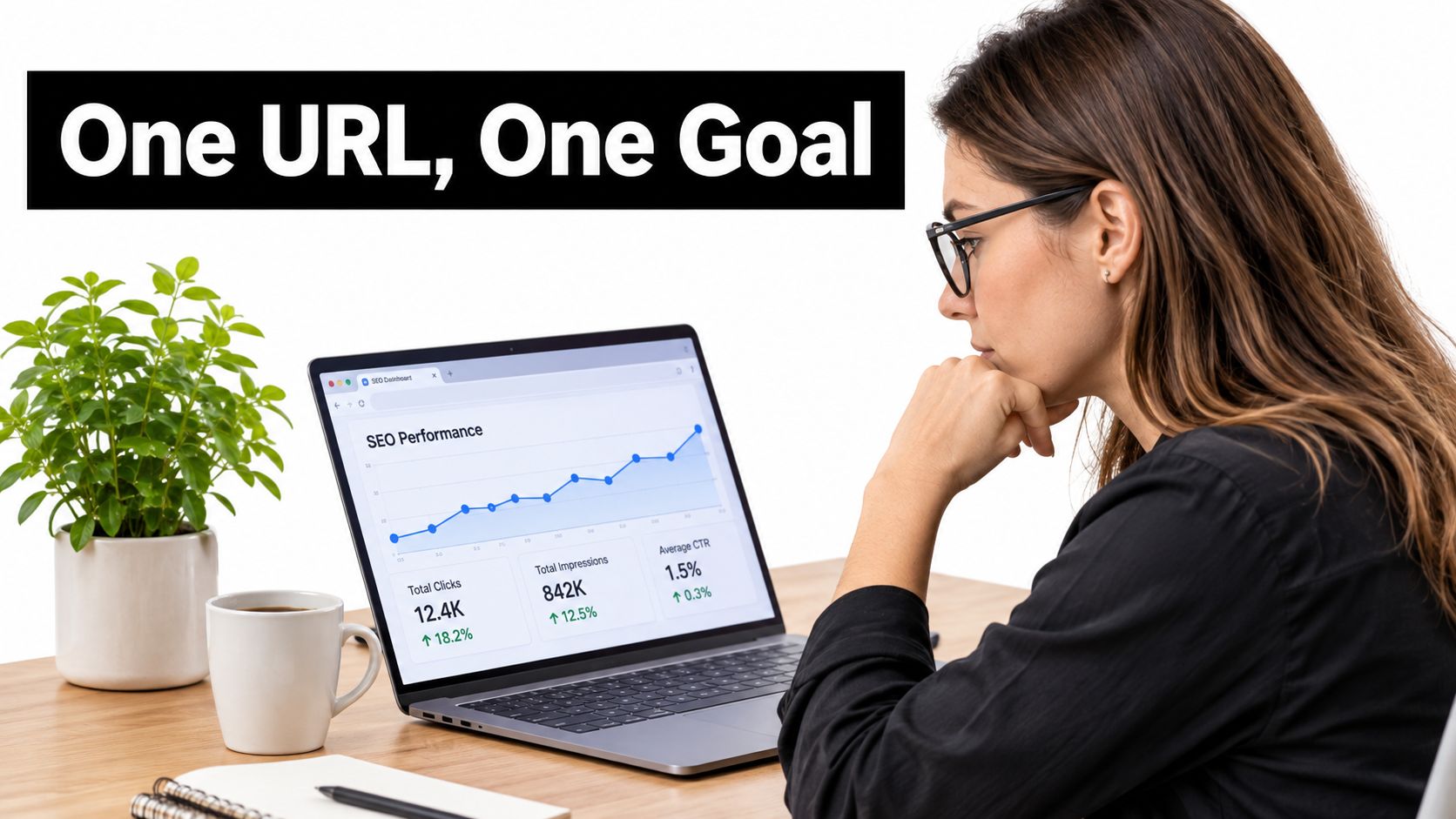
Those figures point to two distinct paths to visibility. Organic search depends on a page matching its target query. AI citations also reward content that presents concise claims, explicit definitions, dated figures, clear entity context, and supporting sections that can be interpreted without guesswork.
Keep the page's purpose narrow: one dominant search intent, one URL, one job. A trends page needs dated comparisons and original observations. A how-to guide needs clear steps. Combining both without a strong reason can make the page less useful to either audience.
The one-query test: Complete the sentence, “This page exists to answer ___.” Use a question a real buyer might ask. If the answer needs “and,” the page may have two jobs and need two URLs.
A common failure is targeting a dozen keywords on one URL. The title and H1 become vague, while internal links send mixed signals about the page's subject. The result is a page that struggles to establish clear relevance for any one target.
AI citation research is still developing, so these figures are not a universal ranking formula. They do support a practical distinction: focused pages with specific, verifiable information are easier to understand and cite than sprawling pages built around a loose collection of keywords. Decide which query the page must serve before changing its tags.
How to Optimize On-Page Elements in the Right Order
Order matters because every element inherits from the one before it. Get the intent sentence wrong and the title hedges, the headings sprawl, and the meta description promises something the body never delivers. The sequence below follows Google's SEO starter guide and the order a page should be built in, rather than the order a CMS displays the fields.
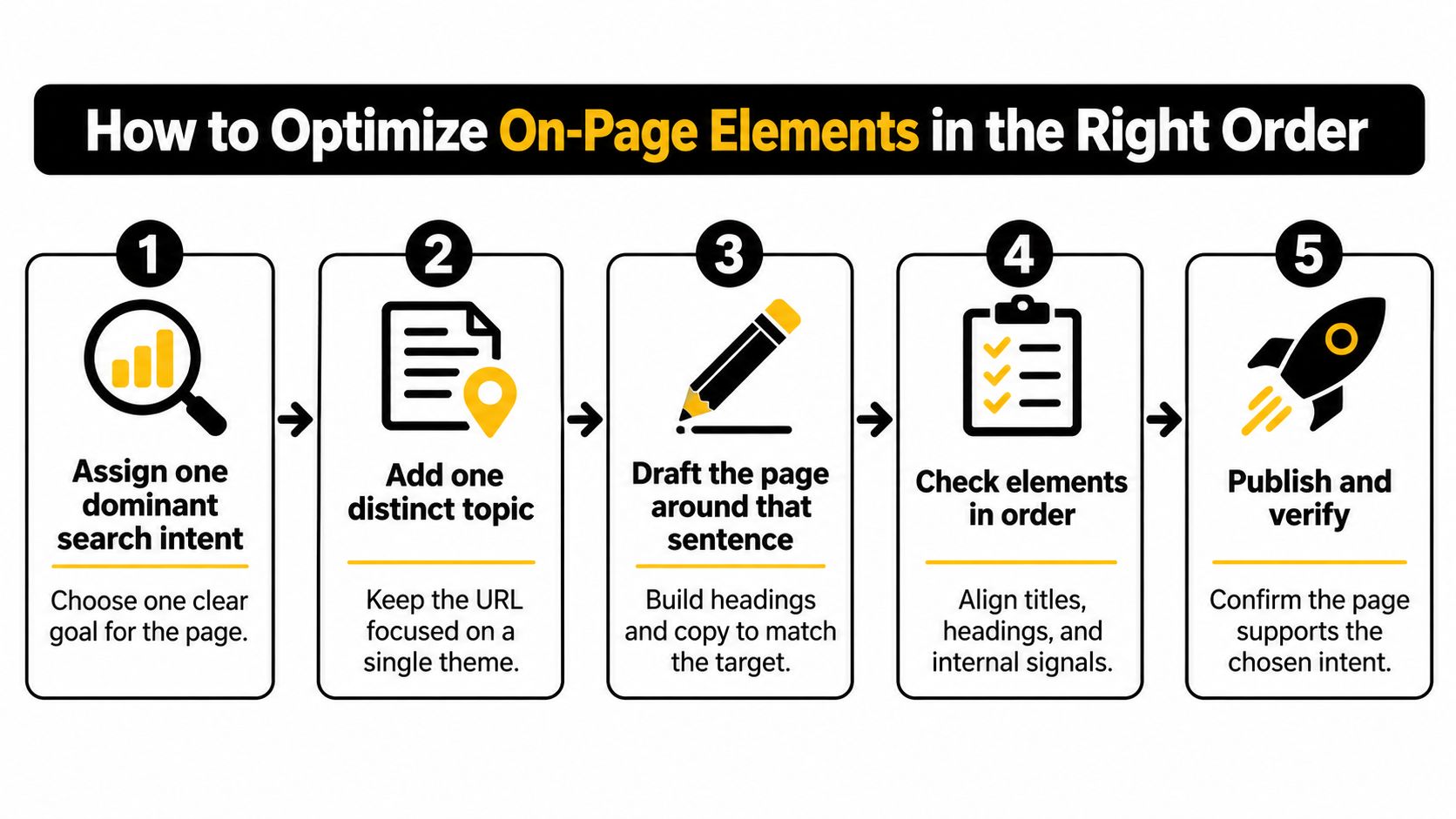
Assign one dominant search intent and a distinct topic. Write it as a single sentence before opening the CMS: "This page tells a mid-market SaaS buyer what a per-seat plan costs and what pushes the price up." A pricing page that also chases features and competitor reviews ends up serving none of those readers. The common slip is defining the topic as a keyword list instead of a job.
Write a unique title tag and a visible H1 that say the same thing. Google can build the title link from more than the title element: the main visual heading, prominent body text, anchor text pointing at the page, the Open Graph title and WebSite structured data all feed into it, so conflicting signals produce a link you didn't choose. Aim for roughly 50 to 60 characters so the phrase survives truncation. The common slip is a title that reads "Home" or "Services" because the template shipped that way.
Structure the body with H2 and H3 headings that answer sub-questions. Descriptive headings carry relevance and give a skimming reader a map. "Overview" and "Why choose us" answer nothing. Write each heading as the question a searcher would type, then answer it in the first two sentences underneath. When you're producing at volume, automated blog content that ranks still depends on each URL carrying one intent and one title, because a diluted template scales the problem rather than the traffic.
Write a meta description of about 120 to 155 characters. Treat it as a click aid. Google generates snippets from whichever part of the page it considers most relevant to the query, and a written description can influence that choice without controlling it (Google's site appearance FAQ). The common slip is leaving the field to auto-fill from an opening paragraph that starts mid-thought.
Put the primary answer and the named entities in plain HTML near the top. The price, the definition, the service area, the comparison table: if it lives in an image, a tab that renders on click, or a script, assume it doesn't exist for ranking purposes. The slip here is a page whose real answer sits behind a "read more" toggle.
The consistency check that catches most of it
Read the title tag, the H1 and the first paragraph back to back. If they describe three different pages, stop and fix them before anything else. Google's guidance is explicit that titles should be unique, clear, concise and accurate, and that the practical quality gate is consistency across one intent, one stable canonical URL, matching title and heading semantics, and no keyword stuffing.
Two more checks belong in the same pass. Confirm the canonical points at the address you're promoting, and confirm the page renders on a phone without the main content collapsing below three navigation blocks. Everything downstream, from speed to links, assumes the page is answering one question.
How to Pass Core Web Vitals on a Single Page
Performance is measured at the 75th percentile of real-user visits, so a clean desktop lab score can sit next to a failing mobile report. Both numbers describe the same URL and only one of them describes your users (Search Console's Core Web Vitals report guidance). Field data first, always.
The three thresholds, and what to touch first when a metric fails:
| Metric | What it measures | Good | Poor | First fix |
|---|---|---|---|---|
| LCP | Loading speed of the largest visible element | 2.5 s or less | Above 4 s | Compress and size the hero image, preload it, cut render-blocking CSS |
| INP | Responsiveness to taps and clicks | 200 ms or less | Above 500 ms | Break up long JavaScript tasks and trim heavy event handlers |
| CLS | Visual stability while the page loads | 0.1 or less | Above 0.25 | Set width and height on images, embeds and injected components |
The field-data routine
- Pull this URL's field data and read mobile first. Search Console and the Chrome UX Report both report real visits, and the group status reflects the value achieved by at least 75% of visits.
- Name the largest content element. Usually a hero image or the main heading. Compress it, size it to its display dimensions, preload it, and check server response time when the element is text.
- Cut what blocks the first paint. Render-blocking CSS, unused font files and client-side JavaScript that isn't needed to show the main content all delay LCP.
- Profile JavaScript for INP. Long tasks and heavy handlers on menus, filter controls and forms are where responsiveness dies. Split the work or move it off the main thread.
- Reserve space for anything injected. Fixed width and height on images, ad slots, embeds and cookie banners stops the page shifting under a reader's thumb.
A hero image shipped at 3,000 pixels wide and downscaled by CSS is the classic LCP failure on single-URL sites. It looks right and costs the most expensive second on the page.
Failure modes repeat. Teams optimize the above-the-fold desktop view and never re-measure on a mid-range Android phone, add images without dimensions, and evaluate averages that hide slow-tail users. Google states that Core Web Vitals are used by its ranking systems and recommends good scores for both search performance and user experience (Google's Core Web Vitals documentation), but passing them isn't a ranking guarantee.
When you need the diagnostics around the page rather than on it, this technical audit guide for lean teams covers the surrounding checks that decide whether the URL can rank at all.
Use one release rule: pass all three field thresholds on mobile before you template the page or publish twenty similar ones.
Rendering and Structured Data Checks for One URL
Googlebot fetches the URL and checks whether robots.txt permits the crawl, the page is queued for rendering, and a headless Chromium renderer executes the JavaScript before anything reaches the index (Google's JavaScript SEO basics). Three stages, and a page can fail any of them.
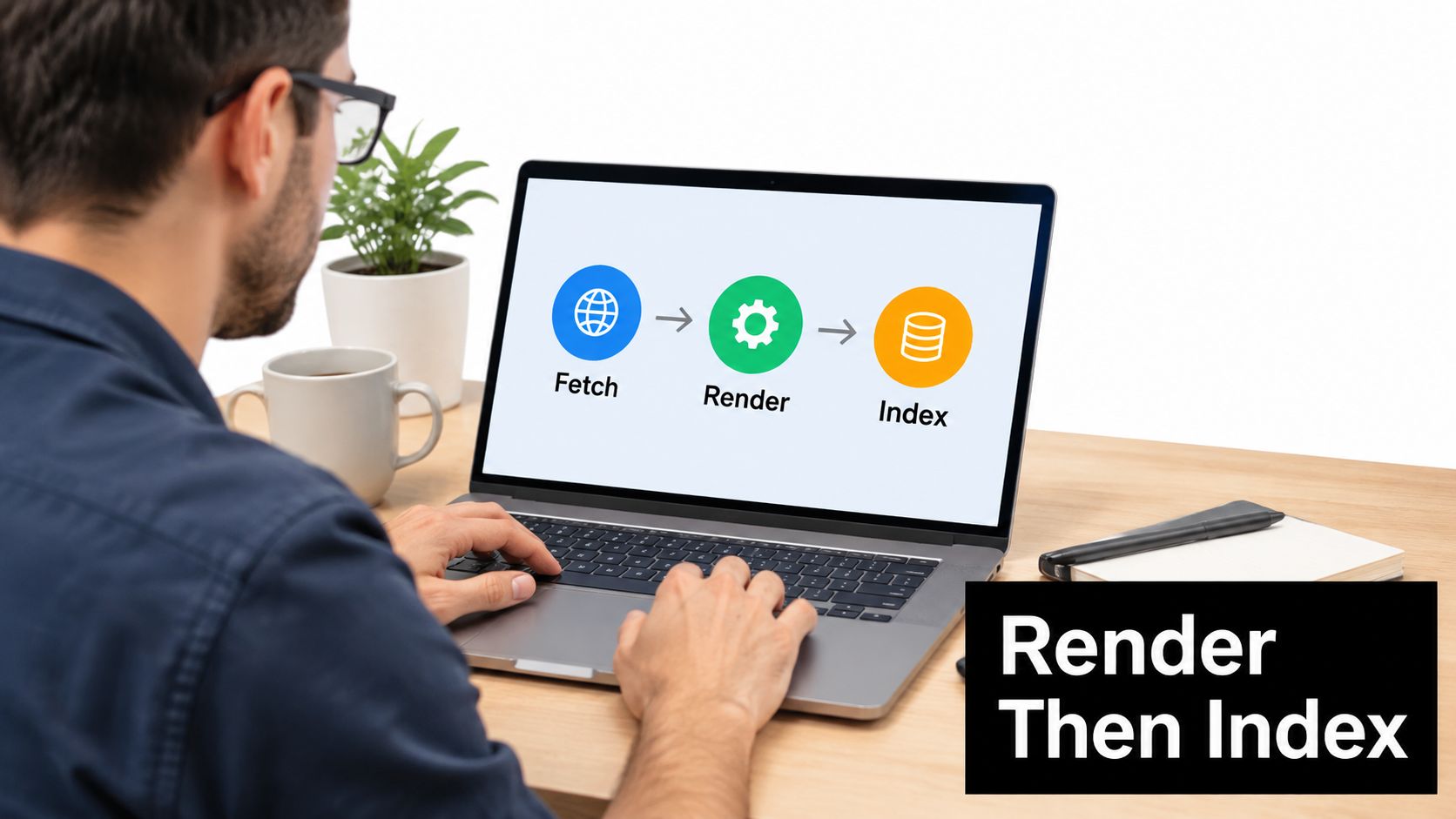
For a JavaScript app, that pipeline sets hard requirements. Titles, body text, links, canonicals and error states have to exist in the rendered HTML. Each meaningful view needs its own URL through the History API, and URL fragments don't create crawlable routes, so a hash-based router exposes one document no matter how many screens it holds.
The three checks
- Fetch with JavaScript disabled. A browser with scripting off shows what the first response carries. If it's an app shell with no title, no heading and no body text, the content exists only after rendering.
- Compare rendered HTML to the source in Search Console. The URL inspection tool shows what Googlebot produced. Read the rendered title, canonical, H1 and any error state. A 200 status that renders a "not found" template is a soft 404 in everything but status code.
- Confirm the page-experience conditions for that URL. Proper mobile display, main content distinguishable from surrounding navigation, no intrusive interstitial covering it, HTTPS, descriptive image alt text and schema that validates (Google's page experience guidance).
If you want the pipeline explained before you touch markup, this walkthrough covers the crawl, render and index stages in sequence:
Match the markup type to what the page is. Three types cover most single-URL sites:
| Schema type | Fits a single page when | Rule to keep it valid |
|---|---|---|
| Article | The page is a guide or post with a headline, author and dates | Headline and dates must match the visible page |
| Organization | The homepage or about block names the company, logo and contact details | Use the same name and logo across the site |
| BreadcrumbList | The URL sits under category levels shown in the navigation | Mirror the visible breadcrumb path exactly |
Structured data makes a page eligible for enhanced display and never guarantees it. If AI answer engines are part of the goal, adding schema markup for AI engines covers the entity signals worth carrying. Our page audit runs this as a single pass: it walks the sitemap, fetches the pages that carry the traffic, and scores each one on titles, descriptions, headings, schema, thin or duplicated content, and the stock phrasing that marks a page as machine-written.
Whatever you mark up has to describe the visible content exactly. Marking up a rating that isn't on the page is worse than shipping no markup at all.
When a Section Should Become Its Own URL
The question isn't one page or many. It's which sections have earned a separate document. Google confirms that each URL can be inspected and requested for indexing individually, with crawlable links, canonicalization, metadata and sitemap signals helping it discover and interpret content (Google's URL inspection documentation).
| Structure | Own title and canonical | Own Search Console data | Use when |
|---|---|---|---|
| Anchor section on the same page | No | No | The content shares one audience, one offer and one query |
| Standalone URL linked from the page | Yes | Yes | The section targets a different query, location or buyer |
| Button or script that swaps content | No | No | Avoid for indexable content, crawlers don't reliably trigger it |
Run the four-step test
List every H2 and write the query it answers. One line each, no editing yet. A section called "Pricing" answers a different question than one called "What a retainer costs per month", and the second one tells you whether a query exists.
Check whether each query carries its own search demand. Some sections exist to reassure a reader who is already on the page. Those belong in the flow, not in the index.
Split when a section needs its own title and enough material to stand alone. If you can write a distinct title, a distinct canonical and three or four subsections with real answers, it's a page.
Don't manufacture thin pages to add keywords. A one-paragraph URL per query reads as a doorway page and competes with nothing.
An anchor link improves usability. It does not create a document with its own title, canonical and reporting row.
A dental clinic is the clearest case. One page where the implants section targets "dental implant cost" and the emergency section targets "emergency dentist near me" is carrying two queries with different urgency, different buyer states and often different locations. Those deserve separate pages with their own titles, price detail and neighbourhood references. The clinic that keeps everything on one URL gets one shot at one of the two queries.
The trade-off is architectural, not editorial. Word count doesn't decide it. Whether a section needs its own title, its own reporting row and its own room to rank does.
Internal Links and Canonicals That Keep One URL Strong
Crawlers discover URLs through the href attribute of an anchor element. They don't reliably click buttons or fire the JavaScript that reveals more content, which is why Google's guide to how search works frames crawlability around ordinary links and server-accessible URLs. A JavaScript app that hides 100 product views behind one URL and a set of tabs exposes one indexable document. A hundred distinct, linked URLs give search engines a hundred resources to evaluate.
- Link related pages with standard anchors and descriptive anchor text. Write "single page SEO checklist", not "click here". The anchor is the only context a crawler carries from one page to another.
- Make every page reachable from another findable page. Supporting articles should link back to the main guide and the guide should link out to them. A sitemap is a backup discovery path, not a replacement for links. When the wiring gets large, AI-powered internal link automation handles the mapping.
- Add a self-referential rel="canonical" and point duplicates at it. Tracking-parameter URLs, print versions and syndicated copies should all declare the preferred address, declared either with an HTML link element or a rel="canonical" HTTP header (Google's guidance on consolidating duplicate URLs).
- Link internally to the canonical address. Any internal link pointing at a parameterised copy splits the signal you just consolidated.
- Keep canonicalization out of robots.txt. A disallowed URL can still be indexed without its content being read, which leaves the duplicate live and the canonical unclear.
The check that finds broken canonicals
A canonical that points at a redirect, or at a different page entirely, is the most damaging version of this mistake because it looks correct in the source. Pull a list of every internal link pointing at the page, confirm each one uses the canonical address, and repoint the ones that don't. Then confirm the canonical target returns a 200 rather than a hop.
Do this before you build links. A backlink campaign aimed at a URL that canonicals elsewhere sends authority to a page that never displays.
Confirm the Page Passes Before You Scale
Use four gates to decide whether one page is ready to become a template. Keep them in this order:
- Intent and on-page match. The intent sentence, title, H1 and opening paragraph should address the same query. If they promise different things, fix the mismatch before reusing the page structure.
- Mobile field thresholds. Check all three Core Web Vitals using real mobile visits at the 75th percentile. A lab pass alone does not confirm field performance.
- Rendering and markup. Confirm that rendered HTML includes the title, body text and canonical, and that the schema describes content visitors can see.
- Link paths. Check that inbound internal links use the canonical address and that another findable page links to this URL.
A page that passes all four gates is a stronger candidate for a template. If one gate fails, fix it before reproducing the pattern. Otherwise, the same weakness can spread across every page built from that template.
Release rule: Don't clone a page that fails a gate. Fix the issue, then reassess the pattern.
New pages are usually indexed within days. Meaningful ranking movement on competitive terms takes three to six months, so treat early performance as a signal to monitor, not a promise. Check Search Console about two weeks after publishing for impressions, clicks, queries and average position. Use the queries gaining impressions to refine headings; avoid adding new targets to the title without checking whether they match the page's intent.
For a practical starting point, use The SEO Agent's SEO checklist. No checklist can guarantee rankings or traffic. Run the four gates on the URL that carries the most revenue, then decide whether to fix it or split a distinct section into its own page.
The SEO Agent audits pages by walking the sitemap, fetching URLs that carry traffic, and scoring titles, descriptions, headings, schema, thin or duplicated content, and machine-written phrasing. Its content service can then publish missing articles. Try it for $1 for three days at The SEO Agent, and check your highest-value page before scaling its pattern.