Sample SEO Audit: Template, Checklist and Worked Example
Sample SEO audit template with a full checklist, a prioritized issue report, and remediation steps you can run on your own site this week.

You've published the pages, connected Search Console, and run a crawler. The crawler reports missing descriptions, redirect warnings, and image issues, but it still doesn't explain why your product pages aren't getting impressions. You need an order of work, not another export of warnings.
A useful sample SEO audit connects each finding to evidence: a blocked URL, an unexpected indexing status, a failing template, or a page that doesn't answer its target query. The deliverable is a prioritized fix list with a way to verify every change, not a reassuring health score.
Table of Contents
- The Sample SEO Audit Checklist at a Glance
- Core Web Vitals Thresholds to Report Per Template
- How to Check Crawling and Indexing for Every URL
- On-Page and Content Checks That Find Weak Pages
- Prioritizing Issues by Impact on Visibility
- A Worked Sample Audit of a Small Store
- How to Turn Findings Into Fixes and Verify Them
- Run Your Own Sample Audit This Week
The Sample SEO Audit Checklist at a Glance
Copy this checklist into a spreadsheet, then add columns for affected URLs, evidence, owner, priority, and verification status. Treat the pass conditions as operating standards for the audit, not promises that a compliant page will rank.
Sample SEO audit checklist by area
| Area | Check | Pass condition | Tool |
|---|---|---|---|
| Crawling | robots.txt rules | Important URLs are not disallowed | Site crawler or robots.txt tester |
| Indexing | Indexed status of sitemap URLs | Intended indexable pages report as indexed | Search Console Page indexing report |
| Canonicalization | Canonical tag on every page | Points to one preferred URL that returns 200 | Site crawler |
| XML sitemaps | Sitemap contents | Only indexable, canonical URLs listed | Site crawler, sitemap export |
| Status codes | Internal errors and redirects | No unintended internal 4xx or 5xx responses, no redirect chains | Site crawler |
| Core Web Vitals | LCP, INP and CLS by template | Good at the 75th percentile for each template, where field data exists | Search Console Core Web Vitals report, PageSpeed Insights |
| Titles | Title tag | Present, unique, descriptive, roughly 50 to 60 characters as an editorial target | Site crawler |
| Meta descriptions | Meta description | Present and unique per page | Site crawler |
| Headings | H1 heading | One clear H1 per page, matching search intent | Site crawler |
| Structured data | Schema markup | Valid and matches visible content | Rich Results Test |
| Content | Thin or duplicate pages | No unnecessary near-duplicates, enough substance to answer the query | Site crawler and manual review |
| Images | Alt text | Descriptive text on informative images | Site crawler |
| Internal links | Orphaned pages | Every intended indexable page has at least one crawlable internal link | Crawler compared with sitemap and other URL exports |
What the checklist actually establishes
Access checks establish whether your intended pages are reachable and eligible for search. Performance checks establish whether visitors can use those pages comfortably. Content checks establish whether the page communicates a useful, distinct answer.
Google's SEO Starter Guide distinguishes crawling, indexing, and serving results, which is why these checks shouldn't collapse into a single pass-or-fail score. A valid schema test doesn't compensate for an inaccessible page, and a unique title doesn't establish that the content deserves visibility.
Some rows are deliberately stricter than technical eligibility requires. The title-length range is a writing target, not a ranking threshold; likewise, an extra H1 deserves inspection rather than an automatic emergency ticket.
Practical rule: Record what failed, where it failed, and what observable outcome should change after the fix.
For a client-facing presentation, use SEO reporting with The SEO Agent to organize evidence and actions. Keep the checklist as a coverage map, not a scorecard.
Core Web Vitals Thresholds to Report Per Template
| Metric | Good | Needs improvement | Poor |
|---|---|---|---|
| Largest Contentful Paint (LCP) | 2.5 seconds or less | Above 2.5 through 4 seconds | Above 4 seconds |
| Interaction to Next Paint (INP) | 200 milliseconds or less | Above 200 through 500 milliseconds | Above 500 milliseconds |
| Cumulative Layout Shift (CLS) | 0.1 or less | Above 0.1 through 0.25 | Above 0.25 |
These bands come from Google's Core Web Vitals report documentation. Good meets the recommended experience target, needs improvement identifies a shortfall, and poor identifies a more substantial failure.
Review the measurements alongside the page visitors use.

Diagnose the failing metric
LCP measures loading performance. Inspect the largest visible content element, often a hero or product image, then check image delivery, server response, resource discovery, and render-blocking files.
For INP, reproduce the interaction that feels delayed. Opening a product selector or adding an item to a cart can expose long JavaScript tasks that a simple page-load test misses.
CLS concerns unexpected movement. Look for images without reserved space, advertising slots that expand after loading, and interface elements inserted above content the visitor is already reading.
Google's Core Web Vitals guidance supports using real-user performance and Search Console's URL groupings to identify affected pages. Use lab diagnostics to investigate causes, but don't substitute a synthetic score for field evidence.
Report templates and devices separately
A fast homepage tells you little about a product template with a heavy gallery or an article template filled with embedded media. Separate mobile and desktop results, then map Search Console's similar-URL groups to the templates your developers recognize.
Be explicit when field data is unavailable. You can report a lab finding as a diagnostic lead, but you can't label an unmeasured template as passing real-user performance.
The audit entry should state metric, template, device, status band, and affected URL count. Add the suspected cause and a representative test URL so the developer can reproduce the problem without reconstructing your investigation.
How to Check Crawling and Indexing for Every URL
Build a URL inventory before deciding what's broken. A crawler's link discovery, your sitemap, and Search Console each reveal a different part of the site.
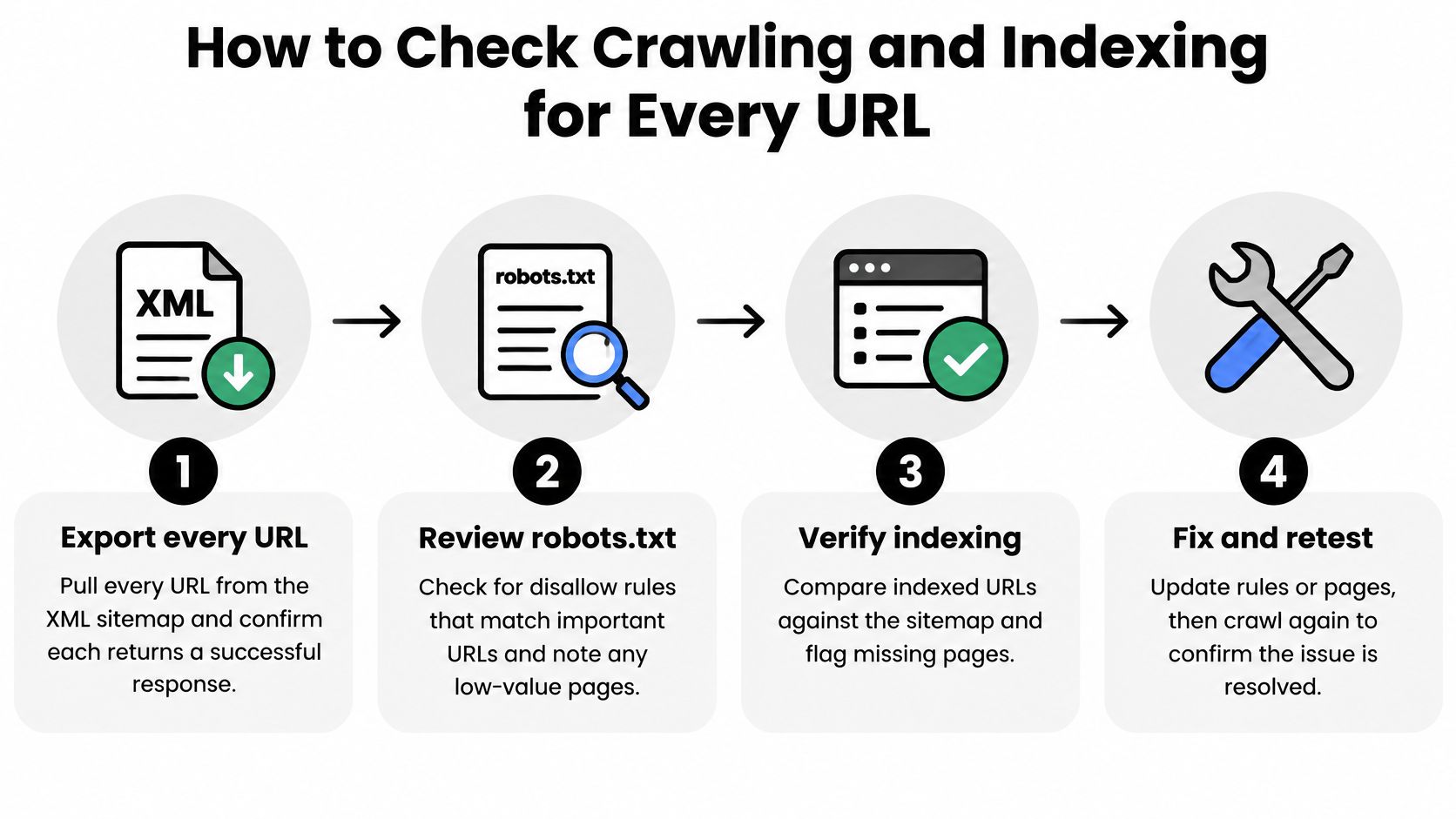
Use this workflow to organize the investigation.
Inspect access before relevance
Export the sitemap URLs. Fetch each URL and record its response, final destination, and indexability. This establishes whether the sitemap describes the live site rather than an outdated publishing history.
Review robots.txt rules. Test important paths against the applicable crawler rules. Note unnecessary resource blocks, especially when they prevent the rendered page from displaying its main content correctly.
Compare intended URLs with Search Console. Investigate missing pages using Page indexing and URL Inspection. Classify the evidence as a crawl block, noindex directive, canonical selection, or an unresolved indexing decision rather than assuming every omission means poor content.
Follow the canonical target. Confirm that it resolves directly to a successful preferred URL and that the destination declares itself consistently. Check internal links and sitemap entries for competing preferences.
Find orphaned pages. Compare link-discovered URLs with sitemap, CMS, analytics, and Search Console exports. A page absent from both internal links and the sitemap won't appear in those inventories unless another source exposes it.
Inspect rendered output. Sample each important template and compare the delivered HTML with the rendered content. Confirm that the title, main text, and internal links remain available when resources load.
Google's duplicate-URL consolidation guidance explains why robots.txt isn't an indexing-exclusion or canonicalization tool: a blocked URL can still appear in results without its content. Use an accessible noindex directive for appropriate indexing exclusions, authentication for private material, and suitable canonicalization or redirects for duplicates.
This walkthrough provides another way to follow the inspection process.
Separate indexing failures from ranking failures
Don't mark every sitemap URL as indexed. Google's sitemap documentation describes submission as a signal, not a guarantee of crawling or indexing.
A clean reconciliation shows intended sitemap URLs returning successful responses, remaining indexable, declaring the correct canonical, and receiving the expected indexing status. Investigate exceptions individually rather than forcing intentionally excluded URLs into the index.
A missing discovery path needs links. A crawl block needs access work. An unintended exclusion needs indexing work. An indexed page without relevant impressions needs a relevance investigation.
For that last group, inspect queries, countries, content, and competing results before assigning more technical tickets.
On-Page and Content Checks That Find Weak Pages
Use the crawl export to identify candidates, then read the pages. Automation can detect an absent title; it can't reliably decide whether your article answers the buyer's question.
Google's explanation of search ranking describes relevance, usability, source expertise, and other signals beyond keyword matching. That makes a content audit a review of usefulness and credibility, not just metadata completion.
Titles, descriptions, and structure
Check titles for a clear topic and a meaningful distinction from neighboring pages. A failing category page might repeat the store name without identifying the products, while its meta description repeats the same generic delivery promise across the catalog.
Use the checklist's title range as a drafting aid, not a reason to remove an essential product detail. Descriptions should summarize the specific page rather than fill an arbitrary character allowance.
For headings, look for a clear primary H1 and H2s that answer genuine subquestions. A comparison article whose headings say only “Introduction,” “Benefits,” and “Conclusion” may lack the decision criteria its reader needs.
- Structured data: Run the Rich Results Test and compare the markup with visible content. Valid syntax alone doesn't establish that the claims are accurate.
- Informative images: Describe the information or product detail conveyed by the image.
- Decorative images: Use empty alt text rather than forcing keywords into visual decoration.
Substance, duplication, and stock phrasing
Review near-duplicate location pages, product-code variants, and articles that restate an introduction without answering the query. A short specification page can be complete; a much longer buying guide can still omit the information needed to choose.
In our audit process, we walk the sitemap, fetch the pages that carry the traffic, and score each page on titles, descriptions, headings, schema, thin or duplicated content, and stock phrasing associated with machine-written pages. Repetitive openings and generic filler are editing signals, not proof of how a page was produced.
Put pages failing several meaningful checks ahead of isolated cosmetic warnings. Then manually sample the flagged pages and choose whether to update, consolidate, or leave them alone.
For content intended to support AI-generated search answers, inspect clear definitions, attributable claims, and accessible evidence. Google's AI optimization guidance doesn't offer a secret markup formula or guaranteed inclusion.
Use data-backed SEO for consistent blog publishing to connect those editorial decisions with a repeatable publishing process.
Prioritizing Issues by Impact on Visibility
Fix eligibility blockers first, shared experience failures second, and on-page polish third. Within each tier, prioritize the URLs that matter to the business rather than whichever warning the crawler displays first.
Assign a tier before estimating effort
- Tier one, visibility blockers: Unintended robots.txt exclusions, noindex on live acquisition pages, broken canonical destinations, and dead sitemap entries. Confirm the actual impact, since a stale sitemap entry isn't automatically as damaging as excluding a revenue page.
- Tier two, shared performance failures: Field-measured experience problems affecting important templates. A hypothetical product-template issue affecting 180 URLs deserves more attention than an isolated slow landing page with little search activity.
- Tier three, page-level improvements: Duplicate descriptions, minor title weaknesses, and missing informative alt text. These deserve work, but they shouldn't displace an unresolved access failure.
Mobile deserves an explicit review, not an assumption that desktop testing covers it. In the HTTP Archive's 2024 Web Almanac, 45% of desktop home pages achieved good Core Web Vitals, compared with 38% of mobile home pages.
That finding doesn't establish your site's problem. It establishes why a desktop-only audit leaves an important question unanswered.
Break ties with exposure and confidence
A practical tie-breaker is affected URL count multiplied by average search traffic per affected URL. Use clicks for demonstrated acquisition and impressions to understand search exposure, keeping those measures separate.
Don't multiply the URL count by total traffic across the same group, which counts its scale twice. Also consider evidence strength, implementation effort, and whether the affected pages are strategically important despite weak current traffic.
A healthy aggregate score can coexist with a broken commercial template. Approve work from the affected URL list, not the dashboard percentage.
Use the baseline to predict organic traffic trends, but distinguish forecasts from verified outcomes. Restoring eligibility creates an opportunity to compete; it doesn't guarantee recovered clicks.
A Worked Sample Audit of a Small Store
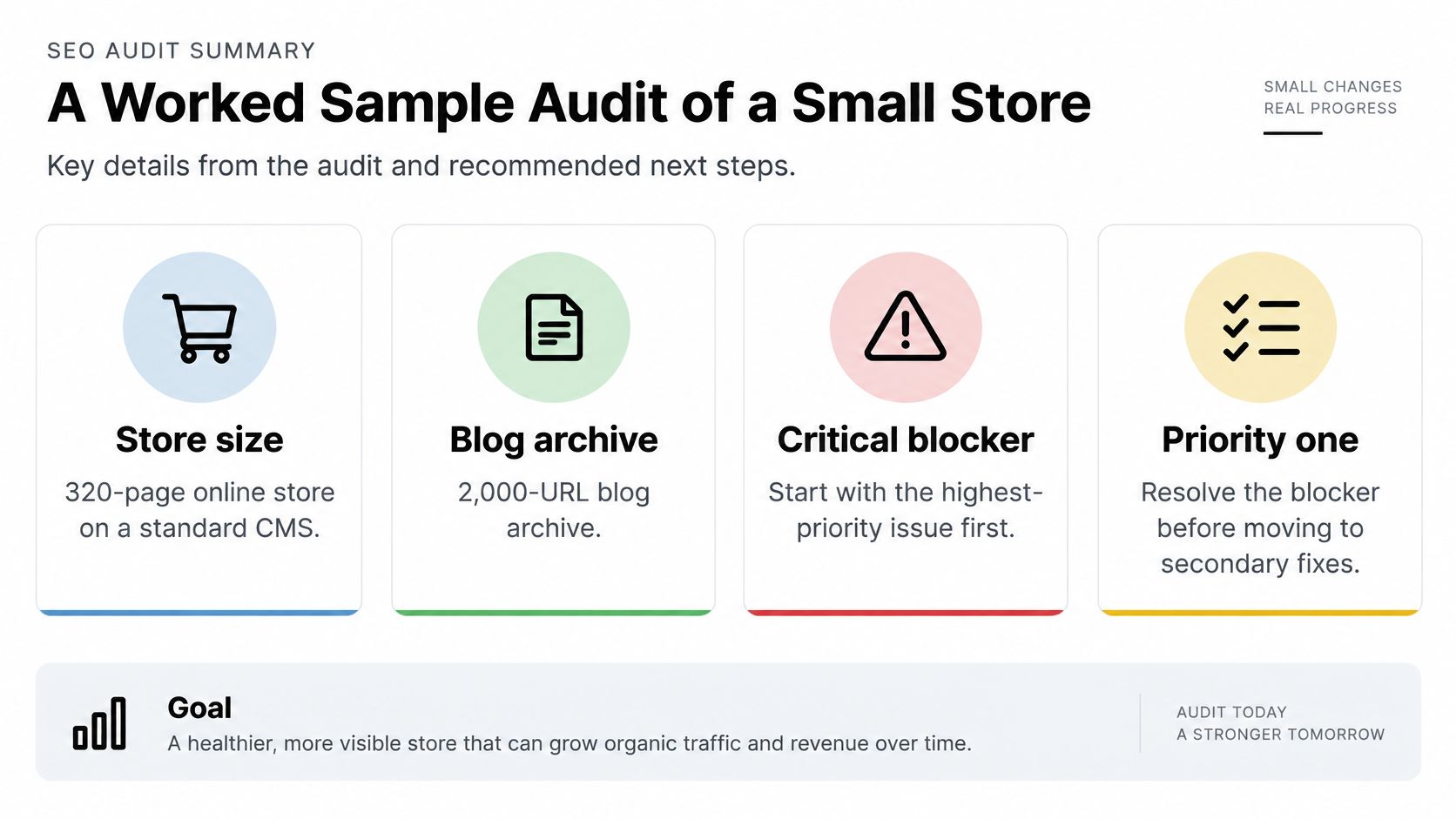
Consider a hypothetical 320-page online store on a standard CMS, with a separate 2,000-URL blog archive. The following is an illustrative client-report layout, not a claim about an actual customer or measured campaign.
The critical finding is an unintended block on the blog directory. It receives the first ticket because article-level editing won't help pages the crawler can't fetch.
This summary keeps the report focused on the blocker before secondary improvements.
Findings ordered for implementation
All counts and measurements in this table belong to the hypothetical example.
Sample audit findings ranked by priority
| Priority | Finding | Evidence | Affected URLs and impact |
|---|---|---|---|
| 1 (critical) | robots.txt disallows /blog/ | Page indexing lists 140 recently published articles as blocked by robots.txt | Entire 2,000-URL archive is within the blocked path; 140 confirmed recent exclusions |
| 2 (high) | Variant canonicals point to a redirecting URL | Crawler shows canonical target returns 301 | 60 variant URLs require an unnecessary canonical-resolution step |
| 3 (high) | Product template fails the good LCP target on mobile | Illustrative field measurement shows LCP of 3.8 seconds; diagnostics identify an unoptimized hero image | All product URLs using the affected template need validation |
| 4 (medium) | Duplicate meta descriptions | Crawler groups identical template-generated descriptions | 35 articles lack page-specific descriptions |
| 5 (medium) | Missing H1 and orphaned pages | Crawler finds 12 pages with no H1 and 9 different pages with no internal links | 21 distinct URLs with weaker structure or discovery |
| 6 (low) | Missing alt text on gallery images | Crawler reports empty alt attributes on informative product images | Product-gallery accessibility and image-description gaps |
What the priority labels mean
The blog block is tier one. Remove the unintended exclusion, validate access, and monitor the affected articles' indexing status.
The canonical issue also enters the tier-one review because it concerns consolidation, but the report must describe it accurately. A canonical target returning a redirect isn't proof that visibility is blocked entirely, and the unnecessary step shouldn't be exaggerated into a demonstrated crawl-budget crisis.
The product template is tier two. Its illustrative LCP result belongs in the needs-improvement band, not the poor band, even though it fails the good target.
The remaining findings generally enter tier three, with an exception for strategically important orphaned pages. Move those upward if missing internal links are preventing discovery of pages the store needs customers to find.
A passing homepage doesn't cancel the product-template finding. Conversely, the duplicate descriptions shouldn't be presented as the cause of a traffic decline without supporting evidence.
For Shopify implementation details, use The SEO Agent's Shopify optimization guide to distinguish content changes from theme work your developer needs to handle.
How to Turn Findings Into Fixes and Verify Them
Give developers reproducible tickets rather than instructions such as “improve technical SEO.” Every ticket needs an affected URL list, the observed behavior, the required behavior, an owner, and a verification method.
Implement in dependency order
Write a ticket for each root cause. Group URLs sharing a template defect instead of opening repetitive page-level tasks. Attach the crawl export and a representative URL that reproduces the failure.
Remove unintended eligibility blockers. Correct the relevant robots.txt rule, noindex directive, canonical destination, or sitemap source. Check legitimate exclusions before changing shared rules so private or utility pages don't become eligible accidentally.
Point directly to final destinations. Update internal links and canonical references rather than relying on existing redirects. Retest the source URL and the destination, including their declared indexing signals.
Repair performance at template level. Optimize hero-image delivery, reduce blocking work, or reserve media space according to the diagnosed cause. Run PageSpeed Insights on a representative URL, then spot-check other pages using the changed component.
Batch editorial changes carefully. Generate distinct titles and descriptions from meaningful page attributes. Review samples before deployment so the replacement template doesn't create a different set of duplicates.
Verify deployment and search processing separately
Request recrawling for changed priority URLs. Use Search Console to inspect the live page and request indexing where appropriate. Google's crawling and indexing documentation notes that recrawling can take a few days to a few weeks, so deployment and restored visibility aren't the same event.
Repeat the original checks. Compare blocked URLs, orphaned pages, failing templates, and intended indexed sitemap URLs against the saved baseline. Keep unresolved exceptions visible rather than replacing the old report with a fresh health score.
A local test proves the implementation changed. Search Console evidence helps establish whether Google has processed the change, while impressions and clicks show whether search performance subsequently improved.
For performance work, retain a pending field-validation status after lab diagnostics improve. For description edits, verify the deployed HTML and monitor performance without expecting Search Console to certify the wording.
Closure standard: Close a finding only when a fresh check passes and the affected URLs show the expected status in Search Console, where that status is relevant.
Keep those states separate to simplify recurring client SEO reports. A concise report should distinguish implemented, technically verified, awaiting search processing, and outcome observed.
Run Your Own Sample Audit This Week
Start with a saved baseline and a narrow scope. Don't wait until you have every possible export before investigating an obvious blocker.
- Day one: Export the sitemap, save a dated crawl, and apply the checklist. Test proposed changes on a staging copy while recording the live site's current behavior.
- Day two: Pull Search Console's indexing and Core Web Vitals reports. Mark affected URLs and separate confirmed failures from questions needing inspection.
- Day three: Assign priority tiers and fix the clearest eligibility blockers.
- Remaining days: Ship template and editorial fixes, rerun checks, and record what still awaits recrawling or field validation.
For an individual article, our free Chrome SEO extension checks outline, schema, links, alt text, and AI-writing tells, with local-only processing and no signup. For teams wanting the broader workflow, our service starts with a site inspection on a $99 per month subscription, then writes and publishes the content gaps it finds; technical implementation tickets still need the appropriate site owner or developer.
Save the checklist, date the first run, and repeat it after the changed pages have had time to be recrawled. Judge progress by resolved URL-level failures and observed search outcomes, not by how many warnings disappeared.
The SEO Agent combines site inspection with content-gap research, drafting, and publishing, so your audit can lead to a maintained content workflow rather than an unused spreadsheet. Visit The SEO Agent to explore the workflow, and keep your technical fix list alongside it so each recommendation has an owner and a verification check.