How to Find Competitors Keywords: A Practical Workflow
Learn how to find competitors keywords using Search Console, keyword tools and SERP checks, then score the gaps worth writing about.
In 2024, 59.7% of European Union Google searches and 58.5% of U.S. Google searches produced no click, according to SparkToro's analysis of Datos clickstream data. A rival's ranking isn't proof that the keyword sends valuable traffic. Learning how to find competitors keywords starts with collecting their queries, but the useful work is deciding which searches you can serve better, including questions their pages never answer.
Table of Contents
- Why Competitor Keyword Lists Mislead Without Visibility Data
- Choose the Data Sources and What Each One Measures
- How to Export Each Rival's Keyword Set
- Score Gaps by Search Intent and SERP Reality
- Separate Ranking Gaps From Coverage Gaps
- Validate Candidates and Commit to One Gap
Why Competitor Keyword Lists Mislead Without Visibility Data
Many searches end without a visit to any website. Your competitor might appear prominently while the searcher gets an answer directly on the results page.
Impressions measure visibility; clicks measure visits from search results. Google's Performance report documentation defines CTR as clicks divided by impressions. A keyword can generate substantial visibility without producing proportional traffic.
Whether someone visits depends on ranking position, search-result features, such as AI answers or video packs, and intent match. A high-ranking guide won't necessarily attract someone looking for a product login or a nearby supplier.
The keyword database itself introduces another uncertainty. One 2026 comparison published by Inet Ventures reported a 6.2× to 2,192× gap between two major providers' keyword counts, with a median difference of 50×. Treat those counts as database coverage, not an audited inventory of a rival's traffic.
Working rule: Collect broadly, verify demand and search-result evidence, then decide what deserves a page.
Use a stable tracking setup rather than repeatedly checking rankings from different locations. These rank tracker picks for lean startups can help you choose a tool without overbuilding the reporting stack.
Every shortlisted keyword should answer:
- Who ranks? Record the actual competing URL, not just its domain.
- What do searchers want? Identify the task behind the phrase.
- Could you compete? Consider your expertise, content resources, and ability to satisfy that task.
Choose the Data Sources and What Each One Measures
Competitor keyword data sources and their limits
| Source | What it shows | Blind spot |
|---|---|---|
| Google Search Console | Queries, impressions, clicks and CTR for your own site | Shows nothing about rival queries |
| Google Keyword Planner | Average monthly searches for a keyword and close variants | Results reflect selected location, month range and network settings |
| Microsoft Advertising Keyword Planner | 12-month average search volume and Low, Medium or High competition | Competition label reflects paid advertisers, not organic difficulty |
| Third-party keyword database | Ranking keywords for rival domains with estimated volume | Coverage and volume estimates can differ widely between providers |
| Manual SERP check | The pages that rank today and their format and intent | Time-consuming and limited to the queries you check |
Separate demand estimates from traffic measurements
Google Search Console validates your own search footprint. It isn't a way to open a competitor's private query report.
A third-party database supplies the rival-facing list. Choose one that supports your target market, URL-level inspection, and exports, rather than buying whichever tool displays the largest keyword total. The SEO Agent's tool comparison guide provides a starting point for comparing alternatives.
According to Google Keyword Planner's metric definitions, average monthly searches include a keyword and its close variants under the selected location, month range, and Search Network settings. Its forecast clicks and impressions describe advertising scenarios, not organic visits available to a rival page.
For example, changing a CRM keyword's targeting from the United States to the United Kingdom changes the demand estimate you're evaluating. Save the targeting configuration beside the volume figure, or you won't know whether later comparisons are meaningful.
Keep paid competition out of organic difficulty
Microsoft Advertising's Keyword Planner documentation specifies a 12-month average by default and explains that Low, Medium, or High competition describes advertiser competition. It doesn't tell you how difficult the organic results are to outrank.
Keep paid competition and organic difficulty in separate columns. Use search volume to size the opportunity, a competitor database to discover candidates, and manual results to check whether the opportunity fits your site.
No single source settles the decision. The rival-facing tool builds the list; your own performance data and independent search checks determine which entries survive.
How to Export Each Rival's Keyword Set
Start with search competitors, not the companies on your sales team's battlecards. In Databox's 2024 survey of more than 140 businesses, 47% identified their actual competitors as their main search competitors.
Run three to five core buyer queries in a private window with the target country configured. Note domains appearing repeatedly across the top 10 organic results, but remember that private browsing alone doesn't establish location.
Use this workflow to turn those domains into a usable dataset.
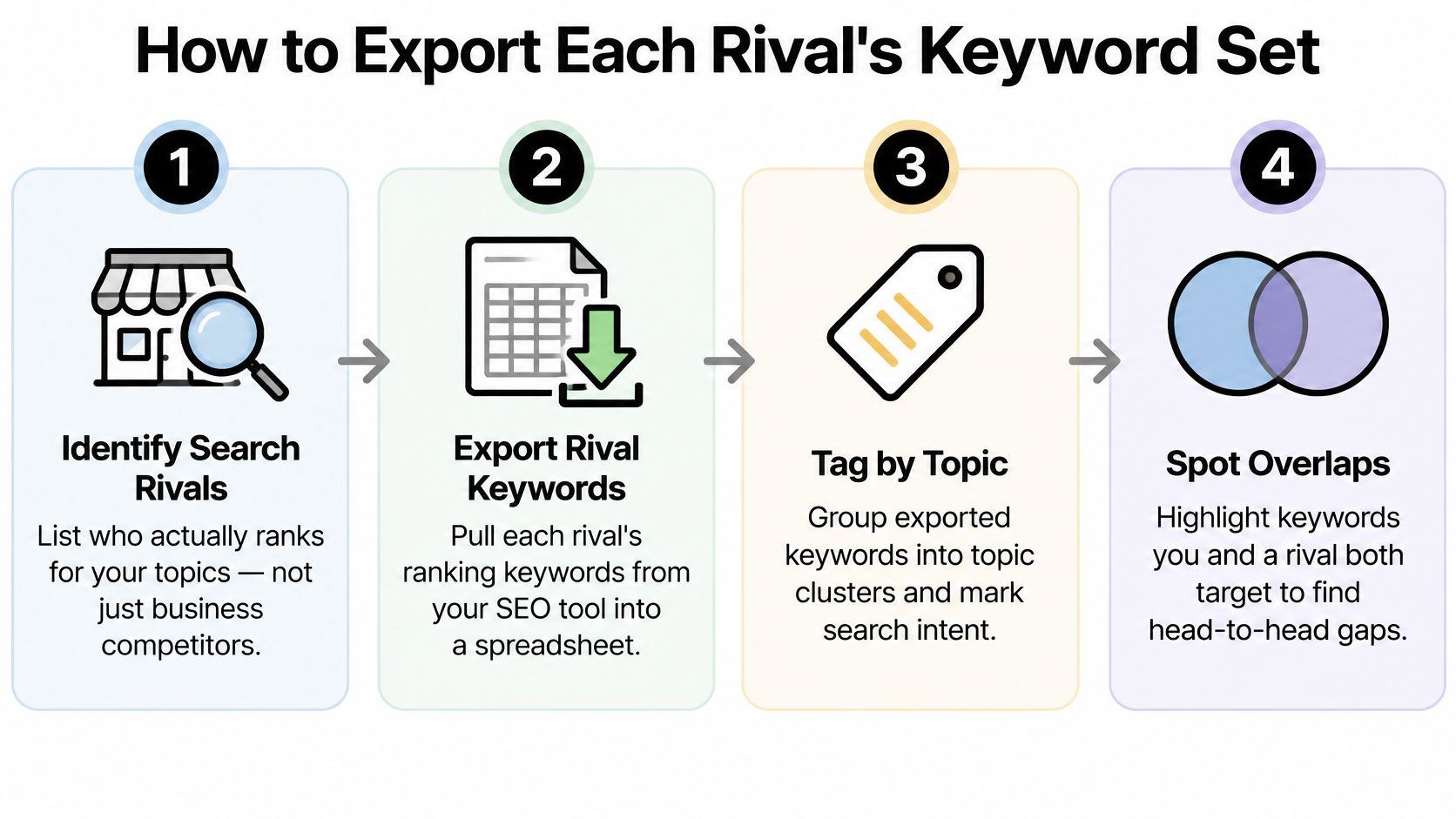
Build an export you can audit later
Select three to five relevant rivals. Favor sites competing for the same buyer and purchase decision, not just the biggest brands. Keep publishers as content benchmarks when useful, but don't let their broad editorial coverage define your commercial strategy.
Export ranking queries and their context. In your keyword database's organic research report, export the query, ranking URL, country, device, estimated volume, and position. Preserve the export date so you can distinguish an old observation from a current result.
Normalize without erasing intent. Merge plurals, spelling variants, and near-duplicates when they lead to the same task and substantially similar results. Don't merge phrases merely because they share words: CRM with offline access and cloud-only CRM may require different answers.
Validate the strongest candidates independently. Check localized results and look for supporting evidence in your own Search Console queries where available. Mark each candidate as confirmed, uncertain, or rejected, with a short reason, so another editor can understand the decision.
Classify intent and assign a destination. Tag each query as informational, commercial, transactional, or local, then map it to an existing or planned URL. Keep branded destination searches separate rather than pretending you can satisfy someone trying to reach a rival's account page.
Expand into audience language. Add beginner phrasing, specialist terminology, and natural-language questions around the same need. A founder might ask how to stop losing sales leads, while an operations specialist searches for CRM lead-routing workflows.
Preserve the page-level evidence
Keep country and device on every row. Otherwise, a mobile ranking in one market can become a misleading global opportunity after you merge exports.
Also retain the page title, format, and topic cluster. Google's aggregation documentation explains why property-level and page-level reporting can count visibility differently, reinforcing the need to inspect individual URLs rather than domain totals alone.
Our audit pulls every keyword the domain already ranks for and analyses the three closest competitors. That baseline helps distinguish a missing topic from an existing page that needs work.
For a companion walkthrough of competitor keyword discovery, use the video below.
Score Gaps by Search Intent and SERP Reality
The largest-volume keyword is often a poor first assignment. It may attract the wrong buyer, require a format you can't produce, or put your new site against established resources you can't yet match.
Use a repeatable score instead of editorial enthusiasm. Give each candidate a low, medium, or high assessment across business relevance, intent strength, competitor SERP coverage, realistic topical authority, and expected conversion value.
Make the score explainable
Business relevance asks whether you sell something that solves the searcher's problem. Intent strength asks how clearly the query expresses a task, while conversion value considers the useful next action after someone reads your answer.
Competitor coverage measures how thoroughly rivals already serve that need. Authority should reflect your relevant expertise, supporting pages, internal links, and plausible ability to earn recognition, not just a tool's domain score.
Use volume as a tie-breaker after these factors, not as permission to ignore them.
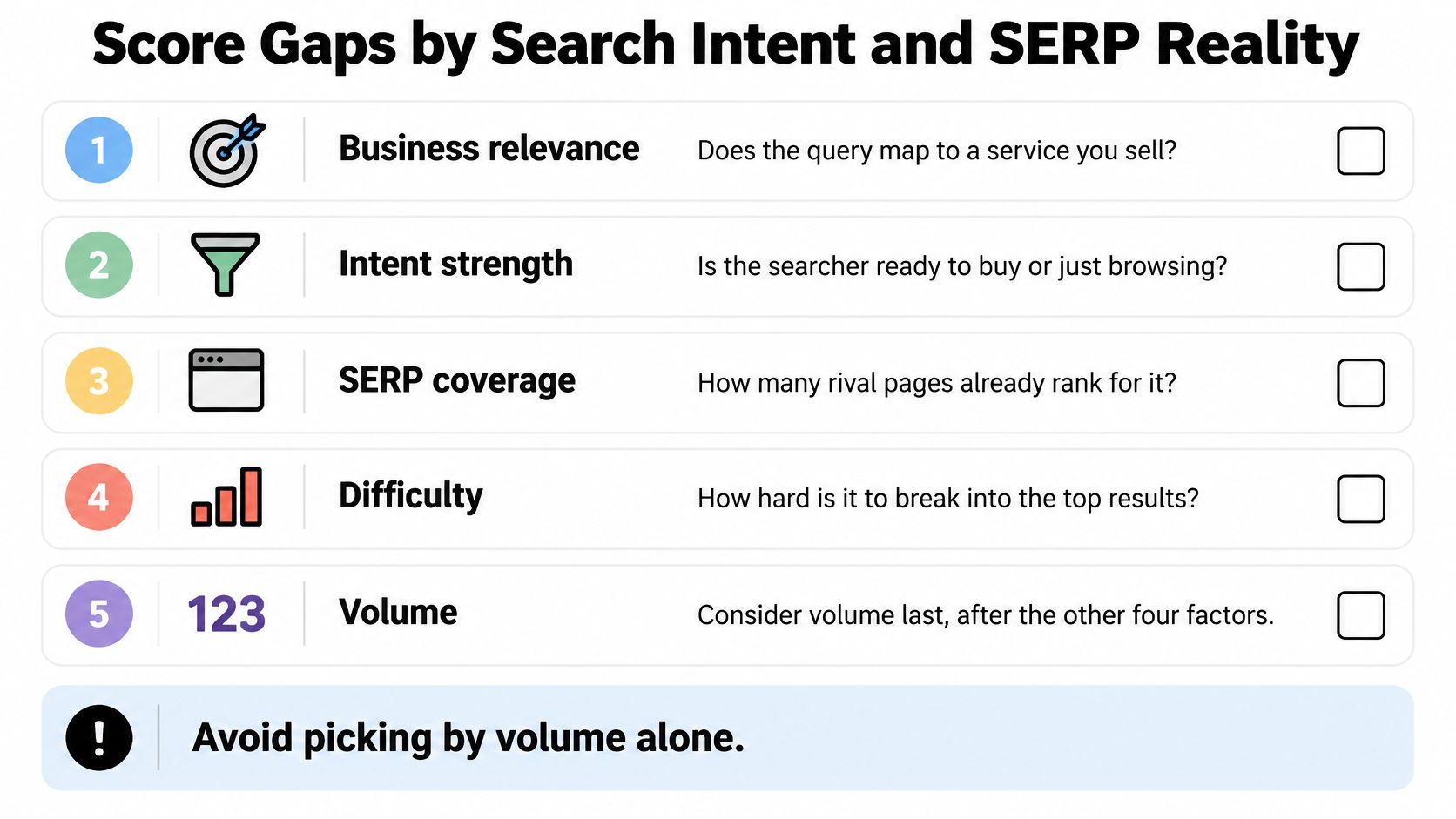
Inspect the top 10 results for each shortlisted query. Record format, dominant intent, freshness, topical completeness, rough backlink or authority signals, search features, and whether the same URL appears across related searches.
SERP signals and the decision each one supports
| SERP signal | What it suggests | Decision |
|---|---|---|
| One domain holds many related top results | A topic cluster you would have to match in full | Target only if you can build a complete cluster |
| Video, marketplace or local pack dominates | A format mismatch with a written page | Discard unless you can produce that format |
| Top pages are thin or outdated | A depth or freshness gap you can beat | Target with a more complete, dated page |
| Results match a different intent, such as product pages for a guide query | An intent mismatch | Skip, or map the term to a different page |
| Several rival URLs target the same intent | A consolidation opportunity | Build one stronger page and avoid splitting your own signals |
Treat these patterns as diagnostic clues, not automatic verdicts. Several ranking URLs may serve different tasks, and an old publication date doesn't prove the information is obsolete.
Apply a publication threshold
Keep a keyword only when you can produce the right page type and support it with relevant internal links. Google's Search Essentials recommends using searchers' language in prominent elements, including titles, headings, alt text, and link text, but wording can't rescue the wrong page.
A useful keyword with the wrong page is still the wrong assignment.
A guide optimized for a purchase query can collect impressions without attracting qualified visitors. For planning capacity and likely outcomes, use The SEO Agent on forecasting results, then score first and schedule only the strongest candidates for the next month.
Separate Ranking Gaps From Coverage Gaps
Say a competitor's guide to choosing a CRM for a small team explains pricing and onboarding. It never addresses moving from spreadsheets, choosing between HubSpot and Pipedrive, staying below a monthly budget ceiling, or working without an internet connection.
Those omissions can be more useful than another export of exact-match terms. They reveal decisions the reader still can't make after finishing the guide.
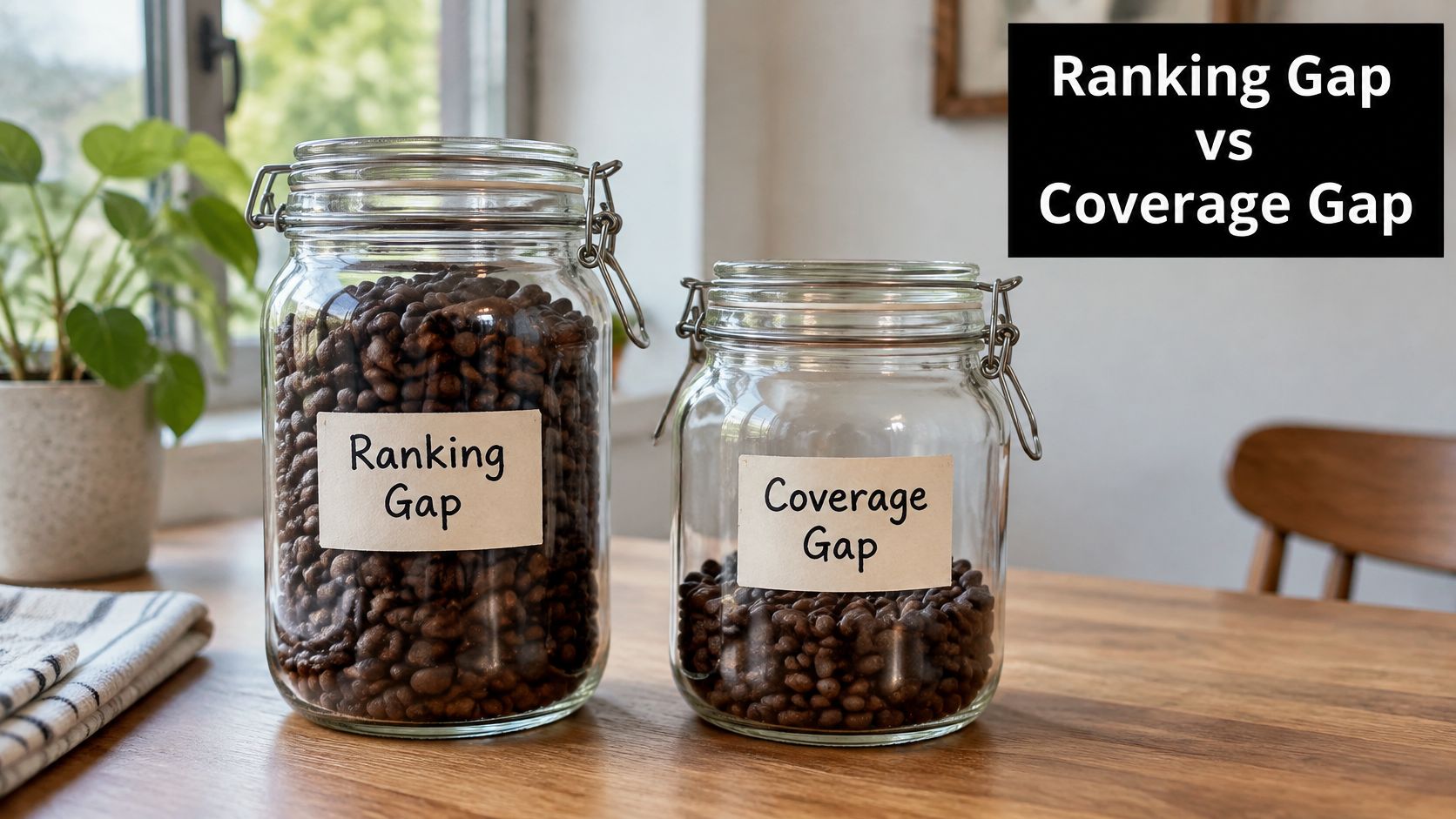
Distinguish position from missing answers
A ranking gap means you already target a query but a competitor ranks above you. A coverage gap means your site doesn't address a relevant question, comparison, or constraint, even if no keyword tool gives it a tidy volume estimate.
Google says AI Overviews and AI Mode are encouraging longer, more complex questions, while overall organic click volume has remained relatively stable year over year and average click quality has increased. Google also says links in these AI features are included in Search Console's overall Web reporting.
Build an answer map around the missing decisions:
| Missing question | User intent | Evidence needed | Freshness and completeness |
|---|---|---|---|
| How do I migrate from spreadsheets without losing notes? | Complete a migration | Import requirements, field mapping, recovery instructions | Current interface steps and common failure cases |
| Should I choose HubSpot or Pipedrive? | Compare alternatives | Documented features and task-based testing | Current plans, limitations, and clear trade-offs |
| Which option fits my monthly budget ceiling? | Control spending | Current pricing and required add-ons | State assumptions and distinguish necessary from optional costs |
| Can my team work offline? | Confirm a constraint | Documented offline behavior and sync limitations | Identify supported tasks and what happens after reconnecting |
Choose the right home for each answer
Not every question needs a separate article. Add a section when it completes the same decision; create a dedicated page when the task needs its own instructions or evidence.
A well-ranking competitor page suggests topic-level demand, but it doesn't prove demand for every missing subquestion. Validate the question against customer language, relevant results, and your ability to provide a substantive answer.
If you draft with AI, use how to optimize AI-written posts to turn the answer map into an editorial checklist. Require specific evidence and limitations, not a longer version of the rival's introduction.
Validate Candidates and Commit to One Gap
Before commissioning a new article, open Search Console's Performance report and select Queries. Sort by impressions, clicks, and CTR in turn, then filter for the candidate query and related wording.
Check the page and country filters to confirm which URL appears and whether that visibility comes from your target market. An existing product page receiving relevant impressions may need a stronger explanation or supporting guide, not a competing replacement.
Read the signal before choosing the action
According to Google's Performance report guidance, average position reflects the topmost position of your site's link averaged across the queries where it appeared: topmost positions of 2 and 3 produce an average of 2.5. Google recommends focusing more on trends in impressions and clicks than on average position alone.
Search Console signals and the action each one supports
| Search Console signal | What it means | Action |
|---|---|---|
| Impressions with low CTR on your existing page | The page appears for the query, but its title or snippet may underperform | Improve the existing page after checking position and intent |
| No impressions, and the SERP matches your intent | A potential unanswered query, subject to a site coverage check | Write a new page if no existing page satisfies it |
| Impressions without clicks | The intent or title may be off | Check intent match and rewrite the title before creating a new page |
| Clicks rising over a full quarter | The page is gaining search traffic | Keep the plan and expand the topic cluster if visits are relevant |
These are decision prompts, not proof of cause. Low CTR can reflect result features or weak positions, while no reported impressions doesn't establish that your site has no suitable page.
Inspect the URL itself before acting. Check whether it's indexable, whether the answer is present, and whether internal links describe it clearly.
Write a brief that resolves the uncertainty
Choose the single highest-scoring validated gap you can answer completely. Record the intended reader, their task, the page type, the evidence required, and the internal pages that should link to it.
Include a clear reason not to publish. If the only justification is that a competitor ranks, the brief isn't ready.
For an update, name the sections that need changing and preserve useful material. For a new page, define what belongs there and what should stay on adjacent pages, so you don't create competing answers to the same question.
Publication test: Can an editor explain what this page helps the reader do that your existing pages don't?
Our keyword research uses a live keyword data feed that provides monthly volume, difficulty, and cost-per-click for each brief. Those inputs support prioritization; they don't replace the intent and coverage checks.
Set a review date before publishing
Save the relevant Search Console baseline, publication date, and planned internal links. Review indexing and technical accessibility early, but allow at least a full quarter before judging the new page's search contribution.
New pages are usually indexed within days, while meaningful ranking movement on competitive terms takes three to six months. That isn't a reason to ignore broken links, inaccurate claims, or obvious intent mismatches while you wait.
Choose the gap, finish its evidence-backed brief, and publish the page. Leave the remaining candidates in the backlog until they justify a stronger priority.
The SEO Agent offers a free trial and can take an approved keyword opportunity through research, source-checked drafting, and CMS publishing. Visit The SEO Agent to assess your site's competitor gaps and turn one well-supported opportunity into a published page.