How to track keyword rankings for small business growth
Learn how to track keyword rankings for small business growth. Discover tools and strategies to measure SEO success and boost visibility.

Most small business owners invest time and money into SEO without ever confirming whether it’s actually working. You publish content, build links, and tweak your website, but without clear ranking data, you’re operating blind. Learning to track keyword rankings for your small business is the single most direct way to measure whether your SEO efforts are generating real visibility, qualified traffic, and ultimately, revenue. This guide walks you through the exact tools, processes, and interpretation frameworks you need to move from guesswork to data-driven decisions.
Table of Contents
- What you need to start tracking your keyword rankings
- Step-by-step guide to monitoring your keyword rankings
- Common mistakes and pitfalls when tracking keyword rankings
- How to interpret your keyword ranking data for business growth
- Advanced local tracking: geo-grid tools to refine your SEO strategy
- Why focusing solely on keyword rankings is no longer enough
- Enhance your keyword tracking with SEO automation tools
- Frequently asked questions
Key Takeaways
| Point | Details |
|---|---|
| Start with free tools | Google Search Console provides reliable, cost-free keyword ranking data to begin your tracking journey. |
| Focus on commercial keywords | Track a select group of keywords with strong commercial intent to measure SEO impact effectively. |
| Use geo-grid tracking for local SEO | Advanced geo-grid tools map rankings at neighborhood level for accurate local search insights. |
| Avoid data overload | Concentrate on key performance indicators to keep SEO tracking manageable and outcome-focused. |
| Evolve beyond rankings | Incorporate intent signals and content monitoring alongside rankings to align with modern search trends. |
What you need to start tracking your keyword rankings
Before you can monitor keyword performance meaningfully, you need three things in place: a defined keyword list, a website with at least some indexed pages, and a tracking tool connected to that site. The order matters. Jumping into tracking without a focused keyword list produces noise rather than insight.
The starting tools:
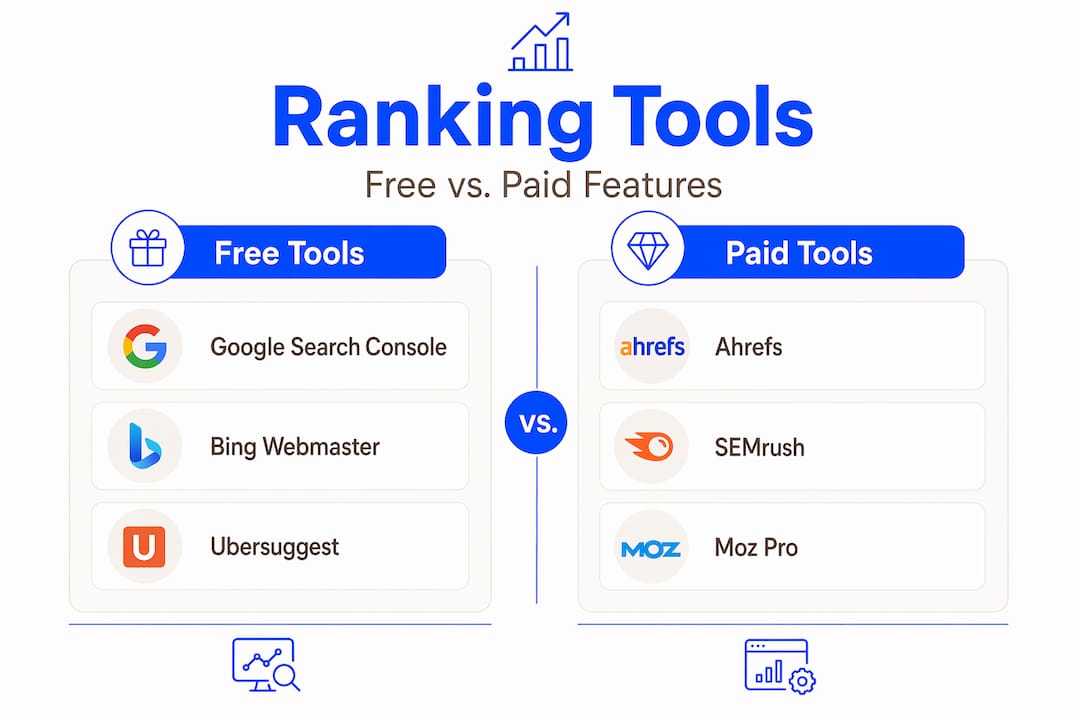
- Google Search Console (GSC): Google Search Console is the most authoritative free tool for monitoring keyword performance, offering 16 months of historical data on clicks, impressions, and average positions. It’s the non-negotiable baseline.
- Paid SEO platforms: Tools in the $65 to $150 per month range provide daily rank tracking, SERP feature tracking (featured snippets, local packs), and competitor monitoring that GSC simply doesn’t offer.
- Geo-grid rank trackers: For service-area businesses, these tools visualize your rankings across individual neighborhoods or ZIP codes rather than at the city level, which is far more actionable for local SEO.
You can find a detailed breakdown of free tools for small business SEO worth considering alongside GSC.
Tool comparison by cost, depth, and ease of use:
| Tool | Monthly cost | Tracking frequency | Data depth | Best for |
|---|---|---|---|---|
| Google Search Console | Free | Weekly aggregate | Impressions, clicks, avg. position | Baseline tracking |
| Mid-market SEO platforms | $65 to $150 | Daily to weekly | Full SERP, competitors, history | Growth-stage businesses |
| Geo-grid rank trackers | $20 to $80 | Daily | Hyper-local by ZIP/street | Local service businesses |
| Entry-level rank trackers | $15 to $40 | Weekly | Basic position data | Startups, low keyword volume |
Pro Tip: Before setting up any tool, build your keyword list first. Aim for 10 to 30 keywords grouped by intent (commercial, informational, local). This keeps your tracking focused and your monthly credit usage low on paid platforms.
Step-by-step guide to monitoring your keyword rankings
Now that you know the essentials, here is the exact process to track your rankings and extract actionable insights from the data.
-
Build a keyword list based on commercial intent. Start with the terms your customers actually use when they’re ready to buy or hire. “Emergency plumber Brooklyn” converts. “What is a P-trap” probably won’t. Use keyword research tools or Google’s own autocomplete suggestions to identify phrases with transactional or navigational intent.
-
Set up Google Search Console. Verify your site, then navigate to the Performance report and filter by queries. Export this list monthly and sort by impressions. Keywords ranking on pages 2 to 4 (positions 11 to 40) are your best opportunities because you’re already indexing for them.
-
Connect a dedicated rank tracker. SE Ranking offers flexible tracking frequencies including daily, every 3 days, or weekly checks, with pricing that adjusts accordingly. Set your location to match where your customers search from (city, state, or ZIP).
-
Choose your tracking frequency wisely. Daily tracking is useful for competitive keywords or during active campaigns. For most small businesses monitoring 20 to 50 keywords, checking every three days or weekly is enough to catch trends without inflating costs.
-
Analyze ranking changes in context. A keyword moving from position 14 to position 8 matters far more than a drop from position 52 to position 55. Focus your attention on keywords within striking distance of page one. Always correlate ranking changes with traffic data in GSC to confirm the movement is real.
-
Adjust based on trends, not single data points. One-week fluctuations are normal after algorithm updates. Look for directional trends over four to six weeks before making content changes. If a keyword is consistently sliding, that’s a signal to refresh the corresponding page, build more authoritative links, or address technical issues.
If you need tools with stronger competitive analysis than the defaults, reviews of SEMrush alternatives and Ahrefs alternatives outline platforms built for smaller budgets without sacrificing SERP data quality.
Pro Tip: Create a simple monthly ranking snapshot in a spreadsheet. Record your top 15 target keywords, their position, and the page ranking for each. This gives you a paper trail that no tool dashboard can replace, especially during platform outages or subscription lapses.

Common mistakes and pitfalls when tracking keyword rankings
Even with the best intentions, many small business owners make mistakes that weaken the value of their tracking efforts. Here’s how to avoid the most common ones.
- Tracking broad or irrelevant keywords. Ranking for “marketing tips” won’t move your revenue needle if you’re a local accountant. Every keyword you track should map directly to a service, product, or location you serve.
- Using manual Google searches to check rankings. Personalized search results mean Google shows you different rankings than it shows your actual customers. Manual checks are unreliable without using an incognito browser, a VPN, or a dedicated rank tracking tool.
- Ignoring local intent. A ranking at position 3 nationally might mean position 15 within your actual service radius. City-level data can be deceptive for businesses that rely on foot traffic or local service calls.
- Measuring too many metrics at once. Small business owners often track too much data, which dilutes focus on the key performance indicators that directly affect leads and revenue. Start with five KPIs: average keyword position, click-through rate, organic sessions, conversion rate from organic traffic, and keyword movement trend.
- Setting it and forgetting it. Rank tracking without a review cadence is just data collection. Schedule a monthly 30-minute review to act on what you find.
“Measuring everything means focusing on nothing. Small businesses that define five to seven core SEO KPIs and review them consistently will outperform those drowning in 40-metric dashboards every time.”
Choosing the right small business SEO tools from the start reduces the likelihood of these mistakes because better tools surface the metrics that matter most by default.
How to interpret your keyword ranking data for business growth
With solid tracking in place and common traps avoided, you’re ready to translate your ranking data into decisions that grow your business.
Understanding the traffic impact of ranking changes:
Moving from position 8 to position 3 for a keyword with 1,000 monthly searches can triple your click volume based on average click-through rate curves. Position 1 captures roughly 28 to 39% of clicks for a given query, while position 10 gets under 3%. The math makes ranking improvements directly tied to traffic and lead generation.
Keyword grouping for topical coverage:
Group your keywords by theme (for example: “roofing repair,” “roof replacement,” “emergency roofing”). If your rankings are strong in one cluster but weak in another, that’s a content gap requiring new pages or updated existing ones. This clustering approach mirrors how Google evaluates topical authority rather than isolated pages.
Monitoring competitor rankings:
Track three to five direct competitors alongside your own keywords. When a competitor jumps from position 5 to position 1 on a keyword you care about, analyze what changed on their page. Did they add a video? Update their content? Acquire new backlinks? Their gain is your blueprint.
Key metrics to watch and their business impact:
| Metric | What it tells you | Business impact |
|---|---|---|
| Average position | Overall visibility trend | More visibility = more brand impressions |
| Click-through rate (CTR) | Title and meta effectiveness | Higher CTR = more traffic without ranking change |
| Impressions vs. clicks | Content relevance signal | Low CTR with high impressions = title/meta needs work |
| Ranking velocity | Speed of movement | Fast drops signal algorithm issues or penalties |
| Local pack appearance | Local SEO visibility | Direct impact on calls and in-store visits |
Keyword rankings must be combined with mention monitoring and content audits because keywords no longer exist solely in search results pages. For businesses investing in SEO for sustained growth, this integrated view separates short-term ranking wins from durable organic presence.
Pro Tip: Connect your rank tracking data to Google Analytics 4 goal completions. When a keyword moves into the top 5, check whether conversion rates from that page increased proportionally. If they didn’t, your landing page may need work, not your SEO.
Pairing ranking data with AI-assisted content analysis is increasingly standard among growth-focused businesses. A comparison of AI SEO content tools shows how automation can match content output to the exact keywords gaining traction in your tracker.
Advanced local tracking: geo-grid tools to refine your SEO strategy
For local businesses, basic rank tracking is only part of the story. A standard rank tracker might show you at position 4 for “HVAC repair Denver,” but that single number hides enormous variation. You might rank in the top 3 within three miles of your office and disappear entirely in neighborhoods five miles away.
Why city-level rankings mislead local businesses:
Google’s local results are heavily influenced by proximity to the searcher. A business in downtown Denver and a business in Aurora will see entirely different ranking outcomes for the same keyword, depending on where the search originates. City-level data averages this out, making it nearly useless for targeting advertising spend or planning content.
How geo-grid tracking works:
Geo-grid tools place a grid of virtual search points (typically spaced 0.5 to 2 miles apart) across your target area and check your ranking at each point. The result is a heat map showing where you’re visible and where you’re invisible. Local businesses can save up to 45% using specialized geo-grid rank trackers that provide pinpoint accuracy down to the street or ZIP code level compared to paying for broader national tracking they don’t need.
Geo-grid tools vs. traditional rank trackers:
| Feature | Traditional rank tracker | Geo-grid rank tracker |
|---|---|---|
| Location granularity | City or state | Street, ZIP, or custom grid |
| Best for | National or regional SEO | Local service-area businesses |
| Visual output | Position numbers | Heat map visualization |
| Cost range | $65 to $150/month | $20 to $80/month |
| Google Maps tracking | Limited | Core feature |
You can explore affordable local rank tracking tools that include geo-grid features without enterprise pricing. The Local Business Rank Tracker available in the Google Workspace Marketplace is also worth evaluating for straightforward map-based tracking.
Pro Tip: Use your geo-grid heat map to identify the two or three ZIP codes where you’re weakest. Then prioritize those areas in your Google Business Profile posts, service-area pages, and any local ad campaigns. Geographic visibility gaps often mirror content gaps.
Why focusing solely on keyword rankings is no longer enough
We’ve spent the bulk of this guide explaining how to track keyword rankings for your small business, and that remains genuinely important work. But we’d be doing you a disservice if we didn’t acknowledge what the data landscape actually looks like in 2026.
Traditional blue-link rankings are losing predictive power. Google’s AI Overviews now answer queries directly in the results page, absorbing clicks that would previously flow to position 1. Voice search, featured snippets, and “People Also Ask” boxes all intercept traffic before users ever reach the organic list. Ranking at position 2 for a query dominated by an AI Overview can deliver fewer clicks than ranking at position 8 for a query without one.
According to Frederick Vallaeys, who helped build Google’s original keyword system, the future of search marketing is “intent engineering” rather than keyword picking. The shift is toward feeding the right behavioral, contextual, and content signals to AI-driven ranking systems rather than targeting discrete keyword strings.
What does this mean practically? You should still track keyword rankings. But complement that data with:
- Brand mention monitoring: Are people discussing your business, products, or content across the web? This signals growing authority to search engines.
- AI Overview appearance: Is your content being cited inside Google’s AI-generated answers? This is the new position zero.
- Content engagement metrics: Time on page, scroll depth, and return visits tell Google whether your content satisfies intent.
- Social signal correlation: Content that earns shares and comments tends to sustain ranking more durably than content that earns links alone.
“The businesses winning in search in 2026 aren’t the ones obsessing over position 5 versus position 6. They’re the ones building the kind of digital presence that search engines are engineered to surface regardless of the exact query.”
The SEO industry trends shaping 2026 suggest that small businesses integrating intent-based signals with traditional rank tracking will build more durable organic visibility than those monitoring rankings alone.
Enhance your keyword tracking with SEO automation tools
Tracking keywords manually across multiple tools is time-consuming, and for most founders, it’s the first SEO habit to slip when things get busy. That’s where SEO automation becomes a genuine business asset rather than a nice-to-have.
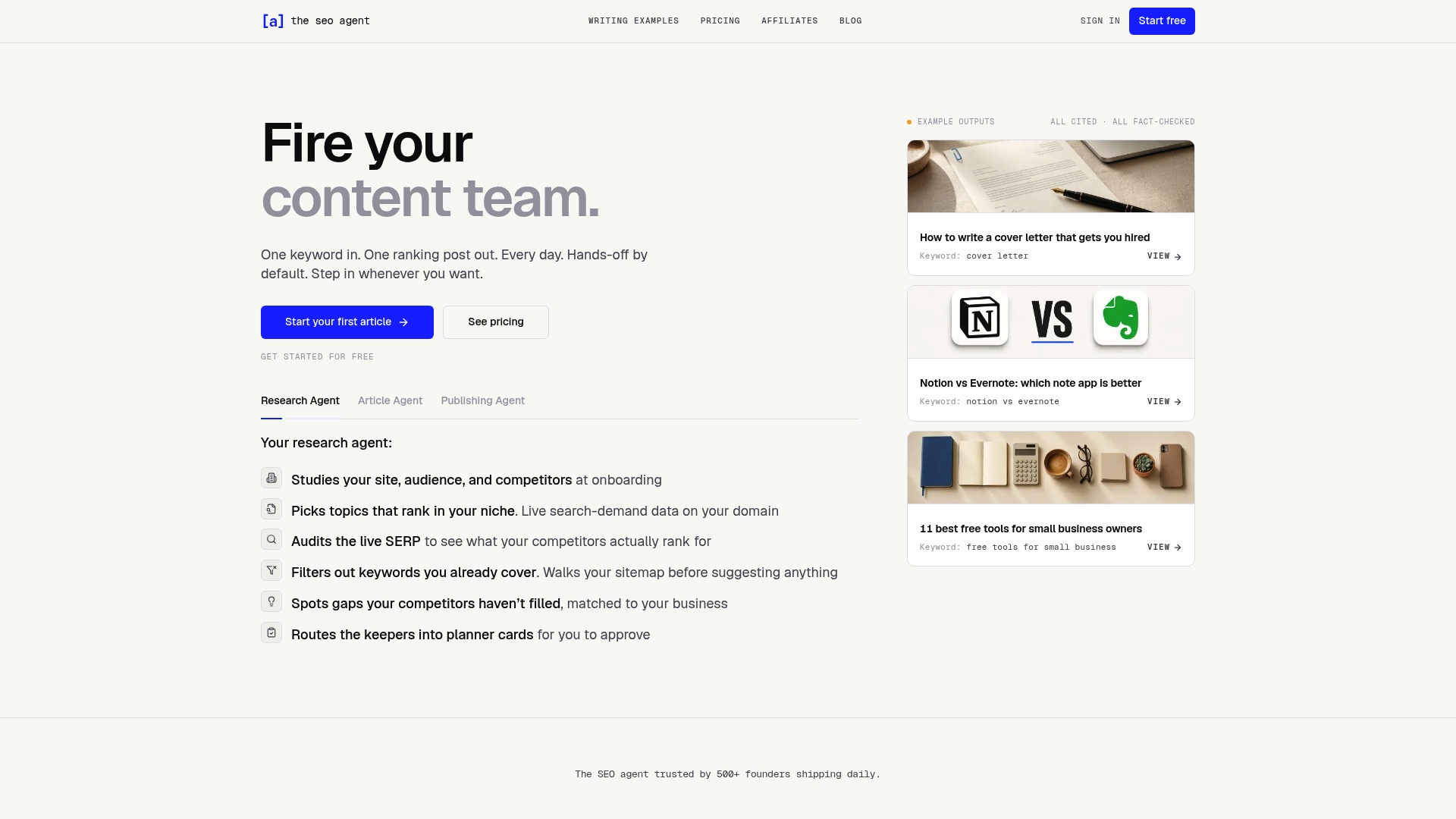
TheSEOAgent.ai is built specifically for small business owners who need consistent, data-driven content production without dedicating hours to keyword research, writing, and publishing. The platform’s SEO automation features connect live keyword tracking data directly to content creation, so the articles your site publishes each day are aligned with the exact terms gaining traction in your rankings. The SEO Bot handles drafting, fact-checking, and CMS publishing automatically. And tools like the SEO title generator ensure that every piece of content is built to capture click-through rates from the keywords you’re tracking. For founders who want results without managing five separate tools, this is where automation pays for itself.
Frequently asked questions
What is the easiest way for a small business to start tracking keyword rankings?
Google Search Console is the most authoritative free tool for monitoring keyword performance, making it the simplest starting point for any small business with a verified website. It requires no additional budget and provides 16 months of historical performance data out of the box.
How often should I check my keyword rankings to be effective but not overwhelmed?
Checking keyword rankings weekly or every three days balances cost and actionable insights for most small businesses. SE Ranking allows daily, every 3 days, or weekly tracking frequencies, with pricing that adjusts based on how often you pull data.
Should I track every keyword my website ranks for?
No. Focus on a targeted set of high-value keywords with commercial intent that map directly to your services or products. Small business owners often track too much data instead of concentrating on five to seven KPIs tied to actual business outcomes.
How can local businesses track keyword rankings more accurately than city-wide data?
Local businesses should use geo-grid rank trackers that report rankings down to the street or ZIP code level. Specialized geo-grid trackers provide pinpoint accuracy in local markets, revealing exactly where your visibility drops off within your service area.
Is tracking keyword rankings alone sufficient for modern SEO success?
No. Keyword rankings must be combined with mention monitoring and content audits for effective SEO in 2026, particularly as AI Overviews and intent-based search behaviors reshape how Google surfaces results.