9 Clear Signs Your Website Needs SEO in 2026
Discover the 9 clear signs your website needs SEO in 2026. Boost organic traffic and outsmart competitors with key strategies today!

Most website owners assume their site is performing fine until a competitor shows up above them on every search that matters. The signs your website needs SEO are often subtle at first: a slow drift in organic traffic, a few important pages that never rank, or a mobile experience that quietly frustrates visitors. Organic search drives 53% of all global website traffic, more than paid, direct, and social combined. That means a site with weak SEO is leaving the majority of its potential audience on the table. Here is how to read the signals before the damage compounds.
Table of Contents
- Key takeaways
- 1. Your pages show “Crawled - currently not indexed” in Search Console
- 2. Your Core Web Vitals scores are failing
- 3. Organic traffic is declining or stagnant
- 4. Zero-click searches are eroding your visibility
- 5. Your content is thin, duplicate, or misaligned with search intent
- 6. Your site is not mobile-friendly
- 7. Navigation is confusing and bounce rates are high
- 8. Your sitemap and robots.txt contain errors
- 9. You have no process for ongoing SEO monitoring
- My take: the signs most owners miss until it’s too late
- How Theseoagent automates your SEO diagnostics and fixes
- FAQ
Key takeaways
| Point | Details |
|---|---|
| Indexing gaps cost rankings | Pages marked “Crawled - currently not indexed” signal quality or structural problems Google will not ignore. |
| Core Web Vitals thresholds are firm | LCP, INP, and CLS benchmarks directly affect ranking and must be measured with real-user data. |
| Thin content blocks organic growth | Depth relative to competitors matters more than word count when Google evaluates indexing worthiness. |
| Traffic volume alone misleads | Declining quality of visitors and zero-click trends are stronger SEO warning signs than raw session counts. |
| Technical errors compound silently | Robots.txt mistakes and canonical misconfigurations can quietly suppress entire site sections without obvious symptoms. |
1. Your pages show “Crawled - currently not indexed” in Search Console
This is one of the clearest signs your website needs SEO attention. When Google logs a URL under this status, it means the crawler visited the page but decided not to include it in the index. That decision is deliberate and repeatable until you fix the underlying cause.
Common causes include thin content, duplicate pages, poor internal linking, and search intent mismatch. Requesting re-indexing without addressing those root causes yields no benefit. As the research confirms, repeated indexing requests do not override Google’s quality assessments.
The fix starts with a page-by-page audit. Pull the full list from Google Search Console, then evaluate each URL against the competitor pages currently ranking for the same topic. If your page offers less depth, less authority, or a different format than what searchers actually want, Google will keep ignoring it.

2. Your Core Web Vitals scores are failing
Website performance issues directly translate into ranking penalties and lost visitors. Google’s Core Web Vitals thresholds in 2026 require:
- LCP (Largest Contentful Paint): 2.5 seconds or faster
- INP (Interaction to Next Paint): 200 milliseconds or faster
- CLS (Cumulative Layout Shift): 0.1 or lower
These thresholds are measured at the 75th percentile of real-user data, not lab simulations. A page that passes Lighthouse locally can still fail in the field if actual users on slower connections experience degraded performance.
Pro Tip: INP optimization requires changes in event handling and site architecture, making it significantly harder to fix than LCP or CLS. Prioritize it first, especially on mobile, because the SEO and engagement payoff is proportionally higher.
Check your scores in Google Search Console under Core Web Vitals, and cross-reference with real-user field data rather than relying solely on synthetic tools.
3. Organic traffic is declining or stagnant
A drop in organic sessions over 60 to 90 days is a reliable indicator of poor SEO health, particularly when your paid or social channels are still performing. Stagnation is equally telling. If your content calendar is active but organic traffic has not grown in six months, the content is not ranking.
Watch for these specific website traffic problems:
- Traffic driven by branded queries only, with no growth in non-branded keyword rankings
- Visitors arriving from irrelevant queries that produce high bounce rates
- A sudden drop following a Google algorithm update, which signals content or technical compliance issues
- Flat traffic despite publishing new pages regularly
The distinction between an indexing problem and a ranking problem matters here. Indexed pages that rank on page three or four are a ranking issue, typically solved through content depth, authority building, and internal linking. Pages not indexed at all require technical and content remediation first.
4. Zero-click searches are eroding your visibility
Even sites with solid rankings are experiencing a new class of traffic problem. AI-generated overviews and zero-click searches now account for up to 60% of Google searches, with mobile reaching 77%. That means ranking in position three for an informational query may deliver far fewer clicks than it did two years ago.
This is not a reason to abandon SEO. It is a reason to refocus it. SEO success in 2026 depends more on generating high-intent leads and conversions than raw traffic volume. If your site is optimized only for informational queries with no transactional or navigational content, you are vulnerable to zero-click erosion. Audit your keyword mix and shift toward queries where users need to click through to complete a task.
You can read more about how AI search summaries are reshaping SEO strategy on the Theseoagent blog.
5. Your content is thin, duplicate, or misaligned with search intent
Content quality is where most sites quietly fail. Thin content is not defined by word count. A 600-word page with original data and clear expertise can outrank a 3,000-word generic overview. What matters is depth relative to what the top-ranking competitors have already published.
Here is a practical audit process:
- Pull your non-indexed and low-ranking URLs from Search Console.
- Search the target keyword and analyze the top three results for format, depth, and structure.
- Identify whether your page matches the format searchers expect (listicle, how-to guide, comparison, etc.).
- Check whether your page demonstrates genuine expertise or simply paraphrases common knowledge.
- Evaluate internal links pointing to the page. Orphan pages with few inbound links are frequently stuck in non-indexed status.
Pro Tip: Since June 2026, E-E-A-T signals including named author attribution and verifiable expertise have become a direct factor in indexing decisions. Anonymous content faces measurably higher deindexing risk.
6. Your site is not mobile-friendly
Mobile-unfriendly sites do not just rank lower. They lose visitors the moment those visitors arrive. Google uses mobile-first indexing, meaning the mobile version of your site is the version that gets evaluated for ranking purposes.
Common indicators of mobile usability problems include:
- Text that requires horizontal scrolling or zooming to read
- Buttons and links placed too close together for touch navigation
- Images that overflow their containers on smaller screens
- Pop-ups that block the main content and cannot be dismissed easily
Run your site through Google’s Mobile-Friendly Test and cross-check with the Mobile Usability report in Search Console. Fixing these issues is often faster than a full technical overhaul and delivers immediate improvements to both rankings and user engagement metrics.
7. Navigation is confusing and bounce rates are high
High bounce rates and short session durations are user experience signals that feed back into SEO performance. When visitors land on a page and leave immediately, Google interprets that as a relevance or quality failure.
Confusing navigation compounds the problem. If a visitor cannot find related content within two clicks, they leave. That lost engagement translates into reduced dwell time, fewer pages per session, and weaker behavioral signals for ranking algorithms.
Audit your navigation by asking three questions: Can a first-time visitor identify your main service or product within five seconds? Are category pages clearly labeled and logically grouped? Do internal links guide visitors toward conversion-relevant pages rather than dead ends?
8. Your sitemap and robots.txt contain errors
Technical SEO red flags often go undetected because they produce no visible error on the front end. A misconfigured robots.txt file can block Googlebot from crawling entire directories. A sitemap that includes redirected or non-canonical URLs wastes crawl budget and confuses indexing signals.
| Technical Issue | What It Does | How to Detect |
|---|---|---|
| Robots.txt disallow on key pages | Blocks Googlebot from crawling | Search Console Coverage report |
| Noindex tags on live pages | Removes pages from index | Site audit tools or manual inspection |
| Canonical pointing to wrong URL | Consolidates signals to incorrect page | Crawl tools or browser inspection |
| Sitemap includes redirect URLs | Wastes crawl budget | Screaming Frog or similar crawler |
Crawl budget inefficiencies caused by these structural problems limit Googlebot’s ability to discover and index important pages, particularly on larger sites. Reducing unnecessary redirects and disallowing low-value URL patterns improves how Googlebot allocates its crawl time across your site. A website SEO health check is a practical starting point for identifying these issues quickly.
9. You have no process for ongoing SEO monitoring
A one-time SEO audit is not a strategy. Sites that lack regular monitoring drift into technical debt, content decay, and ranking erosion without any single moment that triggers alarm. Pages that ranked well two years ago may now face stronger competitors, outdated content, or broken internal links.
The indicators of poor SEO are often cumulative. No single issue brings a site down. It is the combination of thin content, slow pages, weak internal linking, and unmonitored technical errors that compounds over time. An SEO audit checklist reviewed monthly catches these issues before they become ranking crises.
If your team does not have a structured process for tracking keyword positions, reviewing Search Console alerts, and auditing new content before publication, that gap is itself a sign that your SEO needs attention. Free SEO tools can cover the basics for smaller sites, but scaling that process requires either dedicated resources or automation.
My take: the signs most owners miss until it’s too late
I’ve reviewed hundreds of sites where the owners were convinced their SEO was fine because traffic looked stable in Google Analytics. What they weren’t checking was the composition of that traffic. Branded searches were holding the numbers up while non-branded organic rankings had been quietly eroding for months.
In my experience, the fastest way to recover organic visibility is not to publish more content. It’s to fix the indexing problems first. Pages stuck in “Crawled - currently not indexed” status represent work already done that is producing zero return. Rescuing those pages through content improvements and internal linking typically delivers faster ranking gains than any new content initiative.
The other thing I’ve learned is that technical fixes and content improvements need to happen in parallel, not sequentially. Waiting until the site is technically perfect before improving content means months of delay. The two workstreams reinforce each other.
Continuous monitoring is what separates sites that compound their SEO gains from those that plateau. Automation tools that track rankings, flag indexing issues, and surface content gaps daily make that monitoring sustainable without requiring a full-time analyst.
— Seo
How Theseoagent automates your SEO diagnostics and fixes
Identifying the signs your website needs SEO is only half the work. Acting on them consistently is where most teams fall short.
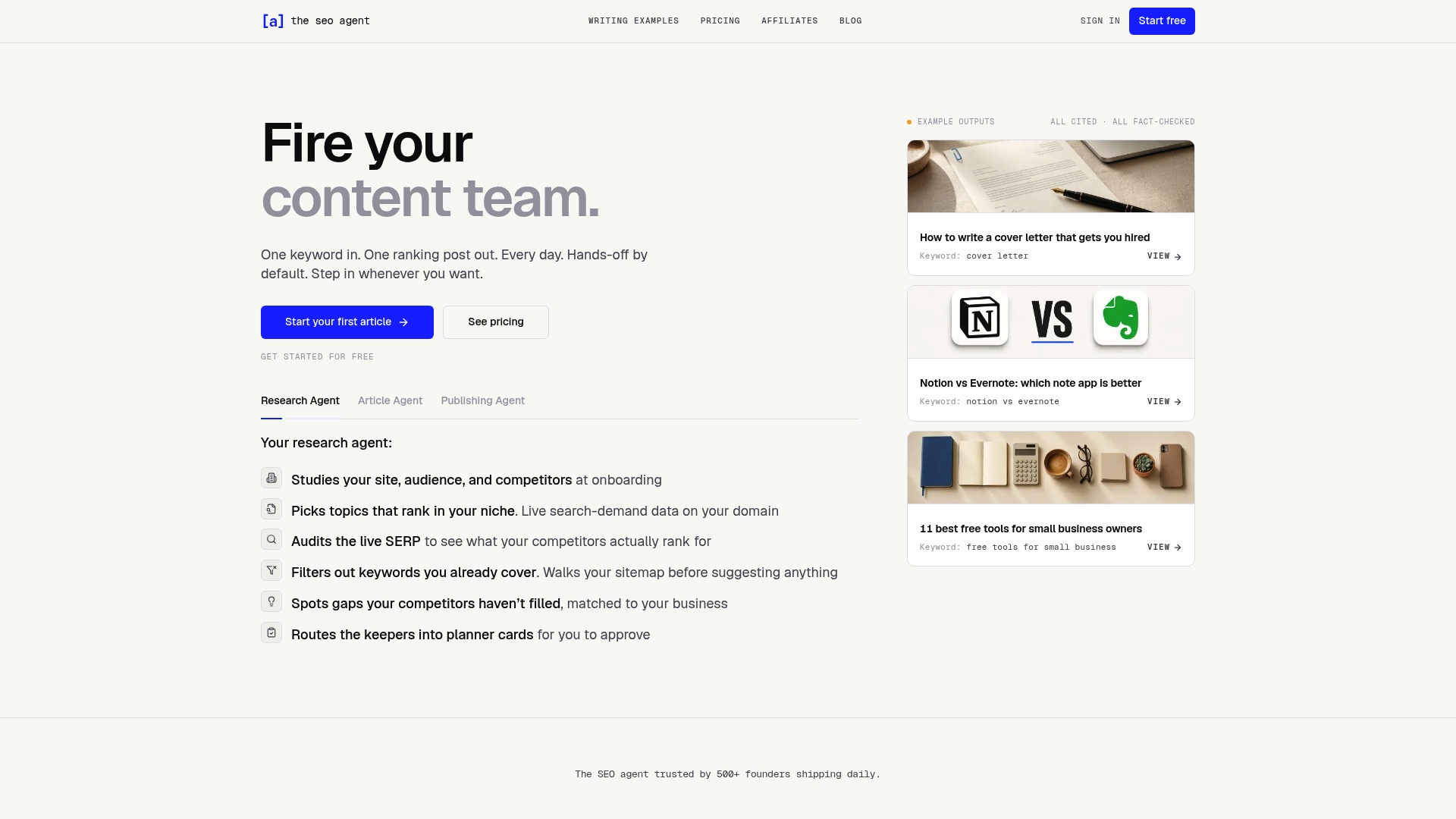
Theseoagent is built to handle the full pipeline: keyword research, content drafting, fact-checking, internal linking, and publishing, all automated and delivered daily. The platform uses live SERP data and content gap analysis to surface the exact topics your site needs to rank for, then produces publication-ready content with schema markup, citations, and AI-generated images included.
For e-commerce operators, the Theseoagent Shopify app integrates directly into your store to automate SEO content at scale. For site owners who want full SEO automation across any CMS, the platform connects with WordPress, Webflow, Ghost, Wix, Notion, and Framer. No agency retainer. No content backlog. Just consistent, data-driven SEO output every day.
FAQ
What are the most common signs your website needs SEO?
The most common signs include declining organic traffic, pages stuck in “Crawled - currently not indexed” status, failing Core Web Vitals scores, thin or duplicate content, and no rankings for target keywords. Any one of these signals warrants an immediate SEO audit.
How do I know if my site has indexing problems?
Open Google Search Console and navigate to the Coverage or Indexing report. Pages listed under “Crawled - currently not indexed” are being seen by Google but excluded from search results, typically due to content quality or structural issues.
What is a good starting point for an SEO audit checklist?
Start with three areas: indexing status in Search Console, Core Web Vitals scores using real-user field data, and a content audit comparing your top pages against the current top-ranking competitors for each target keyword.
Does mobile-friendliness directly affect SEO rankings?
Yes. Google uses mobile-first indexing, meaning the mobile version of your site determines how it is evaluated and ranked. Sites with mobile usability errors in Search Console are at a direct ranking disadvantage.
How often should I check for signs of ineffective SEO?
Monthly reviews of Search Console data, keyword rankings, and Core Web Vitals are the minimum for most sites. High-traffic or frequently updated sites benefit from weekly monitoring to catch issues before they compound.
Recommended
- 10 best Surfer SEO alternatives in 2026, ranked — TheSEOAgent · The SEO Agent
- 10 best Ahrefs alternatives in 2026, ranked — TheSEOAgent · The SEO Agent
- 10 best SEMrush alternatives in 2026, ranked — TheSEOAgent · The SEO Agent
- The SEO Agent · The AI SEO Tool That Ships Daily Articles · The SEO Agent